MonitorMojo Blog
How to Review Client Websites Monthly
A monthly website review is one of the most valuable recurring activities an agency can build into its operations. Done consistently, it catches issues before clients notice them, gives you real data for monthly reports, and creates a longitudinal record of each client site's health over time. Here is how to build a monthly review workflow that is fast, consistent, and scalable. This expanded guide explains the practical monitoring workflow behind the topic, who should use it, what to check, how to document findings, and how to turn website health signals into useful client, developer, API, CLI, or AI-agent workflows without overstating what monitoring can prove.
Why Monthly Reviews Matter
Things change on client websites between your active engagement periods. SSL certificates approach expiration. Response times degrade as the database grows or traffic increases. Security headers get stripped during plugin updates or server migrations. A monthly review catches these changes before they become client-facing problems.
Monthly reviews also give you the data for your monthly report — the visible proof of care plan value. Without a review, the report is empty. With it, you have something concrete to communicate: here is what we checked, here is what we found, here is what we did.
Over time, monthly reviews build a longitudinal picture of each client site. Trends emerge: consistent response time improvement after optimization, SSL renewal confirmed each month, security headers maintained after initial configuration. That trend data is evidence of the value your agency provides.
Monthly Review Workflow: Step by Step
Step 1: Build your client review schedule. Decide which clients get reviewed on which day of the month. Most agencies batch their reviews on the same two or three days each month — it is more efficient than spreading them throughout the month and creating a constant background task.
Step 2: Run the health check for each client. For each client in that month's batch, run a full health check covering uptime, SSL, response time, security headers, and risk signals. Store the results with the client record and the check date.
Step 3: Compare to the previous month. For each category, compare this month's results to last month's. Has response time changed significantly? Is SSL expiration approaching? Have security headers changed (possibly stripped by a plugin update)? Flag any notable changes.
Step 4: Classify any findings. For each new finding or change, classify it as critical (needs immediate action), warning (needs attention this month), or informational (worth noting in the report but no action required).
Step 5: Write the monthly report for each client. Use your report template to compile findings. Lead with the summary status. Walk through each category. List any action items and who is responsible.
Step 6: Send the report and follow up on any action items. Send by the same date each month — consistency builds client trust. If there are action items, follow up to confirm they have been addressed before the next review.
Monthly Review Checklist
Run through this checklist for each client during the monthly review cycle.
- Health check run and results stored with date
- Uptime status confirmed (no downtime detected this period)
- SSL expiration date checked (flag if within 60 days)
- Response time compared to previous month (flag if significantly slower)
- Security headers confirmed present (flag any that have disappeared)
- Risk signals reviewed (no new flags)
- Findings compared to previous month's results
- New findings classified: critical / warning / informational
- Monthly report drafted and reviewed
- Report sent to client on schedule
- Any critical or warning items communicated with clear action
- Client record updated with this month's results
How to Keep Reviews Efficient at Scale
Batch your reviews: do all clients on the same schedule in one session rather than spreading them throughout the month. This reduces context-switching and keeps the review process mentally manageable.
Use a template for everything: the check workflow, the report format, the action item communication. Templates reduce the time per client from thirty minutes to ten minutes once you have the data. The variability is in the findings, not the format.
Automate data retrieval where possible. If you are managing ten or more client sites, pulling check results one by one is time-consuming. The API lets you retrieve results for all clients in one pass and populate your report templates automatically.
How MonitorMojo Helps
MonitorMojo makes the data collection phase of a monthly review fast and complete. One check per client covers all five health areas in a single pass. For ten clients, that is ten checks — not fifty across five different tools.
Historical check data stores automatically, so every monthly review is automatically comparable to every previous review. The comparison view is built in — you just need to interpret and report on what changed.
Credit-based pricing makes the cost of monthly reviews predictable. One check per client per month is a fixed credit spend. Add or remove clients and the cost adjusts accordingly — no idle subscription fees.
What this workflow means
How to Review Client Websites Monthly is best understood as a repeatable website health workflow, not a promise that every outage or configuration issue will be avoided. A step-by-step monthly review workflow for agencies to check client website health, performance, and security on a recurring basis.
In practice, this workflow centers on API, CLI, and AI-agent workflows that retrieve website health context with human review. Each check is planning input: it can show that the site is reachable, that a certificate has a given expiry window, that response time has shifted, or that a header is missing. It cannot prove root cause by itself or replace a human response. The value is in making the review consistent enough that site owners and small teams can spot issues before someone downstream has to ask about them.
Who should use this
This is most useful for site owners and small teams. Agencies running monthly care plans and wanting a systematic review process
Beyond that primary audience, the same checks are reusable by anyone with a public-facing URL that matters to revenue, leads, or reputation: a recurring review is cheap insurance compared to hearing about the problem from a client or customer first.
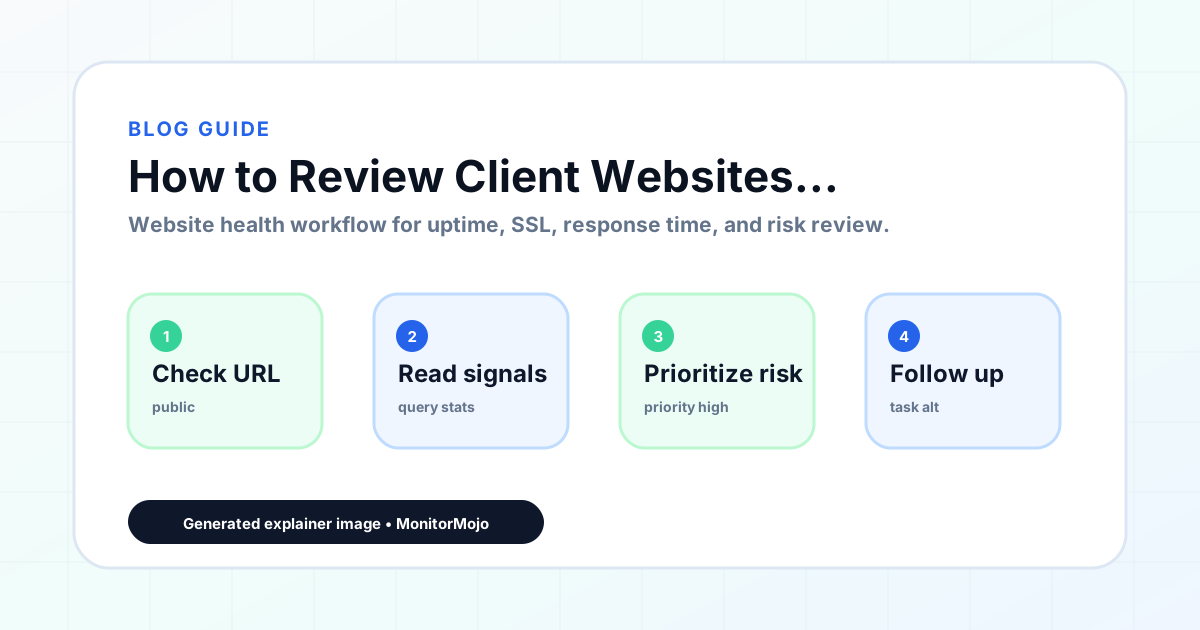
Step-by-step monitoring workflow
Start by listing the URLs that actually matter instead of just the homepage — for a small team doing a routine check before something breaks in front of a visitor, that usually means the pages tied to revenue, signups, or trust, not every page on the site.
Next, define the check types for each URL: reachability, HTTP status, HTTPS/SSL certificate status and expiry window, response time, redirect behavior, and security header presence. For API, CLI, and AI-agent workflows, document which endpoint or command runs the check and where the result is stored.
Set a cadence that matches the risk — a low-traffic page may only need a monthly look, while a page tied to revenue or signups deserves a check after every deployment and before any campaign or launch.
Record what you find with a consistent format: URL, check type, status, issue, owner, detected date, and next review date. Then say what actually happened in plain language — a check can surface a symptom, but site owners and small teams still need to confirm the cause.
- Choose the URLs that matter most to visitors, clients, revenue, and operations.
- Run uptime, SSL, response time, and security header checks on a consistent schedule.
- Triage failed or risky checks by likely owner: hosting, DNS, SSL, code, platform, or third party.
- Record notes in a repeatable format so future reviews do not start from scratch.
- Send a plain-language summary with the issue, impact, owner, and next review date.
- Run a confirmation check after remediation so there is an external result to reference.
Checklist or template
Use this template for recurring reviews: [URL], [Check Type], [Status], [Issue], [Priority], [Owner], [Detected Date], [Resolved Date], [Next Review Date]. Add a one-line summary at the top: what changed, what needs attention, and who owns the next step.
For site owners and small teams, group findings into the four signals that matter most: reachability, SSL status, response time, and security headers. Where nothing needs action, say the check found no issue in that area rather than implying full coverage.
- [URL]: the exact page or endpoint checked.
- [Check Type]: uptime, SSL, response time, headers, API, CLI, or agent workflow.
- [Status]: pass, review, failed, blocked, or needs human investigation.
- [Issue]: the observable symptom, not an unsupported root-cause claim.
- [Owner]: agency, developer, host, DNS provider, client, or third-party vendor.
- [Next Review Date]: when the team should confirm status again.
Common mistakes
The most common mistake is monitoring only the homepage while a checkout, signup, or booking flow silently breaks. Another is assuming SSL auto-renewal always works — it can fail quietly, and an external check is the only way to catch that before a browser warning does.
For site owners and small teams specifically, the recurring miss is treating one clean check as proof the whole site is fine, or fixing an issue without ever writing down what happened — which means the next person repeats the same investigation from zero.
- Tracking too many low-value URLs while missing the ones that matter.
- Skipping notes after an issue is resolved.
- Reporting a status without an owner or next step attached.
- Assuming automation can resolve an incident without human review.
- Treating one clean check as proof that every risk is covered.
Practical example
Consider a small team doing a routine check before something breaks in front of a visitor. A scheduled check flags that the site is slower than its usual baseline and that a security header is missing. Instead of guessing, the team logs the observation with a timestamp, assigns an owner, and re-checks after the fix ships — turning a vague "something feels off" into a specific, closed-loop task.
How MonitorMojo helps
MonitorMojo runs website health checks that combine reachability, SSL certificate status, response time, and security header presence in one workspace, so this workflow doesn't require stitching together several separate tools.
The API and CLI make the same checks scriptable for site owners and small teams who want them wired into an existing process, while credit-based checks keep it practical to run reviews exactly when they matter — before a client call, after a deploy, or when someone asks whether the site is healthy. Results still depend on hosting, DNS, and how quickly the responsible team acts on what the check finds.
Who this is for
- Agencies running monthly care plans and wanting a systematic review process
- Freelancers who need an efficient way to review multiple client sites each month
- Web professionals building a recurring monthly reporting practice
- Anyone who wants to catch client website issues before clients notice them
Frequently Asked Questions
How long should a monthly client review take?
With a consistent process, 10–15 minutes per client: a few seconds to run the check, a few minutes to review and compare results, and a few minutes to populate the report template. Batching clients together and using templates keeps this efficient even at scale.
What if I find a critical issue during the monthly review?
Do not hold it for the monthly report. Contact the client immediately with a plain-language description of the issue and the recommended next step. Critical issues need same-day communication, not end-of-month delivery.
Should I review all client sites on the same day of the month?
Most agencies batch reviews over two or three days at the start or end of the month. The important thing is consistency — clients who pay for monthly reports expect to receive them on a predictable schedule.
What should I do when a client's site shows no changes month over month?
Report it as a clean month. "We reviewed your site this month and found everything healthy — here are the specific results" is a positive communication that reassures the client and reinforces care plan value. A clean month is a deliverable, not an absence of one.
Can this prevent every issue with the site?
No. Monitoring helps site owners and small teams detect website health signals and organize follow-up, but it does not prevent every outage, SSL issue, slow response, or third-party failure. The result still depends on hosting, DNS, infrastructure, and how quickly the responsible team investigates and responds.
What should a monitoring report include?
The URL, check type, current status, detected issue, priority, owner, detected date, resolved date if applicable, and the next review date. Keep the language tied to what the check actually observed, especially when the root cause still needs developer, host, or platform review.