MonitorMojo Blog
Best MonitorMojo Alternatives for Website Monitoring
MonitorMojo helps agencies, founders, developers, and website owners monitor website uptime, SSL certificates, response time, security headers, and overall website health from one dashboard. If you are evaluating MonitorMojo against other options, or looking for a tool with a different pricing model, feature focus, or integration approach, this guide walks through the most relevant alternatives and what each one does well. The right choice depends on whether you need continuous uptime alerts, on-demand health checks, SSL-focused monitoring, or a combination of signals in one workflow. This expanded guide explains the practical monitoring workflow behind the topic, who should use it, what to check, how to document findings, and how to turn website health signals into useful client, developer, API, CLI, or AI-agent workflows without overstating what monitoring can prove.
What to look for in a MonitorMojo alternative
The first thing to clarify is what you need from a website monitoring tool. MonitorMojo combines reachability checks, SSL certificate monitoring, response time tracking, security header reviews, and domain risk notes into a single health check workflow. Alternatives may focus on just one of these signals or take a different approach to how checks are scheduled and priced.
Key buying criteria include: the range of signals checked in each run, whether checks are continuous or on-demand, how pricing scales with the number of sites, whether multi-site dashboards are supported, whether API access is available for automation, and whether results are easy to communicate to clients or non-technical stakeholders.
Understanding your specific workflow needs helps narrow the field quickly. An agency managing 40 client sites has different requirements than a developer monitoring a single SaaS product after deployments.
UptimeRobot as a MonitorMojo alternative
UptimeRobot is one of the most widely known uptime monitoring tools. It excels at continuous availability monitoring with a generous free tier. If your primary need is simple ping-based uptime checks with alert notifications, UptimeRobot is a strong option.
Where UptimeRobot differs from MonitorMojo is in the breadth of each check. UptimeRobot focuses on availability and does not natively combine SSL certificate status, response time review, security header presence, and domain risk notes in a single check result. For agencies that need a holistic health view per check, this means using additional tools alongside UptimeRobot.
UptimeRobot is best for teams that want continuous uptime alerts at low cost and do not need combined health checks for client reporting or multi-signal reviews.
Pingdom as a MonitorMojo alternative
Pingdom is a well-established monitoring platform that offers uptime monitoring, page speed analysis, and transaction monitoring. It provides detailed performance insights and has been used by teams for over a decade.
Pingdom's strength is in page speed analysis and real-user monitoring. Its pricing is per-site, which can become expensive for agencies managing many client websites. MonitorMojo's credit-based model offers a different approach where you pay for checks when you run them rather than committing to a monthly per-site fee.
Pingdom is best for teams that need detailed page speed analysis and real-user monitoring alongside uptime checks, and who are comfortable with per-site subscription pricing.
StatusCake as a MonitorMojo alternative
StatusCake offers uptime monitoring, page speed monitoring, SSL alerting, and domain monitoring in a platform designed for teams managing multiple sites. It includes a status page feature and supports API access for automation.
StatusCake covers more signals than basic uptime tools, including SSL and domain monitoring. However, it does not combine security header checks and response time review into the same health check workflow that MonitorMojo provides. StatusCake's model is subscription-based with tiered feature access.
StatusCake is best for teams that want a subscription-based monitoring platform with status page functionality and multi-signal coverage, but who do not need security header checks as part of every health check.
Better Stack as a MonitorMojo alternative
Better Stack (formerly Better Uptime) combines uptime monitoring with incident management and status pages. It is designed for teams that want monitoring, alerting, and incident response in one platform with a modern interface.
Better Stack's strength is in its incident management workflow and status page builder. It is particularly popular with SaaS teams that need to communicate incidents to users. The pricing model is subscription-based and can be higher than simpler monitoring tools.
Better Stack is best for SaaS teams that need integrated incident management and status pages alongside uptime monitoring, and who are comfortable with a higher monthly cost for the combined workflow.
Oh Dear as a MonitorMojo alternative
Oh Dear is a monitoring tool that covers uptime, SSL, DNS, performance, and broken links. It provides comprehensive checks and is popular with developers and agencies who want detailed technical monitoring.
Oh Dear covers a broad range of signals and provides detailed technical data. Its check-based approach has some similarities to MonitorMojo, though the specific signals and presentation differ. Oh Dear does not include domain risk notes or the same security header review workflow.
Oh Dear is best for developers who want detailed technical monitoring with broken link detection and DNS checks, and who prefer a European-hosted monitoring solution.
How MonitorMojo compares
MonitorMojo differentiates itself by combining reachability, SSL certificate status, response time, HTTP redirect behavior, security headers, and domain risk notes into a single health check. Rather than requiring separate tools for each signal, one check covers all of them.
The credit-based pricing model means you pay for checks when you run them, rather than committing to per-site monthly subscriptions. This fits the workflow of agencies running checks before client calls, after deployments, and on a regular cadence without the overhead of always-on monitoring.
MonitorMojo supports multi-site dashboards, API access for automation, and check results designed to be communicable to clients. The results depend on hosting, DNS, infrastructure, configuration, traffic, and response process. MonitorMojo helps you see what is happening from outside the hosting environment.
Mistakes to avoid when choosing a monitoring tool
One common mistake is choosing a tool based on free tier features without considering what happens when you need more. Free tiers are useful for evaluation, but the pricing at scale varies significantly between tools. Check the pricing for your actual number of sites and check frequency before committing.
Another mistake is selecting a tool that only covers uptime when you also need SSL, response time, and security header monitoring. Using separate tools for each signal creates workflow overhead and makes it harder to get a complete picture of site health in one view.
A third mistake is not considering how results will be communicated to clients or stakeholders. A tool that produces technically detailed but client-unfriendly output requires additional work to create reports.
What this workflow means
Best MonitorMojo Alternatives for Website Monitoring is best understood as a repeatable website health workflow, not a promise that every outage or configuration issue will be avoided. Looking for MonitorMojo alternatives? Compare the top website monitoring tools for uptime, SSL, response time, and security header checks across agencies, developers, and small teams.
In practice, this workflow centers on uptime, SSL certificates, response time, security headers, website health summaries, and monthly review notes. Each check is planning input: it can show that the site is reachable, that a certificate has a given expiry window, that response time has shifted, or that a header is missing. It cannot prove root cause by itself or replace a human response. The value is in making the review consistent enough that site owners and small teams can spot issues before someone downstream has to ask about them.
Who should use this
This is most useful for site owners and small teams. Agencies evaluating website monitoring tools for client site portfolios
Beyond that primary audience, the same checks are reusable by anyone with a public-facing URL that matters to revenue, leads, or reputation: a recurring review is cheap insurance compared to hearing about the problem from a client or customer first.
Step-by-step monitoring workflow
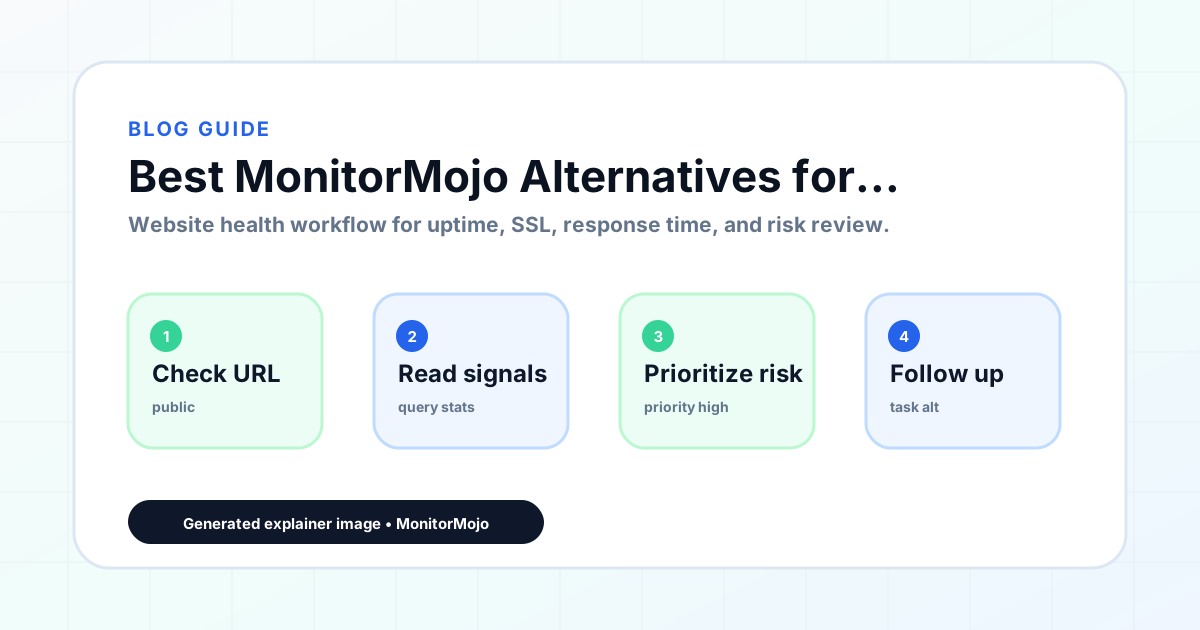
Start by listing the URLs that actually matter instead of just the homepage — for a small team doing a routine check before something breaks in front of a visitor, that usually means the pages tied to revenue, signups, or trust, not every page on the site.
Next, define the check types for each URL: reachability, HTTP status, HTTPS/SSL certificate status and expiry window, response time, redirect behavior, and security header presence. For API, CLI, and AI-agent workflows, document which endpoint or command runs the check and where the result is stored.
Set a cadence that matches the risk — a low-traffic page may only need a monthly look, while a page tied to revenue or signups deserves a check after every deployment and before any campaign or launch.
Record what you find with a consistent format: URL, check type, status, issue, owner, detected date, and next review date. Then say what actually happened in plain language — a check can surface a symptom, but site owners and small teams still need to confirm the cause.
- Choose the URLs that matter most to visitors, clients, revenue, and operations.
- Run uptime, SSL, response time, and security header checks on a consistent schedule.
- Triage failed or risky checks by likely owner: hosting, DNS, SSL, code, platform, or third party.
- Record notes in a repeatable format so future reviews do not start from scratch.
- Send a plain-language summary with the issue, impact, owner, and next review date.
- Run a confirmation check after remediation so there is an external result to reference.
Checklist or template
Use this template for recurring reviews: [URL], [Check Type], [Status], [Issue], [Priority], [Owner], [Detected Date], [Resolved Date], [Next Review Date]. Add a one-line summary at the top: what changed, what needs attention, and who owns the next step.
For site owners and small teams, group findings into the four signals that matter most: reachability, SSL status, response time, and security headers. Where nothing needs action, say the check found no issue in that area rather than implying full coverage.
- [URL]: the exact page or endpoint checked.
- [Check Type]: uptime, SSL, response time, headers, API, CLI, or agent workflow.
- [Status]: pass, review, failed, blocked, or needs human investigation.
- [Issue]: the observable symptom, not an unsupported root-cause claim.
- [Owner]: agency, developer, host, DNS provider, client, or third-party vendor.
- [Next Review Date]: when the team should confirm status again.
Common mistakes
The most common mistake is monitoring only the homepage while a checkout, signup, or booking flow silently breaks. Another is assuming SSL auto-renewal always works — it can fail quietly, and an external check is the only way to catch that before a browser warning does.
For site owners and small teams specifically, the recurring miss is treating one clean check as proof the whole site is fine, or fixing an issue without ever writing down what happened — which means the next person repeats the same investigation from zero.
- Tracking too many low-value URLs while missing the ones that matter.
- Skipping notes after an issue is resolved.
- Reporting a status without an owner or next step attached.
- Assuming automation can resolve an incident without human review.
- Treating one clean check as proof that every risk is covered.
Practical example
Consider a small team doing a routine check before something breaks in front of a visitor. A scheduled check flags that the site is slower than its usual baseline and that a security header is missing. Instead of guessing, the team logs the observation with a timestamp, assigns an owner, and re-checks after the fix ships — turning a vague "something feels off" into a specific, closed-loop task.
How MonitorMojo helps
MonitorMojo runs website health checks that combine reachability, SSL certificate status, response time, and security header presence in one workspace, so this workflow doesn't require stitching together several separate tools.
The API and CLI make the same checks scriptable for site owners and small teams who want them wired into an existing process, while credit-based checks keep it practical to run reviews exactly when they matter — before a client call, after a deploy, or when someone asks whether the site is healthy. Results still depend on hosting, DNS, and how quickly the responsible team acts on what the check finds.
Who this is for
- Agencies evaluating website monitoring tools for client site portfolios
- Developers comparing monitoring options for production site health checks
- Founders looking for the right monitoring tool for their SaaS or ecommerce site
- Small business owners researching website monitoring options
Frequently Asked Questions
What makes MonitorMojo different from other monitoring tools?
MonitorMojo combines reachability, SSL certificate status, response time, HTTP redirect behavior, security headers, and domain risk notes into a single health check. The credit-based pricing means you pay for checks when you run them.
Is MonitorMojo suitable for agencies managing client sites?
Yes. MonitorMojo supports multi-site dashboards and check results designed to be communicable to clients. Agencies use it to run health checks across client portfolios and include check data in monthly reports.
Can I use MonitorMojo alongside other monitoring tools?
Yes. MonitorMojo can complement existing monitoring setups. If you already use an uptime-focused tool for continuous alerts, MonitorMojo can add the combined health check workflow for periodic reviews and client reporting.
Does MonitorMojo offer an API for automation?
Yes. MonitorMojo provides a public API for running health checks and retrieving results programmatically. Documentation is available at /api-docs.
How does credit-based pricing compare to per-site subscriptions?
Credit-based pricing means you pay for checks when you run them. For teams running periodic checks, this can be more cost-effective than per-site monthly subscriptions.
Can this prevent every issue with the site?
No. Monitoring helps site owners and small teams detect website health signals and organize follow-up, but it does not prevent every outage, SSL issue, slow response, or third-party failure. The result still depends on hosting, DNS, infrastructure, and how quickly the responsible team investigates and responds.