MonitorMojo Blog
SSL Monitoring for Agencies: How to Protect Client Websites
SSL certificate expiry is one of the most common and most preventable causes of unexpected website failures for agency clients. When a certificate expires, browsers display a full-screen warning that tells visitors the connection is not private — and most visitors leave. For agencies managing client portfolios, tracking SSL certificate status across every domain is a critical part of the care plan service, and it requires a workflow that does not depend on renewal emails reaching the right person.
Why SSL monitoring is an agency responsibility
When an agency takes on a client website as part of a care plan, the client expects the agency to catch problems before they become visitor-facing. SSL certificate expiry is a problem with a known timeline — certificates expire on a fixed date — and it produces an immediate, visible failure when it lapses. Clients who experience this failure often ask why the agency did not warn them.
The renewal notification system for SSL certificates is fragile. Renewal emails go to whoever's email address is on file with the certificate provider or hosting platform. For many client sites, this is the client's personal email, the original developer who is no longer involved, or a generic address that does not get monitored closely. When the notification gets missed, the expiry happens silently until a visitor encounters the browser warning.
Agencies that include SSL monitoring in their care plan workflow remove this dependency on fragile notification systems. By running their own checks and tracking certificate expiry dates independently, the agency controls the timeline and can coordinate renewals before the certificate lapses. This is both good service and risk management for the agency's reputation.
What SSL monitoring covers for agency client sites
SSL monitoring for agency purposes covers several specific signals. Is HTTPS active on the site? Is the SSL certificate valid and trusted by browsers? What is the certificate issuer? What is the expiry date, and how many days remain until expiry? Does the certificate cover the correct hostname — including any subdomains that serve content to visitors?
Each of these signals can fail independently. A certificate can be valid but issued for the wrong hostname. A certificate can be correctly configured but expiring within days. A site can have HTTPS active but with a certificate from an untrusted issuer. Monitoring all of these signals together gives a complete picture of the SSL status for each client site.
For agencies, the most actionable signal is the expiry window. Knowing that a certificate expires in 45 days gives you time to coordinate with the hosting provider and complete the renewal without urgency. Knowing that a certificate expired three days ago means a visitor-facing problem already exists.
Step-by-step SSL monitoring workflow for agencies
The first step is to check the SSL status of every client site when it is onboarded to the care plan. Record the certificate issuer, the expiry date, and the hostname the certificate covers. This baseline data gives you a reference point for all future checks and ensures that you know the current state of SSL for every site.
The second step is to include SSL status in every regular health check you run. Rather than treating SSL as a separate workflow, it should be part of the same check that covers reachability, response time, and security headers. This means you cannot forget to check it — it is always part of the review, and you see the expiry window update with each check.
The third step is to track expiry dates and set renewal reminders. For each client site, note the certificate expiry date and set a reminder 45 to 60 days before expiry. This gives you enough time to coordinate with the hosting provider, complete the renewal, and verify that the new certificate is installed correctly — all without urgency.
The fourth step is to verify SSL after every migration or hosting change. A site moved to a new server or CDN can silently lose its certificate configuration. A new checkout page on a different subdomain may not have a certificate installed. A post-migration health check that includes SSL status catches these issues before visitors encounter browser warnings.
The fifth step is to include SSL status in monthly client reports. Show the certificate validity, the expiry date, and the days remaining. This makes the agency's SSL monitoring work visible to the client and demonstrates that the care plan includes active tracking of a critical security signal.
SSL monitoring checklist for agency portfolios
Onboarding: check SSL status for every new client site. Record the certificate issuer, expiry date, and hostname coverage. Confirm that HTTPS is active and the certificate is trusted by browsers.
Regular checks: include SSL status in every health check. Review the expiry window and confirm the certificate remains valid. Update your records each time a certificate is renewed.
Renewal tracking: set a reminder 45 to 60 days before each certificate expires. Coordinate with the hosting provider or certificate issuer to complete the renewal. After renewal, run a check to confirm the new certificate is installed and valid.
Post-migration verification: after every hosting change, CDN migration, or subdomain addition, run a health check that includes SSL status. Confirm that the certificate covers the correct hostname and is properly installed on the new infrastructure.
Client reporting: include SSL status in monthly reports. Show certificate validity, expiry date, and days remaining. This makes the monitoring work visible and demonstrates the care plan's value.
Common SSL monitoring mistakes agencies make
One common mistake is relying on hosting provider auto-renewal without verification. Auto-renewal systems can fail silently — the renewal process may not be set up correctly, or a hosting account issue may prevent renewal. An external check confirms the certificate is actually valid, regardless of what the hosting dashboard reports.
Another mistake is not checking subdomains. A certificate issued for the primary domain may not cover a subdomain that serves visitors — a checkout page on shop.example.com or a client portal. Each subdomain needs its own valid certificate or wildcard coverage.
A third mistake is not verifying SSL after migrations. When a site moves to a new server or CDN, the certificate configuration does not always transfer automatically. The site may appear to work from the agency's browser due to cached sessions, while visitors see browser warnings. A post-migration check from outside the agency's network catches this.
A fourth mistake is not tracking expiry dates across the portfolio. For agencies managing dozens of client sites with different certificate issuers and expiry dates, manual tracking becomes unsustainable. A monitoring workflow that surfaces expiry windows for every site in one dashboard prevents certificates from expiring unnoticed.
Example use cases for agency SSL monitoring
A web agency managing 35 client sites includes SSL monitoring in every care plan. During onboarding, the agency checks SSL status for each site and records certificate expiry dates. Renewal reminders are set 60 days before expiry, giving the team time to coordinate with hosting providers. Monthly reports include SSL status, and no client has experienced a browser warning due to certificate expiry since the workflow was implemented.
A WordPress maintenance provider discovered during onboarding that three of twelve new client sites had certificates expiring within 14 days. The renewal reminder emails had gone to the previous developer's email address, which was no longer monitored. The provider renewed all three certificates before they expired, preventing visitor-facing failures.
A digital agency running campaign sites uses post-deployment SSL checks after every hosting change. After migrating one client's site to a new CDN, the health check revealed that the certificate was not installed on the CDN edge servers. The issue was resolved before the campaign launched, preventing browser warnings.
How MonitorMojo helps agencies with SSL monitoring
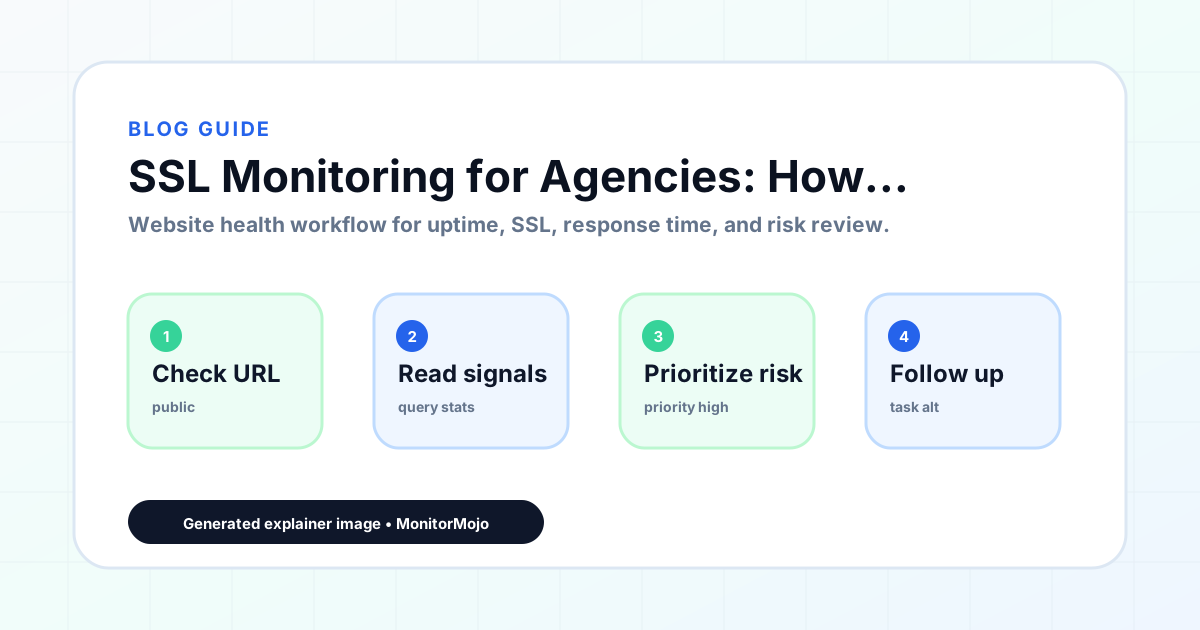
MonitorMojo helps agencies track SSL certificate status across client portfolios as part of its website health check workflow. When you run a check on a client domain, you see whether HTTPS is active, whether the certificate is valid and trusted, and what the expiry signal shows — alongside reachability, response time, and security headers. SSL monitoring is part of every check you run.
The multi-site dashboard lets you review SSL status for every client domain from one view. You can see which certificates are healthy, which are approaching expiry, and which need immediate attention — without switching between separate tools for each client.
The credit-based pricing model means you pay for checks when you run them, rather than committing to per-site monthly fees. This fits the agency workflow of running checks during onboarding, before client calls, after migrations, and on a recurring schedule — without the cost of always-on monitoring. The results depend on hosting, DNS, infrastructure, configuration, traffic, and response process — MonitorMojo helps you see what is happening from outside the hosting environment.
Who this is for
- Web agencies that include SSL monitoring in website care plans and maintenance agreements
- WordPress maintenance providers tracking certificate expiry across client portfolios
- Digital agencies managing hosting migrations and CDN setups for clients
- Marketing agencies responsible for client campaign sites where SSL is critical to trust
- IT consultants managing website portfolios where SSL compliance matters to the client's business
Frequently Asked Questions
How far in advance should agencies renew client SSL certificates?
45 to 60 days before expiry is a practical window. This gives enough time to coordinate with the hosting provider or certificate issuer, complete the renewal, and verify that the new certificate is installed correctly — all without urgency. Waiting until the last week risks delays that could result in a visitor-facing failure.
What if the client's hosting provider handles SSL automatically?
Auto-renewal systems can fail silently. The renewal process may not be set up correctly, a domain configuration change may break the renewal, or a hosting account issue may prevent the renewal from completing. An external check confirms the certificate is actually valid and current, regardless of what the hosting dashboard reports.
Do I need to check SSL for subdomains separately?
Yes. A certificate issued for the primary domain may not cover subdomains that serve visitor traffic. Each subdomain — such as shop.example.com, staging.example.com, or a client portal — needs its own valid certificate or needs to be covered by a wildcard certificate. Include subdomains in your monitoring workflow.
How do I present SSL monitoring to clients?
Frame it as proactive protection. Explain that the agency tracks certificate expiry dates and coordinates renewals before the certificate lapses, so the client's visitors never see a browser security warning. Include SSL status in monthly reports to make the work visible and concrete.
What should I do if a client's SSL certificate has already expired?
Start the renewal process immediately with the certificate provider or hosting platform. For Let's Encrypt, this is usually a command-line renewal or a button in the hosting panel. For commercial certificates, log in to the certificate provider portal and initiate renewal. After renewal, run a health check to confirm the new certificate is installed and valid.