MonitorMojo Blog
Website Monitoring for Ecommerce Stores
For an ecommerce store, website health is revenue. A checkout page that loads slowly loses customers at the moment they are ready to pay. An SSL certificate warning on a product page destroys the trust needed to complete a purchase. A homepage that appears online to the store owner but actually times out for visitors in other regions represents lost sales that nobody notices until the monthly revenue report disappoints. Ecommerce monitoring is not about server uptime in the abstract — it is about ensuring that every step of the buying journey works reliably for every visitor, every time.
The ecommerce monitoring priority list
Not all pages on an ecommerce store have equal revenue impact. The checkout flow is the highest-priority surface to monitor because it is the point where visitors convert into customers. If the checkout is down, slow, or showing security warnings, revenue stops immediately. The product listing pages are the next priority because they are the primary browsing surface and the gateway to the checkout. The homepage follows, as it handles first impressions and navigation to product categories.
Beyond the core shopping flow, there are other surfaces that affect revenue indirectly. Search functionality is critical on stores with large catalogs — if search is broken, customers cannot find products and leave. Cart functionality needs to work reliably across devices and sessions. Customer account pages affect repeat purchase behavior. Each of these surfaces should be included in the monitoring workflow with priority levels that reflect their revenue impact.
The monitoring approach should also account for traffic patterns. Ecommerce stores typically have peak periods — weekday evenings, weekends, seasonal promotions, and holiday shopping periods. During these peaks, the site is under more load and issues are more likely to surface. Monitoring frequency should increase during peak periods, and response time thresholds should be tighter because the cost of degradation is highest when traffic is highest.
Why response time directly affects ecommerce conversions
Multiple studies have shown the relationship between page load time and conversion rates in ecommerce. Every additional second of load time increases bounce rates and reduces the likelihood that a visitor completes a purchase. This relationship is not linear — the difference between a one-second and three-second load time has a larger impact on conversions than the difference between five and seven seconds, because most visitors have already left by the time load times reach that level.
Response time affects different stages of the buying journey differently. On product listing pages, slow load times mean fewer products viewed per session and higher bounce rates. On product detail pages, slow load times reduce the time visitors spend evaluating the product and increase the likelihood they leave without adding to cart. On the checkout page, slow load times increase cart abandonment at the most critical moment. Each stage has a different tolerance threshold, and the checkout has the least.
The practical approach is to monitor response time for each critical page separately and set thresholds based on the revenue sensitivity of that page. The checkout should have the tightest threshold — if response time exceeds one second, the team should investigate. Product pages can tolerate slightly longer response times but should still stay under two seconds. Tracking response time trends over weeks and months helps identify gradual degradation that might otherwise go unnoticed until conversion rates decline.
SSL certificate monitoring for ecommerce trust
SSL certificates are particularly important for ecommerce stores because visitors are entering payment information and personal data. Modern browsers display prominent security warnings when a site has an expired or invalid SSL certificate, and these warnings are extremely effective at deterring visitors. A browser warning on a product page means the visitor will almost certainly leave without purchasing, and many will not return.
Ecommerce stores often have SSL certificates that cover the primary domain and multiple subdomains — the main store, a separate checkout domain, a CDN for assets, and possibly a staging environment. Each of these certificates has its own expiry date. If the checkout is on a separate subdomain with its own certificate, an expiry on that certificate can take down the checkout while the rest of the store appears to work normally. Monitoring SSL across all subdomains prevents this scenario.
Mixed content issues are another SSL concern for ecommerce stores. If the store loads over HTTPS but references images, scripts, or stylesheets over HTTP, browsers may display partial security warnings that reduce trust. These issues often appear after theme updates, plugin installations, or CDN configuration changes. A health check that verifies the full HTTPS chain, including redirect behavior from HTTP to HTTPS, helps catch these configuration issues.
Step-by-step ecommerce monitoring workflow
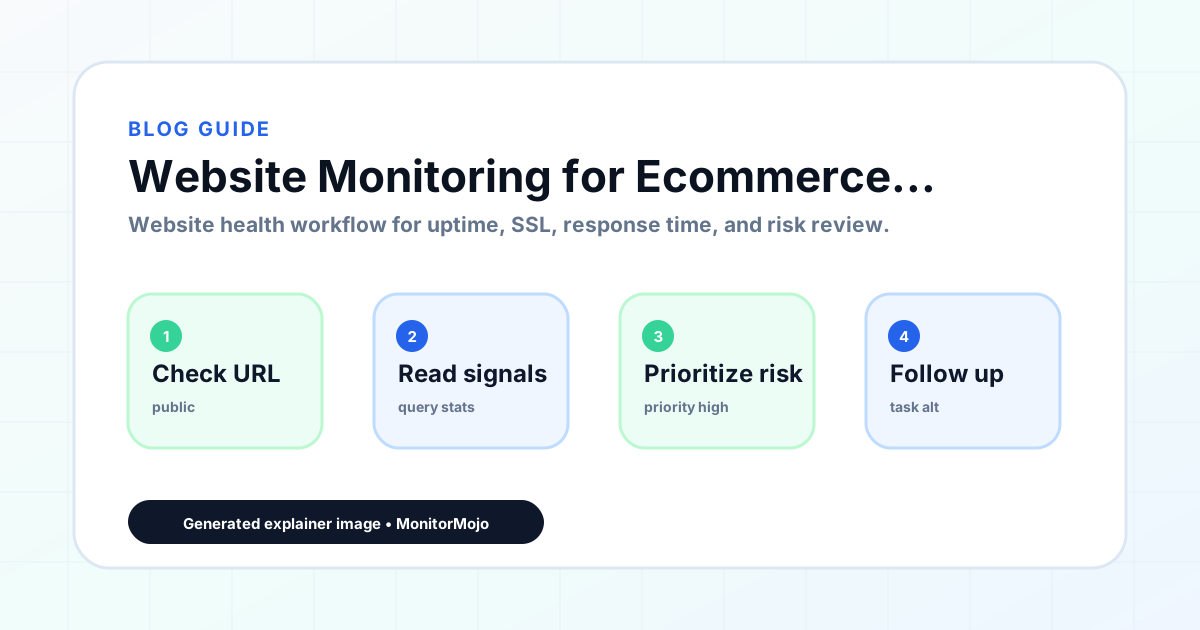
The first step is to map the complete buying journey and identify every URL that a visitor touches from landing to purchase confirmation. This typically includes the homepage, category or collection pages, product detail pages, the cart page, the checkout page, and the order confirmation page. Each of these should be added as a separate monitoring target because they can fail independently and have different revenue impacts.
The second step is to run a comprehensive health check on each target and establish baseline metrics. The check should cover reachability, SSL certificate status, response time, HTTP redirect behavior, and security headers. Record the baseline response time for each page so you can detect degradation relative to normal performance. The SSL check should verify certificate validity and note the number of days until expiry for each target.
The third step is to define alert thresholds based on revenue sensitivity. The checkout page should have the tightest thresholds for both response time and availability. Product pages should have moderate thresholds. The homepage and informational pages can have wider thresholds. Alert routing should ensure that checkout issues reach someone who can act on them immediately, while less critical issues can be reviewed in the regular operations workflow.
The fourth step is to schedule checks at a cadence that matches the store's traffic patterns. During normal operations, checks every 15 to 30 minutes on the checkout and every few hours on other pages provide reasonable coverage. During promotions, flash sales, or holiday periods, increase the check frequency on all targets. After any theme change, plugin update, or hosting migration, run an immediate full check to confirm nothing has broken.
Monitoring during promotions and peak traffic periods
Promotional periods like Black Friday, seasonal sales, and flash deals put unusual load on ecommerce infrastructure. Pages that perform well under normal traffic may degrade or fail under promotional traffic volumes. The monitoring workflow should anticipate these periods by increasing check frequency, tightening response time thresholds, and ensuring that the team is ready to respond to issues quickly.
Before a promotion launches, running a full health check on all critical pages establishes a pre-promotion baseline. During the promotion, checks should run at the most frequent interval available — as often as every 15 minutes on the checkout and every 15 to 30 minutes on product pages. Response time trends should be watched closely because gradual degradation during a promotion represents revenue loss happening in real time.
After the promotion ends, running another full check confirms that the site has returned to normal performance and that no issues were introduced by the promotional configuration. Promotional banners, countdown timers, special pricing rules, and temporary pages all introduce changes that can affect site performance and need to be verified as working correctly.
Common ecommerce monitoring mistakes to avoid
Only monitoring the homepage is the most common mistake. The homepage is often the most cached and most optimized page on the site, and it can load normally while the checkout is failing or product pages are returning errors. The checkout flow, in particular, needs its own monitoring target because it often runs on different infrastructure or a separate subdomain from the rest of the store.
Testing only from one location is another mistake. Ecommerce stores serve customers across regions and countries. A site that loads quickly from the store owner's location may be slow or unreachable from the primary customer market. External monitoring from multiple locations helps identify regional performance issues that would otherwise go unnoticed until customers in affected regions stop converting.
Ignoring mobile performance is a third mistake. A majority of ecommerce traffic comes from mobile devices, and mobile response times can differ significantly from desktop due to different network conditions, device capabilities, and page weight. While basic health checks test server response time regardless of device, being aware that mobile users may experience different performance helps interpret check results in context.
Failing to monitor after updates is a fourth mistake. Theme updates, plugin installations, platform upgrades, and CDN configuration changes are among the most common causes of ecommerce site issues. Running a health check after every change catches problems introduced by the update before they affect a significant number of visitors and revenue.
How MonitorMojo helps ecommerce stores monitor their sites
MonitorMojo helps ecommerce store owners monitor the health signals that affect revenue across every page of their store. Each check covers reachability, SSL certificate validity and expiry, server response time, HTTP redirect behavior, security headers, and domain risk notes. Store owners can add the homepage, product pages, checkout flow, and any other critical URLs as separate monitoring targets and review results from one dashboard.
The credit-based pricing model means store owners pay for checks when they run them, without committing to a fixed monthly monitoring subscription. This is practical for stores that want to run frequent checks during promotions and peak periods without paying for that frequency year-round. The cost scales with actual monitoring activity rather than with a flat fee.
Multi-site support is useful for ecommerce businesses that operate multiple stores, regional sites, or separate staging environments. All domains can be monitored from one dashboard, and SSL certificate expiry can be tracked across all of them. The results depend on hosting, DNS, infrastructure, configuration, traffic, and response process. MonitorMojo helps store owners see what visitors experience from outside the hosting environment and spot issues before they affect sales.
Who this is for
- Ecommerce store owners who want to monitor checkout uptime and response time to protect conversions
- Online retailers running promotions who need increased monitoring during peak traffic periods
- Shopify, WooCommerce, and other platform store owners who want external health checks across their store
- Ecommerce managers responsible for site performance and its impact on revenue
Frequently Asked Questions
Which pages on my ecommerce store should I monitor first?
The checkout flow is the highest priority because it directly affects revenue. Product listing pages and product detail pages are next because they are the primary browsing surface. The homepage, search functionality, and cart page follow. Each should be added as a separate monitoring target because they can fail independently.
How does response time affect ecommerce conversions?
Slower page load times increase bounce rates and reduce the likelihood that visitors complete a purchase. The checkout page is most sensitive to response time because visitors are making a purchase decision and any delay increases abandonment. Monitoring response time trends helps detect degradation before it measurably affects conversion rates.
Should I monitor my checkout page differently from the rest of my store?
Yes. The checkout page should have tighter monitoring thresholds and more frequent checks than other pages. If your checkout is on a separate subdomain, it needs its own SSL certificate monitoring. Response time thresholds for the checkout should be tighter because every additional second of load time at checkout directly increases cart abandonment.
How should I adjust monitoring during Black Friday or a flash sale?
Increase check frequency on all critical pages, particularly the checkout. Tighten response time thresholds because the cost of degradation is highest when traffic is highest. Run a full health check before the promotion launches to establish a baseline, and monitor closely throughout the event. After the promotion, run another check to confirm the site has returned to normal.
Can MonitorMojo monitor stores on Shopify, WooCommerce, or other platforms?
MonitorMojo monitors any website or web application by checking it from outside the hosting environment. It works with stores on Shopify, WooCommerce, BigCommerce, Magento, and custom-built platforms. The results depend on hosting, DNS, infrastructure, configuration, traffic, and response process. MonitorMojo helps you see what visitors experience regardless of the platform.