MonitorMojo Blog
Website Monitoring Checklist: Every Signal Your Team Should Review
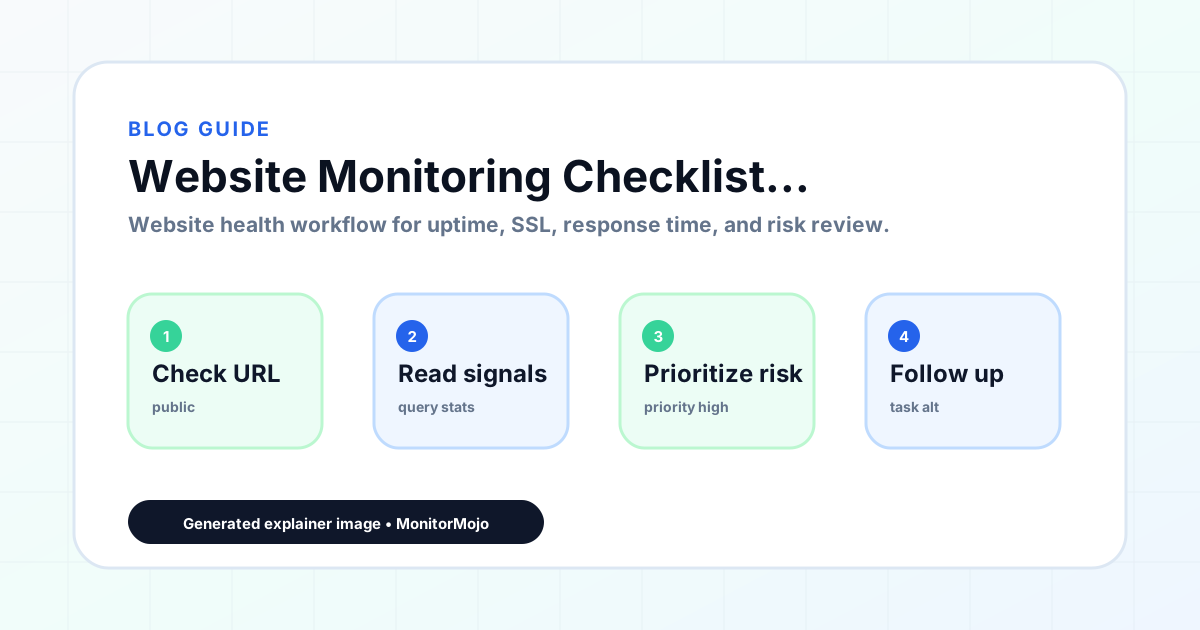
A website monitoring checklist is only useful if it is consistent. The goal is not the most comprehensive possible review — it is a repeatable check of the signals that actually create client complaints, business impact, and visible failures. This checklist covers the core signals that agencies, freelancers, and small teams should review on every website health check, with notes on what to look for and what to do when something needs attention. This expanded guide explains the practical monitoring workflow behind the topic, who should use it, what to check, how to document findings, and how to turn website health signals into useful client, developer, API, CLI, or AI-agent workflows without overstating what monitoring can prove.
1. Website reachability
The first thing to check is whether the site responds at all. A reachability check sends an HTTP request to the domain and records whether a response comes back and what the status code is. A 200 OK means the server responded successfully. Other codes — 301/302 for redirects, 404 for not found, 500 for server error — each indicate something worth reviewing.
Check the correct URL for the site, including whether www and non-www both work and redirect correctly to the same canonical version. Also check any important subdomains — app, checkout, blog, docs — that have different hosting or configuration from the main domain.
If the check returns no response at all (connection refused or timeout), the issue is likely at the hosting or DNS level. If it returns a 500 or similar server error, the issue is in the server configuration or application code. Both warrant investigation before reporting a clean bill of health.
- Does the site return a 200 status code for the homepage?
- Does www redirect correctly to the canonical URL (or vice versa)?
- Do important subdomains respond correctly?
- Is there any redirect chain longer than two steps?
- Does the final URL after redirects match the expected canonical address?
2. HTTPS and SSL certificate status
After confirming the site is reachable, verify that HTTPS is active and the SSL certificate is valid. Check that HTTP requests redirect to HTTPS rather than serving content over an unsecured connection. Verify that the certificate is valid for the exact hostname being tested — not just the root domain, but any subdomains that serve content.
The most important detail beyond current validity is the expiry window. A certificate expiring in more than 60 days is low priority. A certificate expiring in 30 days should be scheduled for renewal. A certificate expiring in 14 days or fewer is urgent and should be renewed as soon as possible.
Note the expiry date in your client records so you have advance warning even between scheduled health checks. If the site uses auto-renewal through Let's Encrypt or a managed certificate service, verify that the auto-renewal has been working — do not assume it is running without checking.
- Is HTTPS active and the connection secure?
- Does HTTP redirect to HTTPS correctly?
- Is the certificate valid for the current hostname?
- How many days remain until certificate expiry?
- Is the certificate issuer trusted by major browsers?
- For wildcard certificates: does it cover all subdomains in use?
3. Server response time
Response time is the time between sending a request and receiving the first byte of the response from the server. It measures server-side processing speed before browser rendering. A healthy response time is under 500ms. Response time above 1 second warrants investigation; above 2 seconds is affecting visitor experience and likely conversion.
Compare response time to previous checks if you have historical data. A sudden increase in response time is often the first signal of a server problem, a new plugin or code causing performance overhead, or a traffic spike the hosting plan cannot handle. Trending up over multiple checks is a signal to discuss hosting capacity with the client.
Note that response time varies by testing location and network conditions. A single elevated reading may not be significant; a consistently elevated result across multiple checks is.
- Is the server response time under 500ms?
- Has response time changed significantly since the last check?
- Is response time consistent across multiple check runs?
- For ecommerce or high-conversion pages: is checkout response time acceptable?
- Has there been a recent change (update, migration, new plugin) that could explain a change?
4. Security headers
Security headers are HTTP response headers that instruct browsers on how to handle the page securely. They are invisible to visitors but protect against several common browser-level attack types. Key headers to check are: Strict-Transport-Security (HSTS), X-Frame-Options, X-Content-Type-Options, Referrer-Policy, and Content-Security-Policy.
Security headers are frequently dropped after hosting migrations, CDN changes, plugin updates, or any configuration change that touches server settings. A site that had all headers configured before a migration may arrive at the new host without any of them — and there will be no visible sign that anything changed unless someone checks.
For agencies, security headers are a concrete care plan deliverable. Including them in the monthly health check and noting their status in client reports demonstrates that basic security hygiene is being maintained.
- Is Strict-Transport-Security (HSTS) present?
- Is X-Frame-Options present?
- Is X-Content-Type-Options present?
- Is Referrer-Policy present?
- Has anything changed since the last check (migration, plugin update)?
- For regulated industries: are additional security headers required?
5. Domain health signals
Domain health is often overlooked in website monitoring workflows because it sits outside the normal web hosting context. But an expired domain takes the website, email, and any branded link offline immediately — and the renewal warning typically goes to the domain registrant's email, not the agency or developer managing the site.
Note the domain expiry date in your client records. Most registrars provide 30, 60, and 90-day renewal warnings, but these go to whichever email was used at registration — often the client's personal email or an old address. Having your own record of the renewal date is essential.
Domain health signals to watch include: the registration status (is the domain registered and active), the nameserver configuration (does DNS still resolve to the correct hosting), and the registrar lock status (is the domain protected from unauthorized transfer).
- When does the domain registration expire?
- Is the domain locked against unauthorized transfer?
- Are the nameservers pointing to the correct hosting?
- Is domain renewal managed by the client or the agency?
- Does the client have active control of the domain registrar account?
6. Client reporting
The final step in a website monitoring workflow for agencies is translating check results into client-facing communication. This does not require a detailed technical report — most clients want to know whether their site is healthy, what was found, and what was done about it.
A useful monthly health check summary includes: check date, overall status (healthy or issues found), SSL expiry date and days remaining, response time snapshot, any security header notes, any domain notes, and a clear statement of what needs attention if anything does.
For clients on active care plans, the health check summary is proof that the service is active and delivering value. Sending it consistently each month — even when everything is healthy — reinforces the value of the retainer.
- Has the health check summary been documented for the client file?
- Has the client received a summary of this month's health review?
- Are any findings being followed up on with a timeline?
- Is SSL expiry date noted in the client record?
- Is domain expiry date noted and renewal scheduled?
What this workflow means
Website Monitoring Checklist: Every Signal Your Team Should Review is best understood as a repeatable website health workflow, not a promise that every outage or configuration issue will be avoided. A practical website monitoring checklist covering reachability, SSL, response time, security headers, domain health, and client reporting — for agencies and small teams.
In practice, this workflow centers on uptime, SSL certificates, response time, security headers, website health summaries, and monthly review notes. Each check is planning input: it can show that the site is reachable, that a certificate has a given expiry window, that response time has shifted, or that a header is missing. It cannot prove root cause by itself or replace a human response. The value is in making the review consistent enough that site owners and small teams can spot issues before someone downstream has to ask about them.
Who should use this
This is most useful for site owners and small teams. The common thread is a small team doing a routine check before something breaks in front of a visitor, where a missed signal costs more than the few minutes it takes to check.
Beyond that primary audience, the same checks are reusable by anyone with a public-facing URL that matters to revenue, leads, or reputation: a recurring review is cheap insurance compared to hearing about the problem from a client or customer first.
Step-by-step monitoring workflow
Start by listing the URLs that actually matter instead of just the homepage — for a small team doing a routine check before something breaks in front of a visitor, that usually means the pages tied to revenue, signups, or trust, not every page on the site.
Next, define the check types for each URL: reachability, HTTP status, HTTPS/SSL certificate status and expiry window, response time, redirect behavior, and security header presence. For API, CLI, and AI-agent workflows, document which endpoint or command runs the check and where the result is stored.
Set a cadence that matches the risk — a low-traffic page may only need a monthly look, while a page tied to revenue or signups deserves a check after every deployment and before any campaign or launch.
Record what you find with a consistent format: URL, check type, status, issue, owner, detected date, and next review date. Then say what actually happened in plain language — a check can surface a symptom, but site owners and small teams still need to confirm the cause.
- Choose the URLs that matter most to visitors, clients, revenue, and operations.
- Run uptime, SSL, response time, and security header checks on a consistent schedule.
- Triage failed or risky checks by likely owner: hosting, DNS, SSL, code, platform, or third party.
- Record notes in a repeatable format so future reviews do not start from scratch.
- Send a plain-language summary with the issue, impact, owner, and next review date.
- Run a confirmation check after remediation so there is an external result to reference.
Checklist or template
Use this template for recurring reviews: [URL], [Check Type], [Status], [Issue], [Priority], [Owner], [Detected Date], [Resolved Date], [Next Review Date]. Add a one-line summary at the top: what changed, what needs attention, and who owns the next step.
For site owners and small teams, group findings into the four signals that matter most: reachability, SSL status, response time, and security headers. Where nothing needs action, say the check found no issue in that area rather than implying full coverage.
- [URL]: the exact page or endpoint checked.
- [Check Type]: uptime, SSL, response time, headers, API, CLI, or agent workflow.
- [Status]: pass, review, failed, blocked, or needs human investigation.
- [Issue]: the observable symptom, not an unsupported root-cause claim.
- [Owner]: agency, developer, host, DNS provider, client, or third-party vendor.
- [Next Review Date]: when the team should confirm status again.
Common mistakes
The most common mistake is monitoring only the homepage while a checkout, signup, or booking flow silently breaks. Another is assuming SSL auto-renewal always works — it can fail quietly, and an external check is the only way to catch that before a browser warning does.
For site owners and small teams specifically, the recurring miss is treating one clean check as proof the whole site is fine, or fixing an issue without ever writing down what happened — which means the next person repeats the same investigation from zero.
- Tracking too many low-value URLs while missing the ones that matter.
- Skipping notes after an issue is resolved.
- Reporting a status without an owner or next step attached.
- Assuming automation can resolve an incident without human review.
- Treating one clean check as proof that every risk is covered.
Practical example
Consider a small team doing a routine check before something breaks in front of a visitor. A scheduled check flags that the site is slower than its usual baseline and that a security header is missing. Instead of guessing, the team logs the observation with a timestamp, assigns an owner, and re-checks after the fix ships — turning a vague "something feels off" into a specific, closed-loop task.
How MonitorMojo helps
MonitorMojo runs website health checks that combine reachability, SSL certificate status, response time, and security header presence in one workspace, so this workflow doesn't require stitching together several separate tools.
The API and CLI make the same checks scriptable for site owners and small teams who want them wired into an existing process, while credit-based checks keep it practical to run reviews exactly when they matter — before a client call, after a deploy, or when someone asks whether the site is healthy. Results still depend on hosting, DNS, and how quickly the responsible team acts on what the check finds.
Frequently Asked Questions
How often should I work through this website monitoring checklist?
Monthly is the right cadence for most care plan clients. Run additional checks after any significant website change — deployment, hosting migration, plugin update — or when a client reports anything unusual. The goal is consistent coverage rather than perfect completeness on every check.
Do I need to check every item for every client?
Not necessarily. Some items are more relevant depending on the client. A simple informational website may not need the same security header scrutiny as an ecommerce site handling payments. Adjust the checklist to the client's risk profile and care plan scope.
What should I do when the checklist finds a problem?
Prioritize by impact and urgency. An SSL certificate with 7 days remaining is more urgent than a missing optional security header. Fix what you can within your access, and document what requires client or hosting provider action. Then follow up to confirm resolution.
Can MonitorMojo run through this checklist automatically?
MonitorMojo covers the core technical checks — reachability, SSL, response time, security headers, and domain risk signals — in a single health check. You still need to document findings and communicate with clients, but the technical review is handled by the tool.
What is the minimum version of this checklist for a basic care plan?
At minimum: reachability, SSL status and expiry, and domain expiry date. These three cover the failures most likely to create immediate, visible problems for clients. Response time and security headers are important additions for higher-tier plans.
Can this prevent every issue with the site?
No. Monitoring helps site owners and small teams detect website health signals and organize follow-up, but it does not prevent every outage, SSL issue, slow response, or third-party failure. The result still depends on hosting, DNS, infrastructure, and how quickly the responsible team investigates and responds.