MonitorMojo Blog
How to Automate SSL Checks
Automating SSL checks lets you ensure your certificates stay valid without manual intervention. This guide shows you how to automate SSL checks using APIs, scheduled tasks, and monitoring tools, with step-by-step workflows and integration patterns. This expanded guide explains the practical monitoring workflow behind the topic, who should use it, what to check, how to document findings, and how to turn website health signals into useful client, developer, API, CLI, or AI-agent workflows without overstating what monitoring can prove.
Why Automate SSL Checks
Automating SSL checks lets you ensure your certificates stay valid without manual intervention. Instead of manually checking if certificates are expiring, you can automate the entire process and get alerts before certificates expire.
Automation ensures that checks run consistently, on schedule, and without human error. You can run checks daily, weekly, monthly, or at any interval you need.
This guide shows you how to automate SSL checks using APIs, scheduled tasks, and monitoring tools, with step-by-step workflows and integration patterns.
Automating with APIs
The most common way to automate SSL checks is using APIs. Most monitoring providers offer REST APIs that you can call programmatically to run checks and retrieve results.
You can write scripts that call the API on schedule (using cron jobs, scheduled tasks, or cloud functions) or in response to events (after certificate renewals, when users report issues, etc.).
The API returns structured JSON data that you can parse and analyze. You can then take actions based on the results: send alerts, update certificate tracking systems, trigger workflows, or integrate with other systems.
MonitorMojo provides a REST API that makes it easy to automate SSL checks. The API returns comprehensive SSL data in a format that is easy to work with.
Automating with Scheduled Tasks
Scheduled tasks (cron jobs on Linux, Task Scheduler on Windows, or cloud functions) let you run checks on a regular schedule. You can set up tasks to run daily, weekly, monthly, or at any interval you need.
The task calls the monitoring API, retrieves the results, and takes appropriate actions. You can send alerts if certificates are expiring, update certificate tracking systems with the latest data, or trigger workflows based on the results.
Scheduled tasks are reliable and easy to set up. Most hosting providers and cloud platforms offer built-in scheduling capabilities.
MonitorMojo works well with scheduled tasks. The API is designed for automation, and the credit-based pricing means you only pay for the checks you run.
Automating with Monitoring Tools
Many monitoring tools offer built-in automation capabilities. You can configure the tool to run checks on schedule, send alerts when certificates are expiring, and integrate with other systems.
These tools often provide dashboards, historical data, and reporting capabilities out of the box. You can focus on configuring the checks rather than building the automation from scratch.
MonitorMojo provides on-demand checks and a dashboard where results are saved, so you can review status without writing any code.
For automation, MonitorMojo also provides an API and CLI that you can call on your own schedule and wire into your own systems and workflows.
Common Automation Mistakes
Not handling errors properly is a common mistake. The API can return errors for various reasons: invalid API key, insufficient credits, invalid domain, etc. Handle errors gracefully and provide meaningful feedback.
Not securing your API key is another mistake. Exposing your API key in scripts or repositories can lead to unauthorized usage. Keep your API key secure.
Not testing the automation is a third mistake. You need to verify that your automation works correctly before relying on it. Test the entire workflow end-to-end.
Not monitoring the automation itself is a fourth mistake. If your automation fails, you need to know. Monitor the automation to ensure it is running successfully.
How MonitorMojo Helps with Automation
MonitorMojo provides a REST API with clear endpoints, structured responses, and comprehensive documentation. The API is designed for easy automation.
The API returns structured JSON data that is easy to parse and analyze. Each check returns comprehensive SSL data in a format that automation scripts can work with.
MonitorMojo also provides historical data, so you can analyze SSL trends over time and provide more intelligent insights.
The credit-based pricing means you only pay for the checks you run. No per-site monthly fees. This makes it easy to scale your automation without breaking the budget.
What this workflow means
How to Automate SSL Checks is best understood as a repeatable website health workflow, not a promise that every outage or configuration issue will be avoided. Learn how to automate SSL checks using APIs, scheduled tasks, and monitoring tools to ensure your certificates stay valid without manual intervention.
In practice, this workflow centers on SSL certificate status, expiry windows, renewal ownership, and post-renewal verification. Each check is planning input: it can show that the site is reachable, that a certificate has a given expiry window, that response time has shifted, or that a header is missing. It cannot prove root cause by itself or replace a human response. The value is in making the review consistent enough that site owners and small teams can spot issues before someone downstream has to ask about them.
Who should use this
This is most useful for site owners and small teams. Developers automating SSL checks
Beyond that primary audience, the same checks are reusable by anyone with a public-facing URL that matters to revenue, leads, or reputation: a recurring review is cheap insurance compared to hearing about the problem from a client or customer first.
Step-by-step monitoring workflow
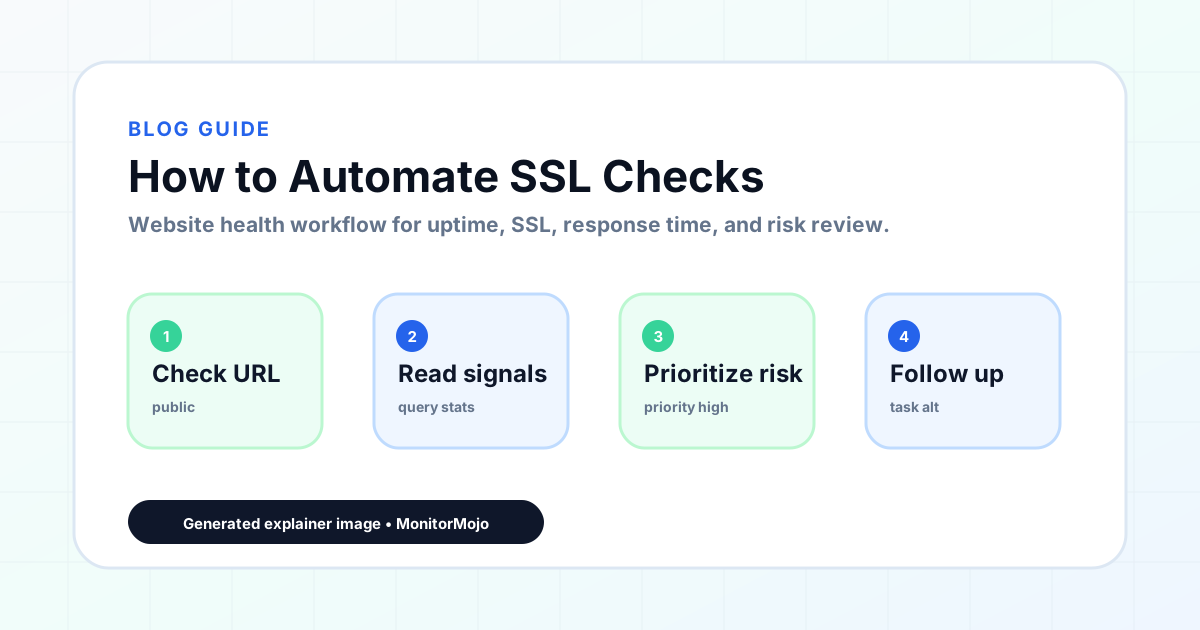
Start by listing the URLs that actually matter instead of just the homepage — for a small team doing a routine check before something breaks in front of a visitor, that usually means the pages tied to revenue, signups, or trust, not every page on the site.
Next, define the check types for each URL: reachability, HTTP status, HTTPS/SSL certificate status and expiry window, response time, redirect behavior, and security header presence. For API, CLI, and AI-agent workflows, document which endpoint or command runs the check and where the result is stored.
Set a cadence that matches the risk — a low-traffic page may only need a monthly look, while a page tied to revenue or signups deserves a check after every deployment and before any campaign or launch.
Record what you find with a consistent format: URL, check type, status, issue, owner, detected date, and next review date. Then say what actually happened in plain language — a check can surface a symptom, but site owners and small teams still need to confirm the cause.
- Choose the URLs that matter most to visitors, clients, revenue, and operations.
- Run uptime, SSL, response time, and security header checks on a consistent schedule.
- Triage failed or risky checks by likely owner: hosting, DNS, SSL, code, platform, or third party.
- Record notes in a repeatable format so future reviews do not start from scratch.
- Send a plain-language summary with the issue, impact, owner, and next review date.
- Run a confirmation check after remediation so there is an external result to reference.
Checklist or template
Use this template for recurring reviews: [URL], [Check Type], [Status], [Issue], [Priority], [Owner], [Detected Date], [Resolved Date], [Next Review Date]. Add a one-line summary at the top: what changed, what needs attention, and who owns the next step.
For site owners and small teams, group findings into the four signals that matter most: reachability, SSL status, response time, and security headers. Where nothing needs action, say the check found no issue in that area rather than implying full coverage.
- [URL]: the exact page or endpoint checked.
- [Check Type]: uptime, SSL, response time, headers, API, CLI, or agent workflow.
- [Status]: pass, review, failed, blocked, or needs human investigation.
- [Issue]: the observable symptom, not an unsupported root-cause claim.
- [Owner]: agency, developer, host, DNS provider, client, or third-party vendor.
- [Next Review Date]: when the team should confirm status again.
Common mistakes
The most common mistake is monitoring only the homepage while a checkout, signup, or booking flow silently breaks. Another is assuming SSL auto-renewal always works — it can fail quietly, and an external check is the only way to catch that before a browser warning does.
For site owners and small teams specifically, the recurring miss is treating one clean check as proof the whole site is fine, or fixing an issue without ever writing down what happened — which means the next person repeats the same investigation from zero.
- Tracking too many low-value URLs while missing the ones that matter.
- Skipping notes after an issue is resolved.
- Reporting a status without an owner or next step attached.
- Assuming automation can resolve an incident without human review.
- Treating one clean check as proof that every risk is covered.
Practical example
Consider a small team doing a routine check before something breaks in front of a visitor. A scheduled check flags that the site is slower than its usual baseline and that a security header is missing. Instead of guessing, the team logs the observation with a timestamp, assigns an owner, and re-checks after the fix ships — turning a vague "something feels off" into a specific, closed-loop task.
How MonitorMojo helps
MonitorMojo runs website health checks that combine reachability, SSL certificate status, response time, and security header presence in one workspace, so this workflow doesn't require stitching together several separate tools.
The API and CLI make the same checks scriptable for site owners and small teams who want them wired into an existing process, while credit-based checks keep it practical to run reviews exactly when they matter — before a client call, after a deploy, or when someone asks whether the site is healthy. Results still depend on hosting, DNS, and how quickly the responsible team acts on what the check finds.
Who this is for
- Developers automating SSL checks
- Teams building monitoring workflows
- Anyone automating SSL monitoring
- Developers integrating monitoring into workflows
Frequently Asked Questions
How do I automate SSL checks?
Use APIs to run checks programmatically, scheduled tasks to run checks on schedule, or monitoring tools with built-in automation capabilities.
What tools do I need for automation?
You need a monitoring API (like MonitorMojo), a way to run scripts (cron jobs, scheduled tasks, or cloud functions), and a way to handle the results (alerts, certificate tracking systems, workflows).
How do I run checks on schedule?
Use scheduled tasks (cron jobs on Linux, Task Scheduler on Windows, or cloud functions) to run checks on a regular schedule.
How do I integrate with certificate management systems?
Use the monitoring API to retrieve results, then integrate with certificate management systems using webhooks, APIs, or direct database updates.
How does MonitorMojo help with automation?
MonitorMojo provides a REST API with clear endpoints, structured responses, and comprehensive documentation. Credit-based pricing makes it easy to scale.
Can this prevent every issue with the site?
No. Monitoring helps site owners and small teams detect website health signals and organize follow-up, but it does not prevent every outage, SSL issue, slow response, or third-party failure. The result still depends on hosting, DNS, infrastructure, and how quickly the responsible team investigates and responds.