MonitorMojo Blog
How to Monitor a Website for Uptime, SSL, and Risk Signals
Monitoring a website effectively means more than checking whether it loads in a browser. It means having a structured workflow that tracks the signals most likely to affect real visitors: whether the site is reachable from outside your network, whether the SSL certificate is valid and not close to expiry, how quickly the server responds, and whether basic security protections are in place. This guide walks through how to monitor a website for these signals — step by step, without requiring a technical background. This expanded guide explains the practical monitoring workflow behind the topic, who should use it, what to check, how to document findings, and how to turn website health signals into useful client, developer, API, CLI, or AI-agent workflows without overstating what monitoring can prove.
Step 1: Understand what you are monitoring and why
Before running any check, it helps to understand what each signal represents. Reachability tells you whether a visitor can reach the site at all. SSL certificate status tells you whether the HTTPS connection is secure and when the certificate needs renewal. Response time tells you whether the server is fast enough to hold visitor attention. Security headers tell you whether basic browser-level protections are in place. Domain risk signals flag anything at the DNS or registration level that could affect availability.
These five signal areas map to five categories of failure that affect real visitors and generate real complaints. A site can fail on any one of them while appearing fine to a casual browser check. Monitoring all five gives you a complete picture of what visitors experience.
The goal of monitoring is not to generate data — it is to catch the things that need attention before they become visitor-facing problems. Keep this in mind when deciding how often to check and what to do with the results.
Step 2: Choose your monitoring approach
There are two broad approaches to website monitoring: continuous monitoring, which checks a site every few minutes and sends automated alerts when something changes, and periodic health checks, which run a comprehensive check at specific points in a workflow.
For most small businesses, freelancers, and agencies managing client websites, periodic health checks are the more practical approach. They catch the predictable failure modes — SSL expiry, response time degradation, security header loss — while keeping the monitoring overhead low. Continuous monitoring is better suited to high-traffic sites where every minute of downtime has significant business impact.
MonitorMojo is designed for the periodic health check workflow. You run a check when it matters — before client calls, at the start of monthly reporting, after deployments — and get a complete health summary covering all five signal areas in one result.
Step 3: Run your first website health check
Running a health check in MonitorMojo is straightforward: navigate to the dashboard, enter the URL you want to check, and run the check. The check takes a few seconds and returns a comprehensive health summary covering reachability status, HTTP status code, HTTPS configuration and SSL certificate expiry, server response time, security header presence, and any domain risk signals.
Run the check on the homepage first, then on any other pages that are critical to the site's purpose: the contact or booking page, the checkout flow, any login or account portal. The homepage result does not guarantee that inner pages are working correctly.
The first check on any previously unmonitored site establishes the baseline. Note the SSL expiry date and document it in your records — this is the renewal deadline you will be tracking going forward. Note the response time as the baseline for future comparisons. Review the security headers and note any that are missing for follow-up.
Step 4: Document what you find and set renewal reminders
After the first check, record the key findings in your client or site record: SSL certificate expiry date, current response time, security header status, domain registration notes. This documentation is the foundation of your ongoing monitoring workflow.
For SSL certificates, set a calendar reminder 60 days before the expiry date and another reminder 30 days before. The 60-day reminder gives you time to verify auto-renewal is set up and working. The 30-day reminder is the action trigger — if the certificate is not yet renewed at this point, initiate the renewal process immediately.
For domain registrations, note the expiry date and set a reminder 90 days out. Domain renewals are less time-sensitive than SSL renewals, but the consequence of missing the deadline is more severe — a lapsed domain takes the website, email, and all branded links offline simultaneously.
Step 5: Establish a regular check schedule
One health check is a snapshot. A regular schedule of checks is a monitoring workflow. The value of monitoring comes from the pattern — catching the SSL certificate that is approaching expiry before it becomes an emergency, noticing the response time that has been gradually increasing, seeing the security header that disappeared after a plugin update.
For most websites, a monthly check on a fixed schedule is the right cadence. Pick a specific recurring time — the first Monday of each month, the last Friday of the billing period — and run checks on all sites in your portfolio during that window. Treat it as a non-negotiable calendar event, not something that happens when you think of it.
Add extra checks for specific triggers: after any significant site change (hosting migration, major update, new subdomain), before important business events (product launches, campaigns, peak seasons), and immediately when a client or visitor reports anything unusual. The regular schedule catches the predictable failures; the trigger-based checks catch the change-induced ones.
- Set a recurring monthly calendar event for portfolio health checks
- Run a check before every monthly client report or client call
- Always check immediately after hosting migrations or major updates
- Check before high-traffic events or campaign launches
- Document SSL and domain expiry dates separately with calendar reminders at 60 and 30 days
Step 6: Act on findings and communicate results
A health check result is only valuable if it leads to action. When a check surfaces an issue, prioritize by urgency: certificates expiring in under 14 days and sites returning error codes need immediate attention. Certificates expiring in under 30 days need action this week. Security headers missing or response time elevated need attention in the current maintenance window.
For agencies and freelancers, findings from health checks should always be communicated to clients — whether the news is good or needs attention. A monthly summary that says 'everything checked out healthy, SSL valid through March, response time stable' is a care plan success. A summary that says 'we found an SSL expiry approaching and have already coordinated renewal' is an even better one.
After resolving any issue, run a confirmation check to verify the fix worked from outside your network. After renewing an SSL certificate, an external check confirms the new certificate is installed and valid. After addressing a security header gap, an external check confirms the header appears in the server response.
What this workflow means
How to Monitor a Website for Uptime, SSL, and Risk Signals is best understood as a repeatable website health workflow, not a promise that every outage or configuration issue will be avoided. A step-by-step guide to monitoring a website for uptime, SSL certificate status, response time, security headers, and domain risk — for agencies, freelancers, and small businesses.
In practice, this workflow centers on SSL certificate status, expiry windows, renewal ownership, and post-renewal verification. Each check is planning input: it can show that the site is reachable, that a certificate has a given expiry window, that response time has shifted, or that a header is missing. It cannot prove root cause by itself or replace a human response. The value is in making the review consistent enough that site owners and small teams can spot issues before someone downstream has to ask about them.
Who should use this
This is most useful for site owners and small teams. Small business owners who want to understand how to monitor their own website
Beyond that primary audience, the same checks are reusable by anyone with a public-facing URL that matters to revenue, leads, or reputation: a recurring review is cheap insurance compared to hearing about the problem from a client or customer first.
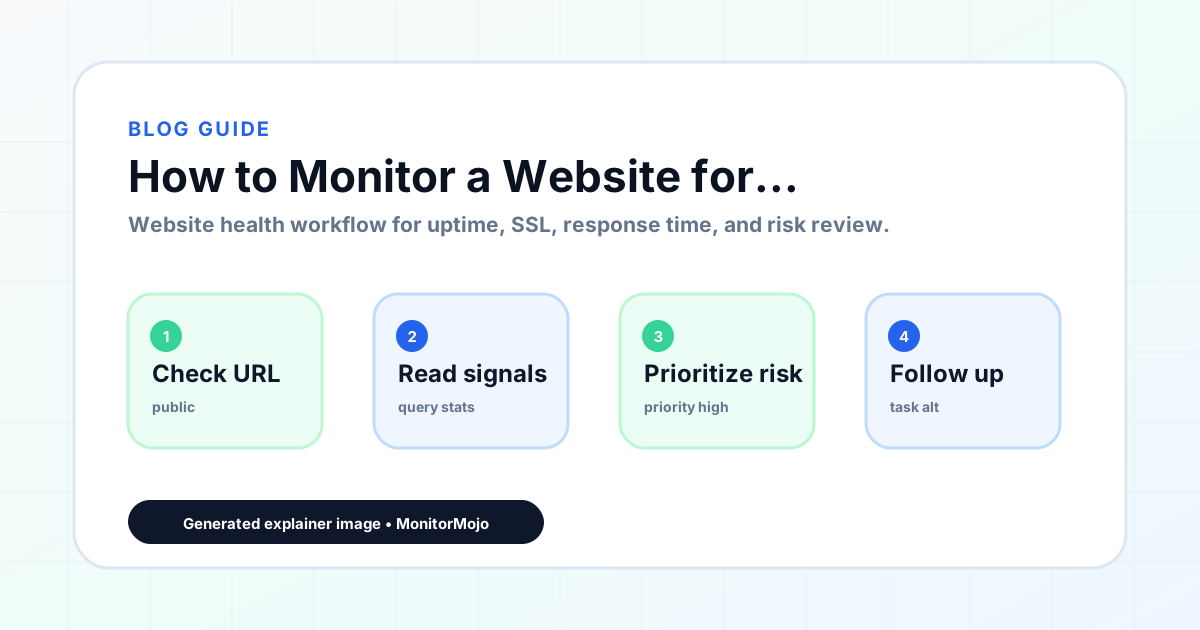
Step-by-step monitoring workflow
Start by listing the URLs that actually matter instead of just the homepage — for a small team doing a routine check before something breaks in front of a visitor, that usually means the pages tied to revenue, signups, or trust, not every page on the site.
Next, define the check types for each URL: reachability, HTTP status, HTTPS/SSL certificate status and expiry window, response time, redirect behavior, and security header presence. For API, CLI, and AI-agent workflows, document which endpoint or command runs the check and where the result is stored.
Set a cadence that matches the risk — a low-traffic page may only need a monthly look, while a page tied to revenue or signups deserves a check after every deployment and before any campaign or launch.
Record what you find with a consistent format: URL, check type, status, issue, owner, detected date, and next review date. Then say what actually happened in plain language — a check can surface a symptom, but site owners and small teams still need to confirm the cause.
- Choose the URLs that matter most to visitors, clients, revenue, and operations.
- Run uptime, SSL, response time, and security header checks on a consistent schedule.
- Triage failed or risky checks by likely owner: hosting, DNS, SSL, code, platform, or third party.
- Record notes in a repeatable format so future reviews do not start from scratch.
- Send a plain-language summary with the issue, impact, owner, and next review date.
- Run a confirmation check after remediation so there is an external result to reference.
Checklist or template
Use this template for recurring reviews: [URL], [Check Type], [Status], [Issue], [Priority], [Owner], [Detected Date], [Resolved Date], [Next Review Date]. Add a one-line summary at the top: what changed, what needs attention, and who owns the next step.
For site owners and small teams, group findings into the four signals that matter most: reachability, SSL status, response time, and security headers. Where nothing needs action, say the check found no issue in that area rather than implying full coverage.
- [URL]: the exact page or endpoint checked.
- [Check Type]: uptime, SSL, response time, headers, API, CLI, or agent workflow.
- [Status]: pass, review, failed, blocked, or needs human investigation.
- [Issue]: the observable symptom, not an unsupported root-cause claim.
- [Owner]: agency, developer, host, DNS provider, client, or third-party vendor.
- [Next Review Date]: when the team should confirm status again.
Common mistakes
The most common mistake is monitoring only the homepage while a checkout, signup, or booking flow silently breaks. Another is assuming SSL auto-renewal always works — it can fail quietly, and an external check is the only way to catch that before a browser warning does.
For site owners and small teams specifically, the recurring miss is treating one clean check as proof the whole site is fine, or fixing an issue without ever writing down what happened — which means the next person repeats the same investigation from zero.
- Tracking too many low-value URLs while missing the ones that matter.
- Skipping notes after an issue is resolved.
- Reporting a status without an owner or next step attached.
- Assuming automation can resolve an incident without human review.
- Treating one clean check as proof that every risk is covered.
Practical example
Consider a small team doing a routine check before something breaks in front of a visitor. A scheduled check flags that the site is slower than its usual baseline and that a security header is missing. Instead of guessing, the team logs the observation with a timestamp, assigns an owner, and re-checks after the fix ships — turning a vague "something feels off" into a specific, closed-loop task.
How MonitorMojo helps
MonitorMojo runs website health checks that combine reachability, SSL certificate status, response time, and security header presence in one workspace, so this workflow doesn't require stitching together several separate tools.
The API and CLI make the same checks scriptable for site owners and small teams who want them wired into an existing process, while credit-based checks keep it practical to run reviews exactly when they matter — before a client call, after a deploy, or when someone asks whether the site is healthy. Results still depend on hosting, DNS, and how quickly the responsible team acts on what the check finds.
Who this is for
- Small business owners who want to understand how to monitor their own website
- Freelancers setting up a monitoring workflow for their client portfolio for the first time
- Agency team members learning the standard health check process
- WordPress site owners who want a structured monthly review process
- Anyone who manages a website and wants to catch issues before visitors do
Frequently Asked Questions
How long does it take to set up website monitoring?
Getting started with MonitorMojo takes a few minutes. Enter a URL, run a check, review the results. No configuration, agent installation, or technical setup required. The first check on a new site typically takes under five minutes from start to documented baseline.
Do I need technical expertise to monitor a website?
No. MonitorMojo is designed for non-technical website owners as much as for developers. The check results are presented in plain language covering what was found and what, if anything, needs attention. You do not need to understand HTTP headers or TLS certificates to act on the results.
What is the most important thing to monitor on a website?
SSL certificate expiry is the single most commonly missed and most preventable website failure. After SSL, reachability and response time are the next most impactful signals. Together, these three cover the failures most likely to affect real visitors and generate client complaints.
How do I monitor a website without server access?
External health check tools like MonitorMojo do not require server access. They check the publicly accessible website from outside the hosting environment — the same view a real visitor would have. This means you can monitor any website you do not host, including client sites, regardless of whether you have hosting credentials.
What should I do after my first website health check?
Document the SSL expiry date and set renewal reminders at 60 and 30 days. Note the current response time as your baseline. Review any missing security headers for follow-up. Set a recurring monthly calendar reminder to run the next check. If the first check surfaced any urgent findings, address those before doing anything else.
Can this prevent every issue with the site?
No. Monitoring helps site owners and small teams detect website health signals and organize follow-up, but it does not prevent every outage, SSL issue, slow response, or third-party failure. The result still depends on hosting, DNS, infrastructure, and how quickly the responsible team investigates and responds.