MonitorMojo Blog
How to Sell Website Care Plans: Turn Monitoring Into a Recurring Revenue Service
Website care plans are one of the most effective ways for agencies and freelancers to build recurring revenue. Clients pay a monthly retainer for ongoing site maintenance, monitoring, and health reporting — and you deliver a consistent service that keeps their site healthy and makes your ongoing value visible. The challenge most providers face is not the delivery; it is the sales conversation. This guide explains how to frame, price, and sell care plans in a way that clients understand and value. This expanded guide explains the practical monitoring workflow behind the topic, who should use it, what to check, how to document findings, and how to turn website health signals into useful client, developer, API, CLI, or AI-agent workflows without overstating what monitoring can prove.
Why care plans sell better than hourly maintenance
Hourly maintenance billing creates uncertainty for both the client and the provider. Clients hesitate to ask for help because they do not know what it will cost. Providers hesitate to do proactive work because it is not billable without a client request. The result is a reactive relationship where work only happens when something breaks.
Care plans convert this relationship to a fixed monthly investment. The client knows what they are paying. The provider knows what they are delivering. The relationship becomes proactive — you can do the checks, updates, and health reviews without waiting for the client to approve each item. This is better for the client and more financially predictable for the provider.
From a business perspective, a portfolio of care plan clients produces predictable monthly revenue rather than unpredictable hourly billing. This makes it easier to plan capacity, hire, and grow the business. Most agencies that offer care plans describe them as transformative for their business model.
What to include in a care plan package
A care plan should include items with clear, tangible value that clients can understand: CMS and plugin updates (keeping the site current and secure), monthly backups (protecting their data), website health checks (verifying the site is available, secure, and performing), SSL and domain monitoring (tracking renewal deadlines), and a monthly health report (showing them the work is being done).
Tier your plans to serve different client needs and budgets. A basic plan might include monthly updates, backup verification, and a basic health check report. A professional plan adds security header monitoring, response time tracking, and priority support. A premium plan adds more frequent checks, detailed reporting, and proactive recommendations.
The key is that every item in the plan is something you will actually deliver consistently and document. Do not include items you will not realistically deliver every month — this creates gaps between what the care plan promises and what the client receives, which undermines renewal.
How to frame monitoring as a care plan value driver
Monitoring is one of the most compelling care plan value propositions because it is visible, concrete, and clearly preventative. The sales message is simple: without monitoring, the first person to know about a website problem is often the client (or their customers). With monitoring, it is you.
Use specific examples to make this concrete: 'SSL certificates expire without notice to the website owner, and we track them so you never have a browser warning blocking your visitors.' 'We check response time monthly so we catch hosting performance problems before they affect your conversions.' These are specific, tangible benefits that clients can understand and value.
If you have historical examples from existing clients — a certificate renewal you caught in advance, a server problem you identified before the client noticed — these are compelling sales proof points. Concrete examples of problems caught and prevented are more persuasive than abstract descriptions of monitoring services.
Pricing care plans
Price care plans based on the time they take to deliver plus the cost of the tools you use. For a basic monthly plan on a single site, you might spend two to three hours on updates, checks, and reporting. At a reasonable agency rate, plus tool costs, this typically translates to a plan price in the $75 to $150 per month range for a basic tier.
Most clients compare care plan pricing to the cost of a single emergency fix. If an SSL expiry or a major plugin conflict costs $150 to resolve as an emergency, a $99 monthly plan that prevents those emergencies looks like good value. Frame the care plan as insurance that is cheaper than paying for the claims.
Consider what the client's website is worth to them. A local coffee shop with a simple brochure website may not see the same value in a $150/month care plan that a professional services firm with a lead generation site does. Match your plan tiers to the types of clients you serve and the business value of their website.
Overcoming common care plan objections
The most common objection is: 'My website mostly takes care of itself — do I really need this?' The answer is that every website requires maintenance to stay secure and healthy, and that maintenance is already happening (or not happening) whether the client is paying for it or not. Paying for a care plan is paying for someone to do it consistently and correctly, rather than hoping nothing breaks.
Another common objection is: 'My hosting company handles updates and backups.' This deserves a careful response. Hosting companies provide server management — they keep the server running and typically provide automated backups of the server. They generally do not manage CMS software, plugins, SSL expiry tracking, security header configuration, or proactive health reporting. The care plan covers what hosting does not.
A third objection is: 'I'll just fix things when they break.' The response is to ask what the cost of a broken site is for their business. For most businesses, a few hours of downtime or a day of a browser SSL warning costs more in lost revenue and customer trust than months of care plan fees. Making this calculation concrete for the client usually changes the math.
Using health check data in the sales conversation
One of the most effective ways to sell a care plan is to run a free initial health check on the prospect's website before the sales call. The results often reveal issues the client was not aware of: an SSL certificate expiring in 60 days, a missing security header, a slow response time, or a domain-related risk note.
In the sales conversation, you can say: 'Before we talked today, I ran a quick health check on your site. I found that your SSL certificate expires in 47 days — without someone tracking this, that becomes a browser warning that blocks your visitors. This is exactly the kind of thing a care plan catches.' This is not a scare tactic — it is a concrete demonstration of value before the client has spent anything.
MonitorMojo makes this kind of pre-sales health check easy to run and the results easy to communicate. The output gives you specific, accurate data to reference in the sales conversation, not vague claims about what monitoring provides.
What this workflow means
How to Sell Website Care Plans: Turn Monitoring Into a Recurring Revenue Service is best understood as a repeatable website health workflow, not a promise that every outage or configuration issue will be avoided. Learn how to package and sell website care plans as a recurring service — using monitoring data, client reporting, and clear value framing to win and retain maintenance clients.
In practice, this workflow centers on uptime, SSL certificates, response time, security headers, website health summaries, and monthly review notes. Each check is planning input: it can show that the site is reachable, that a certificate has a given expiry window, that response time has shifted, or that a header is missing. It cannot prove root cause by itself or replace a human response. The value is in making the review consistent enough that site owners and small teams can spot issues before someone downstream has to ask about them.
Who should use this
This is most useful for site owners and small teams. Agencies and freelancers who want to add care plans to their service offering
Beyond that primary audience, the same checks are reusable by anyone with a public-facing URL that matters to revenue, leads, or reputation: a recurring review is cheap insurance compared to hearing about the problem from a client or customer first.
Step-by-step monitoring workflow
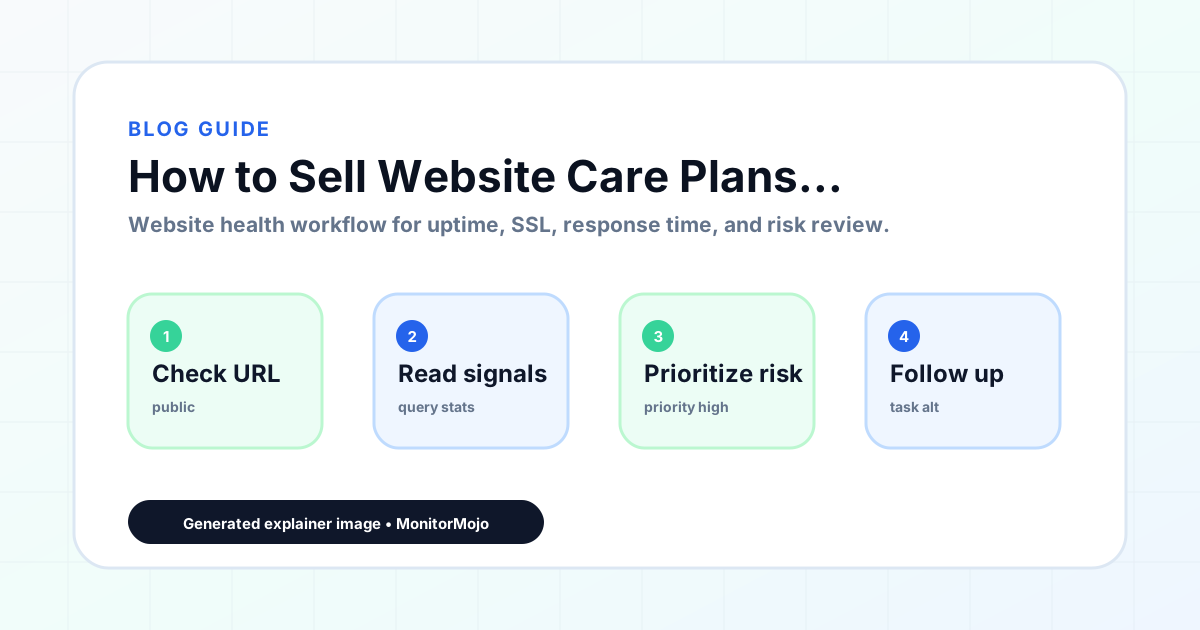
Start by listing the URLs that actually matter instead of just the homepage — for a small team doing a routine check before something breaks in front of a visitor, that usually means the pages tied to revenue, signups, or trust, not every page on the site.
Next, define the check types for each URL: reachability, HTTP status, HTTPS/SSL certificate status and expiry window, response time, redirect behavior, and security header presence. For API, CLI, and AI-agent workflows, document which endpoint or command runs the check and where the result is stored.
Set a cadence that matches the risk — a low-traffic page may only need a monthly look, while a page tied to revenue or signups deserves a check after every deployment and before any campaign or launch.
Record what you find with a consistent format: URL, check type, status, issue, owner, detected date, and next review date. Then say what actually happened in plain language — a check can surface a symptom, but site owners and small teams still need to confirm the cause.
- Choose the URLs that matter most to visitors, clients, revenue, and operations.
- Run uptime, SSL, response time, and security header checks on a consistent schedule.
- Triage failed or risky checks by likely owner: hosting, DNS, SSL, code, platform, or third party.
- Record notes in a repeatable format so future reviews do not start from scratch.
- Send a plain-language summary with the issue, impact, owner, and next review date.
- Run a confirmation check after remediation so there is an external result to reference.
Checklist or template
Use this template for recurring reviews: [URL], [Check Type], [Status], [Issue], [Priority], [Owner], [Detected Date], [Resolved Date], [Next Review Date]. Add a one-line summary at the top: what changed, what needs attention, and who owns the next step.
For site owners and small teams, group findings into the four signals that matter most: reachability, SSL status, response time, and security headers. Where nothing needs action, say the check found no issue in that area rather than implying full coverage.
- [URL]: the exact page or endpoint checked.
- [Check Type]: uptime, SSL, response time, headers, API, CLI, or agent workflow.
- [Status]: pass, review, failed, blocked, or needs human investigation.
- [Issue]: the observable symptom, not an unsupported root-cause claim.
- [Owner]: agency, developer, host, DNS provider, client, or third-party vendor.
- [Next Review Date]: when the team should confirm status again.
Common mistakes
The most common mistake is monitoring only the homepage while a checkout, signup, or booking flow silently breaks. Another is assuming SSL auto-renewal always works — it can fail quietly, and an external check is the only way to catch that before a browser warning does.
For site owners and small teams specifically, the recurring miss is treating one clean check as proof the whole site is fine, or fixing an issue without ever writing down what happened — which means the next person repeats the same investigation from zero.
- Tracking too many low-value URLs while missing the ones that matter.
- Skipping notes after an issue is resolved.
- Reporting a status without an owner or next step attached.
- Assuming automation can resolve an incident without human review.
- Treating one clean check as proof that every risk is covered.
Practical example
Consider a small team doing a routine check before something breaks in front of a visitor. A scheduled check flags that the site is slower than its usual baseline and that a security header is missing. Instead of guessing, the team logs the observation with a timestamp, assigns an owner, and re-checks after the fix ships — turning a vague "something feels off" into a specific, closed-loop task.
How MonitorMojo helps
MonitorMojo runs website health checks that combine reachability, SSL certificate status, response time, and security header presence in one workspace, so this workflow doesn't require stitching together several separate tools.
The API and CLI make the same checks scriptable for site owners and small teams who want them wired into an existing process, while credit-based checks keep it practical to run reviews exactly when they matter — before a client call, after a deploy, or when someone asks whether the site is healthy. Results still depend on hosting, DNS, and how quickly the responsible team acts on what the check finds.
Who this is for
- Agencies and freelancers who want to add care plans to their service offering
- WordPress maintenance providers looking to structure and sell their services more effectively
- Web designers who want to transition from project work to recurring revenue
- Any provider who already delivers maintenance work but has not formalized it as a paid service
Frequently Asked Questions
How do I price my first care plan?
Start by estimating how long it takes to deliver the plan each month. Add the cost of any tools you use (monitoring, backup software, etc.) and a margin for your time and overhead. Compare your price to what other care plan providers in your market charge, and to the cost of emergency fixes. A first plan priced between $75 and $150 per month for a basic tier is a reasonable starting point.
How do I explain care plans to clients who are not technical?
Use simple language focused on outcomes, not features. 'We watch your site every month so you never have a broken website surprised you at the worst moment' is more compelling than 'we perform CMS updates and SSL monitoring.' Clients buy outcomes — the peace of mind that someone is watching their site — not technical activities.
What if a client wants a care plan but cannot afford my standard pricing?
Offer a basic tier that covers the minimum — updates, backup verification, and a health check — at a lower price point. It is better to have a client on a basic care plan than no care plan at all. You can upsell to a higher tier when they see the value of the basic service.
How long should a care plan agreement run?
Three to twelve month initial terms are common. An initial three-month agreement gives the client time to see the value of the service before committing to a longer term. Many providers shift clients to month-to-month after the initial term, with a discount offered for clients who pay quarterly or annually.
What tools do I need to deliver a care plan?
Core tools: a CMS management system for updates (ManageWP, WP Umbrella, or similar for WordPress), a backup solution, a website health check tool like MonitorMojo for monitoring, and a simple report template for client communication. These cover the core care plan deliverables without significant tool overhead.
Can this prevent every issue with the site?
No. Monitoring helps site owners and small teams detect website health signals and organize follow-up, but it does not prevent every outage, SSL issue, slow response, or third-party failure. The result still depends on hosting, DNS, infrastructure, and how quickly the responsible team investigates and responds.