MonitorMojo Blog
Website Monitoring Tool: What Small Teams Should Track
When you run a small team or freelance operation, website monitoring can feel like something only enterprise companies need. In reality, the opposite is true. Small teams have fewer people watching for problems, less redundancy in their infrastructure, and clients who notice quickly when something breaks. A website monitoring tool gives you coverage without requiring a dedicated operations engineer. The key is knowing which signals actually matter — and not wasting time on dashboards full of noise you cannot act on. This expanded guide explains the practical monitoring workflow behind the topic, who should use it, what to check, how to document findings, and how to turn website health signals into useful client, developer, API, CLI, or AI-agent workflows without overstating what monitoring can prove.
Why small teams need monitoring more than they think
A freelancer or small agency managing ten to fifty client websites has no reasonable way to manually check each one every day. Even if you opened every site in a browser tab each morning, you would miss intermittent issues, SSL certificate expiry warnings approaching, and response time degradation that does not show up as an obvious error.
Website problems also tend to surface at the worst times — Friday evenings, during client demos, the week before a product launch. Without automated monitoring, you find out when a client emails you, when someone posts about it on social media, or when you happen to visit the site yourself.
A lightweight website monitoring tool changes this dynamic by giving you a reliable signal that something needs attention, before your clients find it themselves.
Uptime and reachability: the most basic signal
Uptime monitoring checks whether your website responds to a request at all. A site that returns a 200 OK status code is reachable. A site that returns 500, 502, 503, or times out entirely is not. This is the most fundamental thing to track, because if the site is not responding, nothing else matters.
Reachability checks should test the actual URL visitors use — with www or without, with HTTPS enforced, and including any redirect chains that a real browser would follow. A server can be running while the website itself serves an error or loops on a redirect.
Most small teams need at minimum a daily reachability check on their own site and on any client sites they manage. For anything more active — like a SaaS product or an e-commerce site — more frequent checks give you faster awareness of problems.
- Check the URL visitors actually use, not just the server IP
- Include redirect chains in your test to catch redirect loops
- Note status codes — a 200 is not always a healthy page
- Track how often a site has been unreachable over the past 30 days
SSL certificate monitoring: catching expiry before visitors do
SSL certificates expire. When they do, every major browser shows a full-screen security warning to anyone visiting the site. For most businesses, this is a devastating outcome — visitors leave immediately, and the site effectively goes offline from a trust perspective even if the server is running fine.
The problem is that SSL renewal notifications are easy to miss. They go to the email address associated with the certificate, which is often not monitored regularly. Hosting providers send warnings, but they get buried in support ticket emails. Monitoring the SSL expiry date directly gives you an independent signal you control.
MonitorMojo helps you track SSL certificate status and days remaining so you can act before the expiry causes a real visitor-facing problem. A two-week warning window is enough time to renew through nearly any hosting provider.
Response time: the signal that reveals slow sites
A site can be technically reachable but so slow that visitors leave before the page finishes loading. Response time monitoring measures how long the server takes to respond to a request — distinct from full page load time, but a strong proxy for whether something has gone wrong with hosting, database, or infrastructure.
A site that normally responds in 400 milliseconds and suddenly takes 3 seconds has a problem worth investigating. The cause might be a runaway plugin, a database query gone wrong, hosting resources being exhausted, or a traffic spike the hosting plan cannot handle.
Tracking response time over time gives you a baseline. When the number spikes significantly above that baseline, you have a signal to investigate — before visitors start abandoning the site.
Security headers and basic risk signals
Security headers are HTTP response headers that tell browsers how to behave when loading your site. Headers like Content-Security-Policy, X-Frame-Options, and Strict-Transport-Security provide baseline protections against common attacks and are now a standard expectation for professionally maintained websites.
Missing security headers are not a guarantee of a breach, but they represent a gap in basic configuration that a website owner should know about. Many hosting migrations, CMS updates, or CDN changes silently remove these headers without anyone noticing.
A website risk checker that reviews your security header configuration gives you a clear picture of what is missing and what it means — without requiring you to interpret raw HTTP responses yourself. MonitorMojo helps you flag these issues so you can address them or include them in client reports.
What a useful monitoring report should show
The goal of a monitoring tool is not to generate data — it is to help you make decisions and demonstrate value. A useful monitoring report shows: current reachability status, SSL certificate days remaining, recent response time trend, redirect chain behavior, and any flagged security header gaps.
For agencies and freelancers, this report becomes part of the service you deliver. Instead of a client asking whether their site is healthy, you have documentation that shows what was checked, when, and what the results were.
Keep reports simple. A non-technical client does not need raw HTTP headers — they need to know whether the site is healthy, whether the SSL is current, and whether anything needs attention. MonitorMojo formats check results in a way that translates easily into client-facing summaries.
What this workflow means
Website Monitoring Tool: What Small Teams Should Track is best understood as a repeatable website health workflow, not a promise that every outage or configuration issue will be avoided. A practical guide to what small teams and freelancers should actually monitor on their websites — uptime, SSL, response time, and basic risk signals explained.
In practice, this workflow centers on uptime, SSL certificates, response time, security headers, website health summaries, and monthly review notes. Each check is planning input: it can show that the site is reachable, that a certificate has a given expiry window, that response time has shifted, or that a header is missing. It cannot prove root cause by itself or replace a human response. The value is in making the review consistent enough that site owners and small teams can spot issues before someone downstream has to ask about them.
Who should use this
This is most useful for site owners and small teams. Freelancers managing their own site and a handful of client websites
Beyond that primary audience, the same checks are reusable by anyone with a public-facing URL that matters to revenue, leads, or reputation: a recurring review is cheap insurance compared to hearing about the problem from a client or customer first.
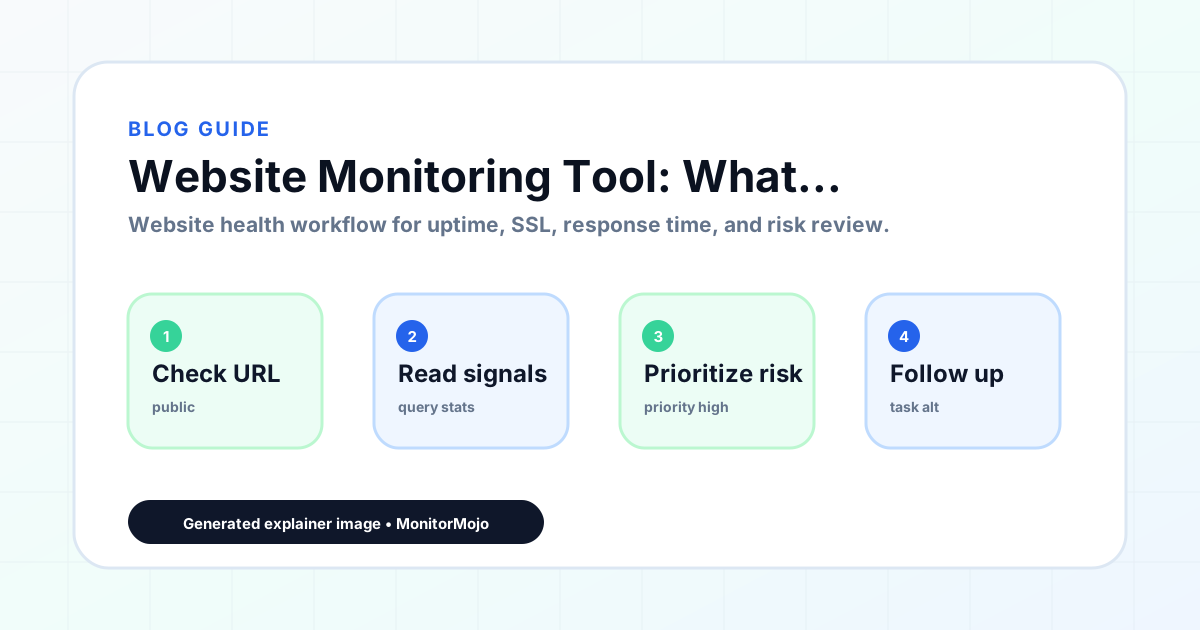
Step-by-step monitoring workflow
Start by listing the URLs that actually matter instead of just the homepage — for a small team doing a routine check before something breaks in front of a visitor, that usually means the pages tied to revenue, signups, or trust, not every page on the site.
Next, define the check types for each URL: reachability, HTTP status, HTTPS/SSL certificate status and expiry window, response time, redirect behavior, and security header presence. For API, CLI, and AI-agent workflows, document which endpoint or command runs the check and where the result is stored.
Set a cadence that matches the risk — a low-traffic page may only need a monthly look, while a page tied to revenue or signups deserves a check after every deployment and before any campaign or launch.
Record what you find with a consistent format: URL, check type, status, issue, owner, detected date, and next review date. Then say what actually happened in plain language — a check can surface a symptom, but site owners and small teams still need to confirm the cause.
- Choose the URLs that matter most to visitors, clients, revenue, and operations.
- Run uptime, SSL, response time, and security header checks on a consistent schedule.
- Triage failed or risky checks by likely owner: hosting, DNS, SSL, code, platform, or third party.
- Record notes in a repeatable format so future reviews do not start from scratch.
- Send a plain-language summary with the issue, impact, owner, and next review date.
- Run a confirmation check after remediation so there is an external result to reference.
Checklist or template
Use this template for recurring reviews: [URL], [Check Type], [Status], [Issue], [Priority], [Owner], [Detected Date], [Resolved Date], [Next Review Date]. Add a one-line summary at the top: what changed, what needs attention, and who owns the next step.
For site owners and small teams, group findings into the four signals that matter most: reachability, SSL status, response time, and security headers. Where nothing needs action, say the check found no issue in that area rather than implying full coverage.
- [URL]: the exact page or endpoint checked.
- [Check Type]: uptime, SSL, response time, headers, API, CLI, or agent workflow.
- [Status]: pass, review, failed, blocked, or needs human investigation.
- [Issue]: the observable symptom, not an unsupported root-cause claim.
- [Owner]: agency, developer, host, DNS provider, client, or third-party vendor.
- [Next Review Date]: when the team should confirm status again.
Common mistakes
The most common mistake is monitoring only the homepage while a checkout, signup, or booking flow silently breaks. Another is assuming SSL auto-renewal always works — it can fail quietly, and an external check is the only way to catch that before a browser warning does.
For site owners and small teams specifically, the recurring miss is treating one clean check as proof the whole site is fine, or fixing an issue without ever writing down what happened — which means the next person repeats the same investigation from zero.
- Tracking too many low-value URLs while missing the ones that matter.
- Skipping notes after an issue is resolved.
- Reporting a status without an owner or next step attached.
- Assuming automation can resolve an incident without human review.
- Treating one clean check as proof that every risk is covered.
Practical example
Consider a small team doing a routine check before something breaks in front of a visitor. A scheduled check flags that the site is slower than its usual baseline and that a security header is missing. Instead of guessing, the team logs the observation with a timestamp, assigns an owner, and re-checks after the fix ships — turning a vague "something feels off" into a specific, closed-loop task.
How MonitorMojo helps
MonitorMojo runs website health checks that combine reachability, SSL certificate status, response time, and security header presence in one workspace, so this workflow doesn't require stitching together several separate tools.
The API and CLI make the same checks scriptable for site owners and small teams who want them wired into an existing process, while credit-based checks keep it practical to run reviews exactly when they matter — before a client call, after a deploy, or when someone asks whether the site is healthy. Results still depend on hosting, DNS, and how quickly the responsible team acts on what the check finds.
Who this is for
- Freelancers managing their own site and a handful of client websites
- Small agencies that want structured monitoring without a complex operations setup
- SaaS founders checking their own product uptime and SSL status
- Small business owners who want to stay informed about their site's health
- WordPress consultants who need to catch issues before clients report them
Frequently Asked Questions
What does a website monitoring tool actually check?
A website monitoring tool typically checks whether your site is reachable (uptime), how fast it responds (response time), whether your SSL certificate is valid and when it expires, whether HTTPS redirects are working correctly, and whether basic security headers are present. MonitorMojo covers all of these signals in a single check.
How often should a small team run website checks?
For most small teams, a daily check on critical pages is a good baseline. For more active sites or SaaS products, more frequent checks give faster issue awareness. SSL and security header checks can be run weekly or before client calls.
Do I need a separate tool for each type of check?
No. A good website monitoring tool combines uptime, SSL, response time, redirect, and security header checks in one workflow. Having them in one place makes it easier to review results and build a habit around regular checks.
Can I use a website monitoring tool for client reporting?
Yes. The check results from MonitorMojo can be used as the basis for client-facing monitoring reports. Showing clients what was checked, when, and what the results were is a straightforward way to demonstrate the value of a maintenance or care plan.
Is website monitoring the same as security scanning?
No. Website monitoring covers uptime, SSL, response time, redirect behavior, and basic security header configuration. It is not a penetration test or a deep security audit. MonitorMojo helps you catch configuration gaps and availability problems — it does not replace professional cybersecurity services.
Can this prevent every issue with the site?
No. Monitoring helps site owners and small teams detect website health signals and organize follow-up, but it does not prevent every outage, SSL issue, slow response, or third-party failure. The result still depends on hosting, DNS, infrastructure, and how quickly the responsible team investigates and responds.