MonitorMojo Blog
How to Create Website Health Reports for Clients: A Practical Guide
A website health report turns the technical work of site monitoring and maintenance into something a client can read, understand, and value. Without reports, care plan clients pay a monthly retainer and receive a website that continues to work — which is what they expected. With a clear monthly report, they see the specific checks that were run, the issues that were caught, and the actions that kept their site healthy. This visibility is the difference between clients who renew their care plan without question and clients who cancel when budgets get tight. This expanded guide explains the practical monitoring workflow behind the topic, who should use it, what to check, how to document findings, and how to turn website health signals into useful client, developer, API, CLI, or AI-agent workflows without overstating what monitoring can prove.
What a website health report should cover
A useful client health report answers three questions: what did we check, what did we find, and what happened as a result? The report does not need to include every technical detail — it needs to communicate the value of the monitoring and maintenance work in terms the client can understand.
Core sections for most health reports: a summary of the check date and overall health status, SSL certificate validity and expiry date, website reachability and response time, security header status (summarized, not itemized), any issues found during the month, actions taken to resolve issues, and any recommendations or upcoming renewals to be aware of.
Adjust the detail level to the client. A developer client may appreciate seeing the specific response time in milliseconds and the full security header inventory. A small business owner wants to know: is my site healthy, is my certificate about to expire, and did anything need to be fixed this month. Both are valid — use the same underlying data, presented at the appropriate level.
How to present technical data in plain language
Technical data is only useful to clients when it is translated into outcomes they care about. Response time is not a useful client metric on its own — 'your site response time is 340ms' means nothing to most clients. 'Your site loaded within a healthy range this month — fast enough to keep visitors engaged' communicates the same data in a way the client can understand and value.
SSL certificate data is similar. An expiry date in ISO format is not a useful client metric. 'Your SSL certificate is valid through next February — we will coordinate the renewal in January' is clear and actionable. It answers the client's implicit question: is my site safe for visitors and when do we need to take action?
For security headers, most clients do not need to understand what HSTS or X-Frame-Options mean. 'Your site has key browser security protections in place' is sufficient for most clients. For clients who want more detail, 'your site has three of the five key security headers configured — we recommend adding HSTS and X-Content-Type-Options on your next maintenance window' is specific without being overwhelming.
Report format and delivery
The simplest effective report format is a short email with a structured summary: a brief opening paragraph with the overall status, bullet points for key metrics (SSL, response time, any findings), a section on actions taken this month, and a brief note about what is coming up (upcoming renewals, planned maintenance, recommendations).
Some agencies prefer a PDF report with branded formatting. This looks more professional and is easier for clients to file or forward to stakeholders. The content is the same as the email format — the difference is presentation. If you produce PDF reports, a consistent template reduces the production time to filling in the variables from the health check data.
Deliver the report on a consistent date each month. The specific date matters less than the consistency. Clients who receive a report at the same time each month come to expect it and register its absence when it does not arrive. A report that arrives on the last day of the month, every month, becomes a reliable touchpoint in the client relationship.
Making reports visible proof of care plan value
The health report is the most direct demonstration of care plan value. Every report should connect the work done to the outcome the client cares about: their website stays healthy, visible problems are caught before visitors experience them, and someone is actively watching.
When a report covers a month where nothing went wrong, that is still a positive deliverable. 'We ran your monthly health review — all systems healthy, certificate valid through next spring, no action required' is valuable communication. The client knows someone checked. They know the status is current. They know the service is active.
When a report covers a month where something was caught and fixed, the report is even more compelling. 'We caught a security header configuration change after last week's plugin update and restored the correct headers before any visitor impact' turns a maintenance task into a visible value demonstration. This is the narrative that supports care plan renewal.
Over time, a portfolio of monthly reports also creates a history that supports upsells and renewals. When it is time to renew a care plan or discuss a tier upgrade, you can reference the specific issues caught over the past year, the cumulative value of the monitoring workflow, and the concrete evidence that the service has been active and effective.
Tools for building health reports efficiently
The most time-efficient health report process uses a template for the report structure and real health check data to populate the variables. A template with defined fields — check date, reachability status, SSL expiry date, response time, issues found, actions taken — can be completed in 10 to 15 minutes per client once you have the health check data.
MonitorMojo check results give you the data to fill in the core technical fields: reachability status, SSL certificate validity and expiry, response time, and security header status. This data can be directly referenced or quoted in the report, reducing the time spent finding and formatting technical information.
For agencies managing many care plan clients, even a simple Google Doc template with consistent sections significantly reduces report production time. The marginal cost of writing each additional report drops as the template becomes familiar and the check workflow becomes routine.
What this workflow means
How to Create Website Health Reports for Clients: A Practical Guide is best understood as a repeatable website health workflow, not a promise that every outage or configuration issue will be avoided. Learn how to create clear, professional website health reports for clients — covering what to include, how to present technical data in plain language, and how to use reports to retain care plan clients.
In practice, this workflow centers on API, CLI, and AI-agent workflows that retrieve website health context with human review. Each check is planning input: it can show that the site is reachable, that a certificate has a given expiry window, that response time has shifted, or that a header is missing. It cannot prove root cause by itself or replace a human response. The value is in making the review consistent enough that site owners and small teams can spot issues before someone downstream has to ask about them.
Who should use this
This is most useful for site owners and small teams. Agencies who include monthly reporting in their website care plan delivery
Beyond that primary audience, the same checks are reusable by anyone with a public-facing URL that matters to revenue, leads, or reputation: a recurring review is cheap insurance compared to hearing about the problem from a client or customer first.
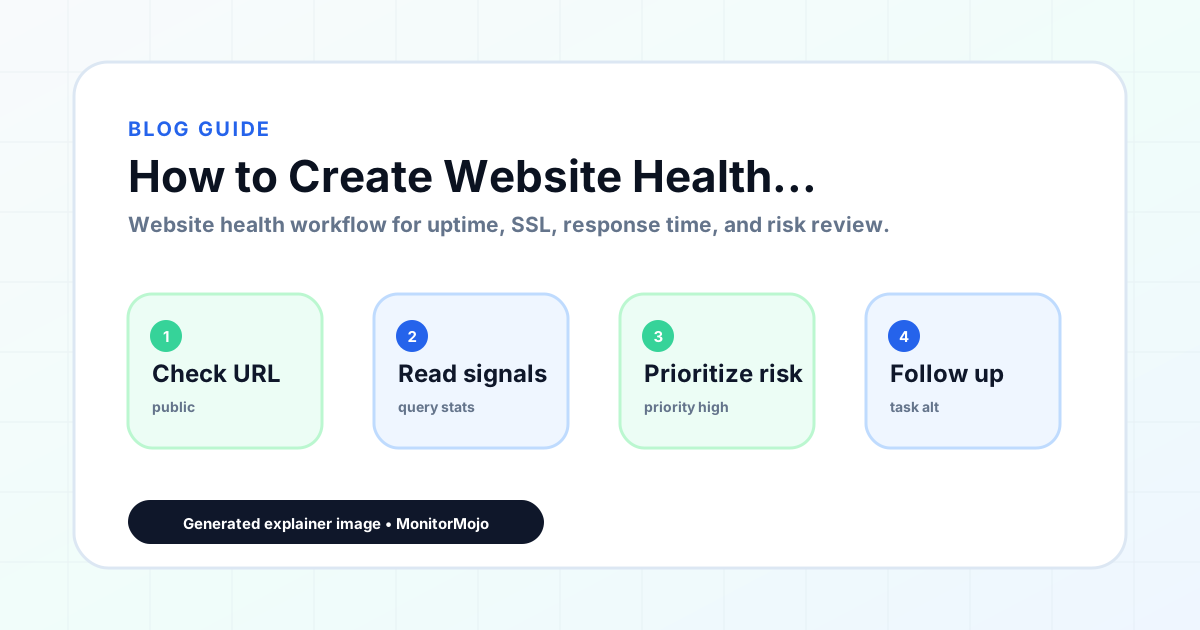
Step-by-step monitoring workflow
Start by listing the URLs that actually matter instead of just the homepage — for a small team doing a routine check before something breaks in front of a visitor, that usually means the pages tied to revenue, signups, or trust, not every page on the site.
Next, define the check types for each URL: reachability, HTTP status, HTTPS/SSL certificate status and expiry window, response time, redirect behavior, and security header presence. For API, CLI, and AI-agent workflows, document which endpoint or command runs the check and where the result is stored.
Set a cadence that matches the risk — a low-traffic page may only need a monthly look, while a page tied to revenue or signups deserves a check after every deployment and before any campaign or launch.
Record what you find with a consistent format: URL, check type, status, issue, owner, detected date, and next review date. Then say what actually happened in plain language — a check can surface a symptom, but site owners and small teams still need to confirm the cause.
- Choose the URLs that matter most to visitors, clients, revenue, and operations.
- Run uptime, SSL, response time, and security header checks on a consistent schedule.
- Triage failed or risky checks by likely owner: hosting, DNS, SSL, code, platform, or third party.
- Record notes in a repeatable format so future reviews do not start from scratch.
- Send a plain-language summary with the issue, impact, owner, and next review date.
- Run a confirmation check after remediation so there is an external result to reference.
Checklist or template
Use this template for recurring reviews: [URL], [Check Type], [Status], [Issue], [Priority], [Owner], [Detected Date], [Resolved Date], [Next Review Date]. Add a one-line summary at the top: what changed, what needs attention, and who owns the next step.
For site owners and small teams, group findings into the four signals that matter most: reachability, SSL status, response time, and security headers. Where nothing needs action, say the check found no issue in that area rather than implying full coverage.
- [URL]: the exact page or endpoint checked.
- [Check Type]: uptime, SSL, response time, headers, API, CLI, or agent workflow.
- [Status]: pass, review, failed, blocked, or needs human investigation.
- [Issue]: the observable symptom, not an unsupported root-cause claim.
- [Owner]: agency, developer, host, DNS provider, client, or third-party vendor.
- [Next Review Date]: when the team should confirm status again.
Common mistakes
The most common mistake is monitoring only the homepage while a checkout, signup, or booking flow silently breaks. Another is assuming SSL auto-renewal always works — it can fail quietly, and an external check is the only way to catch that before a browser warning does.
For site owners and small teams specifically, the recurring miss is treating one clean check as proof the whole site is fine, or fixing an issue without ever writing down what happened — which means the next person repeats the same investigation from zero.
- Tracking too many low-value URLs while missing the ones that matter.
- Skipping notes after an issue is resolved.
- Reporting a status without an owner or next step attached.
- Assuming automation can resolve an incident without human review.
- Treating one clean check as proof that every risk is covered.
Practical example
Consider a small team doing a routine check before something breaks in front of a visitor. A scheduled check flags that the site is slower than its usual baseline and that a security header is missing. Instead of guessing, the team logs the observation with a timestamp, assigns an owner, and re-checks after the fix ships — turning a vague "something feels off" into a specific, closed-loop task.
How MonitorMojo helps
MonitorMojo runs website health checks that combine reachability, SSL certificate status, response time, and security header presence in one workspace, so this workflow doesn't require stitching together several separate tools.
The API and CLI make the same checks scriptable for site owners and small teams who want them wired into an existing process, while credit-based checks keep it practical to run reviews exactly when they matter — before a client call, after a deploy, or when someone asks whether the site is healthy. Results still depend on hosting, DNS, and how quickly the responsible team acts on what the check finds.
Who this is for
- Agencies who include monthly reporting in their website care plan delivery
- Freelancers who want to make their maintenance work visible to clients through structured reports
- WordPress maintenance providers who currently deliver updates but not formal reporting
- Any website service provider who wants to demonstrate ongoing value and support care plan renewals
Frequently Asked Questions
How long should a client website health report be?
Most clients prefer concise reports they can read in two to three minutes. One to two pages of structured content — summary, key metrics, actions taken, upcoming items — is appropriate for most care plan clients. Longer reports are fine for clients who specifically request more detail, but the default should be brief and clear.
What should I do if a report has to cover a bad month?
Be clear and factual. Describe what happened, what was done to address it, and what the current status is. Clients handle problems better when they receive honest, clear communication than when problems are minimized or obscured. A report that clearly explains an issue and how it was resolved often strengthens the client relationship rather than damaging it.
How do I get the data for health reports without spending hours on each one?
Use a consistent health check workflow with a tool like MonitorMojo that surfaces the key metrics in one check. Build a report template with fields for each metric. Run the check, populate the template, personalize the narrative, and send. For a well-structured workflow, this should take 15 to 20 minutes per client per month.
Should I brand my health reports?
Branded reports look more professional and reinforce your agency or freelancer identity. If you send reports via email, a consistent email signature and formatting is sufficient. If you produce PDF reports, a simple branded template with your logo and colors creates a more polished deliverable. The content matters more than the design, but basic branding is worth the one-time template setup.
What happens if clients do not read the reports?
Some clients never read detailed reports in full, but they notice when a report arrives consistently and recognize it as proof that the service is active. Even a client who skims the summary absorbs the key message: someone ran the checks, everything is healthy (or an issue was addressed). The value of the report is as much in the signal that the service is happening as in the detailed content.
Can this prevent every issue with the site?
No. Monitoring helps site owners and small teams detect website health signals and organize follow-up, but it does not prevent every outage, SSL issue, slow response, or third-party failure. The result still depends on hosting, DNS, infrastructure, and how quickly the responsible team investigates and responds.