MonitorMojo Blog
Simple Uptime Monitoring: What Small Teams Actually Need
Most small teams do not need sophisticated monitoring infrastructure. They need a reliable answer to a simple question: is the website working correctly for visitors right now? And a slightly more forward-looking question: is anything about to break that should be addressed this week? Simple uptime monitoring answers both questions without requiring server agents, complex dashboard configuration, or a monitoring budget sized for an enterprise engineering team. This expanded guide explains the practical monitoring workflow behind the topic, who should use it, what to check, how to document findings, and how to turn website health signals into useful client, developer, API, CLI, or AI-agent workflows without overstating what monitoring can prove.
What simple uptime monitoring looks like
Simple uptime monitoring for a small team is a structured, regular check on the website signals that matter most. It is not a continuous monitoring system running hundreds of checks per day. It is a periodic health review covering reachability, SSL certificate status, response time, and basic domain health — run consistently enough to catch problems before they affect visitors.
For most small teams, a monthly check on each site in their portfolio is the right starting cadence. Add checks before important events (a product launch, a high-traffic campaign), after significant site changes (a migration, a major update), and whenever something seems off. The cadence is light; the consistency is what matters.
The right monitoring tool for a small team is one that takes a check from idea to result in under a minute, covers the signals that cause real problems without requiring interpretation, and produces output that can be shared with a client or team member without additional explanation.
The signals small teams actually need
Small teams do not need real user monitoring, synthetic transaction testing, or distributed tracing. They need to know: is the site up, is the SSL certificate valid and not about to expire, is the server responding fast enough, and are the basic browser security protections in place.
These five signals — reachability, SSL status and expiry, response time, security headers, and domain risk — cover the vast majority of failures that affect real visitors and generate real complaints. Every other monitoring signal is valuable in certain contexts but adds complexity that a small team cannot always absorb and act on.
The goal of simple monitoring is a workflow that actually gets used. A complex monitoring setup requiring maintenance, interpretation, and ongoing configuration tends to be ignored after the first few weeks. A simple check that takes two minutes and shows clear results tends to become a consistent habit.
Avoiding monitoring overkill
Enterprise monitoring platforms are designed for engineering teams with dedicated operations responsibilities. They offer more signals, more integrations, and more configuration options than a small team will ever use — at a cost and complexity level that is hard to justify for a portfolio of five to ten business websites.
Some small teams adopt enterprise tools because they are the most widely known, not because they are the right fit. The result is a monitoring setup that costs more than makes sense, covers more than needed, and adds overhead that competes with client work or product development. Simpler tools are not inferior — they are right-sized for the actual workflow.
The test for any monitoring tool is whether it gets used consistently. If the setup is too complex to maintain, the alerts are too noisy to trust, or the output requires interpretation before it is useful, the tool will gradually fall out of use. Simple monitoring that works reliably is more valuable than sophisticated monitoring that does not.
Making simple monitoring consistent
Consistency is what turns occasional checks into a monitoring workflow. The most reliable way to make monitoring consistent is to attach it to an existing routine — a monthly calendar event, a pre-call checklist, a post-deployment procedure — rather than relying on remembering to do it.
For agencies and freelancers, the most natural anchor is the monthly client report. Running a health check on each client site before preparing the monthly report ensures the check happens every month, the results are current, and the report contains real monitoring data rather than an assumption that everything is fine.
For small business owners, a calendar reminder on a fixed day each month is the most practical approach. Five minutes on the first Monday of the month covers the checking; the rest of the month you can focus on the business knowing the site was recently verified.
- Add a monthly health check reminder to your calendar and treat it as non-negotiable
- Include a health check step in your post-deployment checklist
- Run a check as the first step before every client call or monthly report
- Set a recurring task for the two-week-before-deadline check on any expiring SSL certificates
- Check immediately after any major platform update or hosting migration
What to do when simple monitoring finds something
When a check flags an issue, the response should be simple and proportionate. An SSL certificate with 25 days remaining means scheduling renewal this week — not an emergency, but needs action before next month's check. A slow response time that has been stable for six months means noting it for investigation, not immediately calling the hosting provider.
The most urgent findings are those already affecting visitors: a site returning errors, an SSL certificate that has already expired, or a domain that has lapsed. These warrant immediate action regardless of when the next scheduled check was planned.
Document what you found and what you did. Even a brief note — 'SSL certificate renewed on [date], new expiry [date]' in the client record — creates the paper trail that supports care plan accountability and makes the next renewal planning straightforward.
MonitorMojo for simple uptime monitoring
MonitorMojo is built for exactly this kind of simple, practical website health check workflow. You enter a URL, run a check, and see a combined result covering reachability, SSL, response time, security headers, and domain risk — without needing to set up monitoring infrastructure or configure separate tools for each signal type.
The credit-based pricing fits the small team workflow of running checks when they matter rather than paying for continuous monitoring subscriptions that run whether needed or not. For monthly check workflows across a portfolio of five to twenty sites, credits are a more cost-effective model.
The check results are designed to be immediately actionable without interpretation — clear status indicators, specific expiry dates, and response time numbers that tell you whether something needs attention right now, soon, or not yet.
What this workflow means
Simple Uptime Monitoring: What Small Teams Actually Need is best understood as a repeatable website health workflow, not a promise that every outage or configuration issue will be avoided. Learn what simple uptime monitoring looks like for small teams — which signals matter, which tools are overkill, and how to build a lightweight monitoring workflow that gets used consistently.
In practice, this workflow centers on reachability, HTTP status, downtime triage, stakeholder updates, and confirmation checks. Each check is planning input: it can show that the site is reachable, that a certificate has a given expiry window, that response time has shifted, or that a header is missing. It cannot prove root cause by itself or replace a human response. The value is in making the review consistent enough that site owners and small teams can spot issues before someone downstream has to ask about them.
Who should use this
This is most useful for site owners and small teams. Small agencies and freelancers managing a portfolio of client websites
Beyond that primary audience, the same checks are reusable by anyone with a public-facing URL that matters to revenue, leads, or reputation: a recurring review is cheap insurance compared to hearing about the problem from a client or customer first.
Step-by-step monitoring workflow
Start by listing the URLs that actually matter instead of just the homepage — for a small team doing a routine check before something breaks in front of a visitor, that usually means the pages tied to revenue, signups, or trust, not every page on the site.
Next, define the check types for each URL: reachability, HTTP status, HTTPS/SSL certificate status and expiry window, response time, redirect behavior, and security header presence. For API, CLI, and AI-agent workflows, document which endpoint or command runs the check and where the result is stored.
Set a cadence that matches the risk — a low-traffic page may only need a monthly look, while a page tied to revenue or signups deserves a check after every deployment and before any campaign or launch.
Record what you find with a consistent format: URL, check type, status, issue, owner, detected date, and next review date. Then say what actually happened in plain language — a check can surface a symptom, but site owners and small teams still need to confirm the cause.
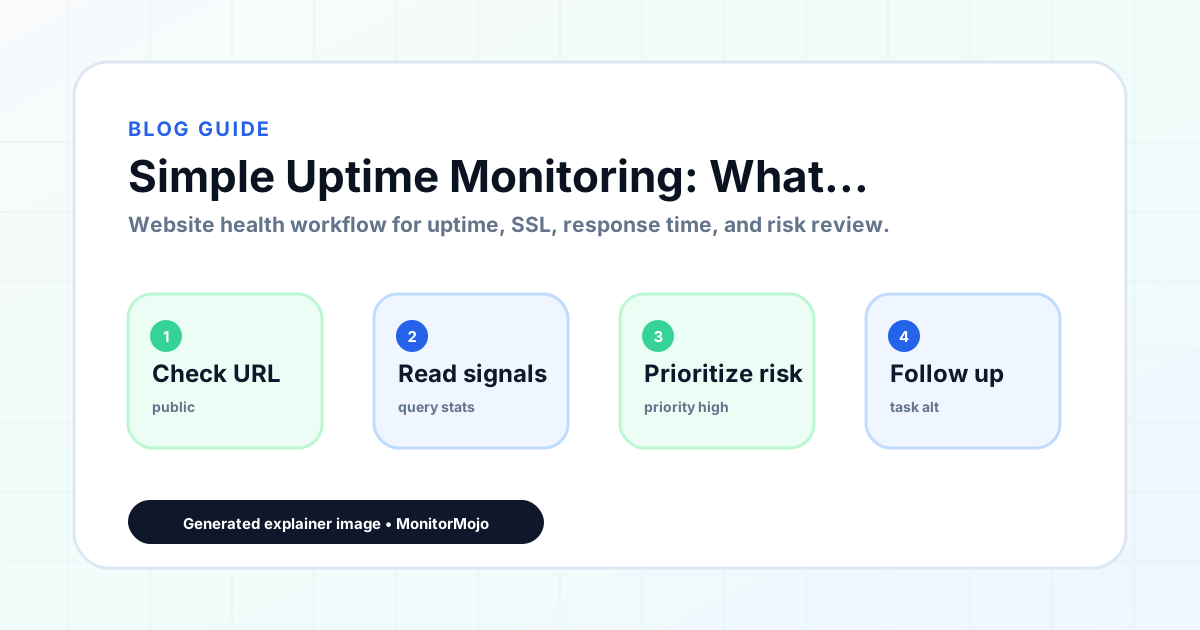
- Choose the URLs that matter most to visitors, clients, revenue, and operations.
- Run uptime, SSL, response time, and security header checks on a consistent schedule.
- Triage failed or risky checks by likely owner: hosting, DNS, SSL, code, platform, or third party.
- Record notes in a repeatable format so future reviews do not start from scratch.
- Send a plain-language summary with the issue, impact, owner, and next review date.
- Run a confirmation check after remediation so there is an external result to reference.
Checklist or template
Use this template for recurring reviews: [URL], [Check Type], [Status], [Issue], [Priority], [Owner], [Detected Date], [Resolved Date], [Next Review Date]. Add a one-line summary at the top: what changed, what needs attention, and who owns the next step.
For site owners and small teams, group findings into the four signals that matter most: reachability, SSL status, response time, and security headers. Where nothing needs action, say the check found no issue in that area rather than implying full coverage.
- [URL]: the exact page or endpoint checked.
- [Check Type]: uptime, SSL, response time, headers, API, CLI, or agent workflow.
- [Status]: pass, review, failed, blocked, or needs human investigation.
- [Issue]: the observable symptom, not an unsupported root-cause claim.
- [Owner]: agency, developer, host, DNS provider, client, or third-party vendor.
- [Next Review Date]: when the team should confirm status again.
Common mistakes
The most common mistake is monitoring only the homepage while a checkout, signup, or booking flow silently breaks. Another is assuming SSL auto-renewal always works — it can fail quietly, and an external check is the only way to catch that before a browser warning does.
For site owners and small teams specifically, the recurring miss is treating one clean check as proof the whole site is fine, or fixing an issue without ever writing down what happened — which means the next person repeats the same investigation from zero.
- Tracking too many low-value URLs while missing the ones that matter.
- Skipping notes after an issue is resolved.
- Reporting a status without an owner or next step attached.
- Assuming automation can resolve an incident without human review.
- Treating one clean check as proof that every risk is covered.
Practical example
Consider a small team doing a routine check before something breaks in front of a visitor. A scheduled check flags that the site is slower than its usual baseline and that a security header is missing. Instead of guessing, the team logs the observation with a timestamp, assigns an owner, and re-checks after the fix ships — turning a vague "something feels off" into a specific, closed-loop task.
How MonitorMojo helps
MonitorMojo runs website health checks that combine reachability, SSL certificate status, response time, and security header presence in one workspace, so this workflow doesn't require stitching together several separate tools.
The API and CLI make the same checks scriptable for site owners and small teams who want them wired into an existing process, while credit-based checks keep it practical to run reviews exactly when they matter — before a client call, after a deploy, or when someone asks whether the site is healthy. Results still depend on hosting, DNS, and how quickly the responsible team acts on what the check finds.
Who this is for
- Small agencies and freelancers managing a portfolio of client websites
- Small business owners who want a lightweight monthly check on their site
- Solo developers managing a handful of projects without an operations team
- Teams that tried enterprise monitoring tools and found them too complex to maintain
- Anyone who wants reliable website health visibility without a full monitoring stack
Frequently Asked Questions
Is simple uptime monitoring enough for most small businesses?
Yes. A monthly health check covering reachability, SSL, response time, and domain health catches the vast majority of failures that affect real customers. More sophisticated monitoring is valuable for applications with strict SLA requirements and engineering teams available to respond at any hour — a different context from most small business websites.
How long does a simple uptime monitoring check take?
A MonitorMojo health check takes a few seconds to run. Reviewing the results for one site takes a minute or two. For a portfolio of ten sites, a monthly health review typically takes 20 to 30 minutes total, including reviewing results and documenting findings.
Do I need technical knowledge to run simple uptime monitoring?
No. MonitorMojo is designed to give clear results that any website owner or manager can understand. You enter a URL, run the check, and see what needs attention — no server configuration, monitoring setup, or technical interpretation required.
What is the difference between simple and continuous uptime monitoring?
Simple uptime monitoring involves periodic health checks run on a schedule — monthly, weekly, or before specific events. Continuous monitoring checks a URL every few minutes and sends automated alerts when something changes. Continuous monitoring is valuable for high-traffic applications where every minute of downtime has significant impact; simple periodic monitoring is more practical for agency and small business website portfolios.
How many credits do I need for monthly monitoring with MonitorMojo?
Each website health check uses credits based on the check scope. For a monthly review of a portfolio of 10 sites, a small credit pack covers the checks with credits to spare for additional spot checks after deployments or when an issue is suspected. Check the pricing page for current credit pack options.
Can this prevent every issue with the site?
No. Monitoring helps site owners and small teams detect website health signals and organize follow-up, but it does not prevent every outage, SSL issue, slow response, or third-party failure. The result still depends on hosting, DNS, infrastructure, and how quickly the responsible team investigates and responds.