MonitorMojo Blog
Uptime Audit Checklist
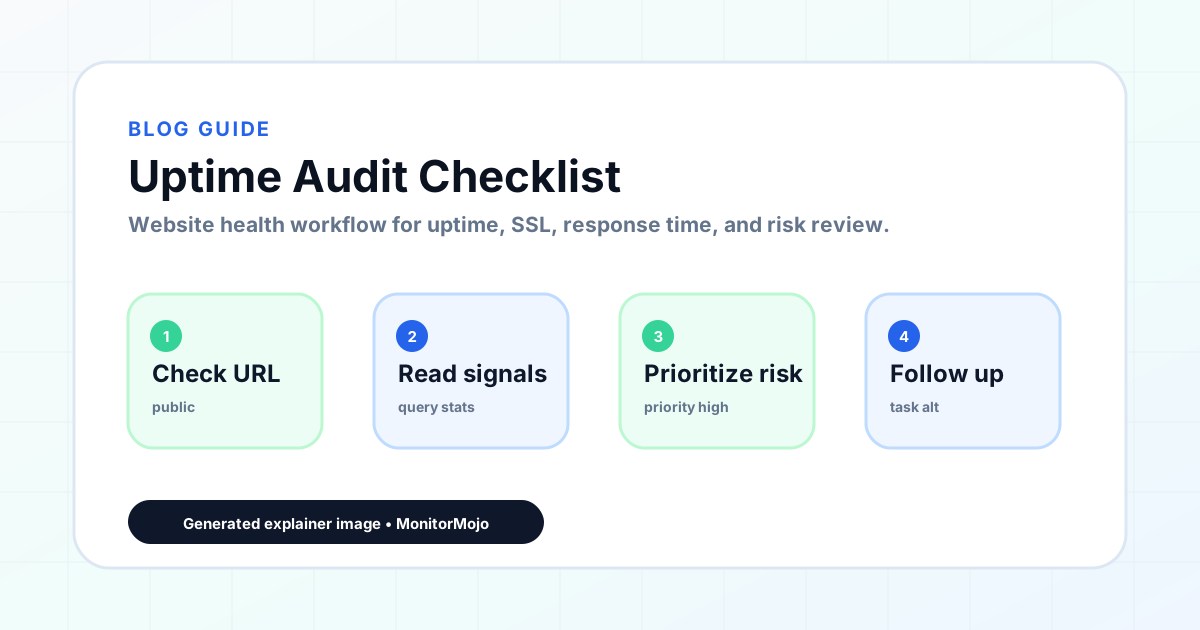
An uptime audit checks whether a website is consistently reachable, returning healthy responses, and free of redirect and configuration errors. Use this checklist for a systematic review of uptime status across client sites. Adapt findings to the specific hosting setup and client agreement before taking action. This expanded guide explains the practical monitoring workflow behind the topic, who should use it, what to check, how to document findings, and how to turn website health signals into useful client, developer, API, CLI, or AI-agent workflows without overstating what monitoring can prove.
What an Uptime Audit Covers
Uptime is more than "is the site up right now?" A thorough uptime audit checks availability over time, the quality of responses the site returns, redirect behavior, and any patterns suggesting instability.
A site that is technically "up" 99% of the time but returns server errors during business hours is a real problem that a single snapshot check will miss. Uptime audit findings inform hosting conversations, performance investigations, and client communications.
Uptime Audit Checklist
Work through this checklist for each site in scope. Document results with timestamps.
- Site responds to HTTP/HTTPS request within 10 seconds
- Main domain returns 200 OK (not 4xx or 5xx)
- www variant redirects correctly to canonical URL
- HTTP redirects to HTTPS with a single 301 (no redirect chains)
- No redirect loops detected on any checked URL
- No maintenance mode, parking page, or installation screen visible
- Site returns expected content (not a blank page or error message)
- Response time within acceptable range (flag if over 3 seconds)
- No server error codes (500, 502, 503, 504) during the check window
- No DNS resolution failures (NXDOMAIN or DNS timeout)
- Any recent downtime events documented with duration and likely cause
- Uptime trend: stable, improving, or degrading vs. previous period
Common Uptime Issues to Watch For
Intermittent 500 errors often indicate server-side problems: memory limits exceeded, database connection failures, or application errors. These may not show in a single check but appear in monitoring logs over time.
Redirect chains — where a URL redirects to another, which redirects again — add latency and can confuse search engines. The correct configuration is a single redirect from HTTP to HTTPS and from non-www to www.
DNS propagation issues after a hosting or domain change can make a site intermittently unreachable. If a client recently changed nameservers and reports intermittent access issues, DNS propagation is the likely explanation.
How to Interpret Uptime Findings
A 200 OK response with a response time under 2 seconds and no redirect issues is a clean uptime result. Document it and move on.
A slow response time (over 3 seconds) is worth flagging even if the site is "up." Slow sites lose visitors and rank lower in search results. Recommend investigating server performance or optimization.
Any 5xx error is a critical finding. Even a single 503 during an audit is worth investigating — it may indicate a resource limit, database issue, or hosting problem. Contact the hosting provider if the error persists.
How MonitorMojo Helps
MonitorMojo checks site availability and response code as part of every health check. Use the results to populate this checklist directly.
Historical check data lets you review uptime over time rather than relying on a single point-in-time check. If a site had a 503 error last week, the historical record shows when it happened and how long it lasted.
Adapt uptime audit findings to the actual hosting environment. Some issues require hosting provider involvement to investigate and resolve. Your role as the agency is to detect and communicate — not necessarily to fix everything yourself.
What this workflow means
Uptime Audit Checklist is best understood as a repeatable website health workflow, not a promise that every outage or configuration issue will be avoided. A practical uptime audit checklist for agencies and website owners to systematically review website availability and downtime risk.
In practice, this workflow centers on reachability, HTTP status, downtime triage, stakeholder updates, and confirmation checks. Each check is planning input: it can show that the site is reachable, that a certificate has a given expiry window, that response time has shifted, or that a header is missing. It cannot prove root cause by itself or replace a human response. The value is in making the review consistent enough that site owners and small teams can spot issues before someone downstream has to ask about them.
Who should use this
This is most useful for site owners and small teams. Agencies auditing client site availability as part of a care plan
Beyond that primary audience, the same checks are reusable by anyone with a public-facing URL that matters to revenue, leads, or reputation: a recurring review is cheap insurance compared to hearing about the problem from a client or customer first.
Step-by-step monitoring workflow
Start by listing the URLs that actually matter instead of just the homepage — for a small team doing a routine check before something breaks in front of a visitor, that usually means the pages tied to revenue, signups, or trust, not every page on the site.
Next, define the check types for each URL: reachability, HTTP status, HTTPS/SSL certificate status and expiry window, response time, redirect behavior, and security header presence. For API, CLI, and AI-agent workflows, document which endpoint or command runs the check and where the result is stored.
Set a cadence that matches the risk — a low-traffic page may only need a monthly look, while a page tied to revenue or signups deserves a check after every deployment and before any campaign or launch.
Record what you find with a consistent format: URL, check type, status, issue, owner, detected date, and next review date. Then say what actually happened in plain language — a check can surface a symptom, but site owners and small teams still need to confirm the cause.
- Choose the URLs that matter most to visitors, clients, revenue, and operations.
- Run uptime, SSL, response time, and security header checks on a consistent schedule.
- Triage failed or risky checks by likely owner: hosting, DNS, SSL, code, platform, or third party.
- Record notes in a repeatable format so future reviews do not start from scratch.
- Send a plain-language summary with the issue, impact, owner, and next review date.
- Run a confirmation check after remediation so there is an external result to reference.
Checklist or template
Use this template for recurring reviews: [URL], [Check Type], [Status], [Issue], [Priority], [Owner], [Detected Date], [Resolved Date], [Next Review Date]. Add a one-line summary at the top: what changed, what needs attention, and who owns the next step.
For site owners and small teams, group findings into the four signals that matter most: reachability, SSL status, response time, and security headers. Where nothing needs action, say the check found no issue in that area rather than implying full coverage.
- [URL]: the exact page or endpoint checked.
- [Check Type]: uptime, SSL, response time, headers, API, CLI, or agent workflow.
- [Status]: pass, review, failed, blocked, or needs human investigation.
- [Issue]: the observable symptom, not an unsupported root-cause claim.
- [Owner]: agency, developer, host, DNS provider, client, or third-party vendor.
- [Next Review Date]: when the team should confirm status again.
Common mistakes
The most common mistake is monitoring only the homepage while a checkout, signup, or booking flow silently breaks. Another is assuming SSL auto-renewal always works — it can fail quietly, and an external check is the only way to catch that before a browser warning does.
For site owners and small teams specifically, the recurring miss is treating one clean check as proof the whole site is fine, or fixing an issue without ever writing down what happened — which means the next person repeats the same investigation from zero.
- Tracking too many low-value URLs while missing the ones that matter.
- Skipping notes after an issue is resolved.
- Reporting a status without an owner or next step attached.
- Assuming automation can resolve an incident without human review.
- Treating one clean check as proof that every risk is covered.
Practical example
Consider a small team doing a routine check before something breaks in front of a visitor. A scheduled check flags that the site is slower than its usual baseline and that a security header is missing. Instead of guessing, the team logs the observation with a timestamp, assigns an owner, and re-checks after the fix ships — turning a vague "something feels off" into a specific, closed-loop task.
How MonitorMojo helps
MonitorMojo runs website health checks that combine reachability, SSL certificate status, response time, and security header presence in one workspace, so this workflow doesn't require stitching together several separate tools.
The API and CLI make the same checks scriptable for site owners and small teams who want them wired into an existing process, while credit-based checks keep it practical to run reviews exactly when they matter — before a client call, after a deploy, or when someone asks whether the site is healthy. Results still depend on hosting, DNS, and how quickly the responsible team acts on what the check finds.
Who this is for
- Agencies auditing client site availability as part of a care plan
- Freelancers who want a systematic uptime review process
- Website owners who want to verify their site is consistently reachable
- Anyone who needs to document uptime status for a client or stakeholder report
Frequently Asked Questions
What is an acceptable uptime rate for a client website?
Availability expectations depend on the site's purpose. Most small business sites accept occasional brief downtime. Ecommerce and booking sites expect near-continuous availability. Set expectations with clients based on their hosting tier and business needs.
What is the difference between a 503 and a 500 error?
A 500 is a general server error — something went wrong in the application. A 503 means the server is temporarily overloaded or unavailable. Both are worth investigating. A 503 often resolves on its own; a 500 usually requires investigation.
Should I check uptime from multiple locations?
For more rigorous audits, yes. A site can be reachable from one location but slow or misconfigured from another. For most care plan audits, a single check location is sufficient.
Can this prevent every issue with the site?
No. Monitoring helps site owners and small teams detect website health signals and organize follow-up, but it does not prevent every outage, SSL issue, slow response, or third-party failure. The result still depends on hosting, DNS, infrastructure, and how quickly the responsible team investigates and responds.
What should a monitoring report include?
The URL, check type, current status, detected issue, priority, owner, detected date, resolved date if applicable, and the next review date. Keep the language tied to what the check actually observed, especially when the root cause still needs developer, host, or platform review.
Does this replace a full security audit?
No. It covers surface-level signals — reachability, SSL, response time, and security headers — not a full security audit, penetration test, or infrastructure review. Treat it as an early-warning layer, not a compliance substitute.