MonitorMojo Blog
Website Monitoring Monthly Review Workflow
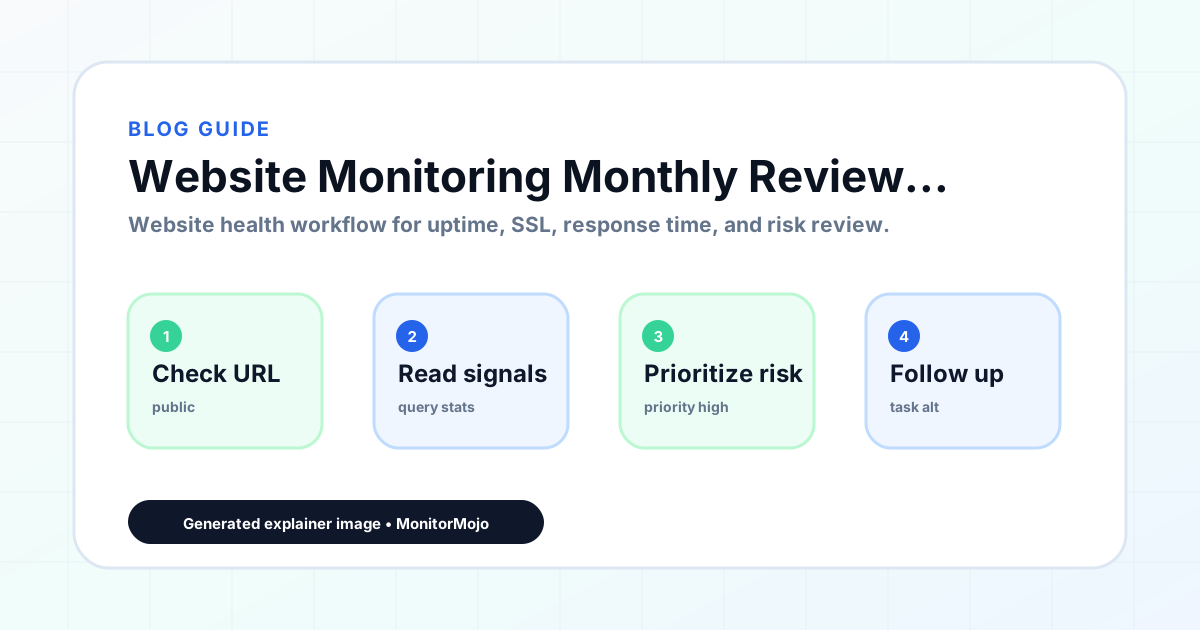
Where the weekly review answers "is anything broken right now," the monthly review answers "is anything getting worse." It's the point where you look back across a month of weekly checks and look for direction — response times creeping up, the same low-severity issue showing up week after week, a pattern in when problems occur. This guide covers what a monthly review adds on top of the weekly scan and how to run it without it turning into a full audit, and where it fits alongside the lighter weekly scan and the more formal quarterly report. This expanded guide explains the practical monitoring workflow behind the topic, who should use it, what to check, how to document findings, and how to turn website health signals into useful client, developer, API, CLI, or AI-agent workflows without overstating what monitoring can prove.
What the Monthly Review Adds
The monthly review's job is trend detection, not status confirmation — that's already covered weekly. Pull together the past month's check results for each site and look across them rather than at any single result in isolation.
This is also the natural point to review recurring low-severity items that individually weren't worth acting on. A missing header that showed up in three of the past four weekly checks is a pattern worth fixing, even though no single instance of it was urgent.
A monthly cadence is also long enough to notice things a single week can't — a site that's consistently slower on certain days, or one where issues cluster around a particular kind of change (a plugin update, a content upload). These patterns only become visible once you're looking at several weeks side by side.
Because it sits between the fast weekly scan and the formal quarterly report, the monthly review is also a good checkpoint for catching something before it needs to appear as a surprise in the quarterly document — surfacing a developing trend a month or two early gives you time to actually fix it rather than just reporting on it.
The Monthly Checklist
Per site, this takes longer than the weekly scan — plan for ten to fifteen minutes rather than two.
- Pull the month's check history and look at response time as a trend, not a single point
- Note any Low or Medium severity issues that recurred more than once during the month
- Confirm SSL certificates aren't approaching expiry within the next 30–60 days
- Check whether any sites had confirmed downtime this month, and roughly how long it lasted
- Compare this month's overall picture to last month's for each site — better, worse, or unchanged
- Flag anything that needs a deeper look or a client conversation before the next monthly cycle
Setting Aside Time for the Monthly Cycle
Because the monthly review takes longer per site than the weekly one, it needs its own dedicated block of time rather than being squeezed in alongside other work. Many agencies tie it to the start or end of the calendar month and block an hour or two depending on portfolio size, treating it as scheduled work rather than something done whenever there's a spare moment.
For larger portfolios, splitting the monthly review across a few days — a handful of sites each day rather than all of them in one sitting — keeps quality consistent and avoids the review becoming a rushed, superficial pass through a long list at the end of a busy day.
Turning the Review Into Action
A monthly review that doesn't lead anywhere is just data collection. For internal sites or your own portfolio, use findings to prioritize fixes — the slowest sites or the ones with the most recurring issues go to the top of the list. For client sites, decide which findings are worth surfacing in a client-facing risk summary email versus saved for the quarterly report.
Not everything needs a client email monthly — that can start to feel like noise. Save routine, low-priority trend findings for the quarterly review, and reserve the monthly cycle's client communication for anything that's degraded meaningfully or needs a decision soon.
Prioritizing Across Multiple Sites
For an agency running this review across many clients, the monthly cycle is also a natural moment to rank sites by how much attention they need next — which ones had the most issues, the worst trends, or the most client-facing impact. That ranking is useful input for deciding where to focus limited time in the coming month, rather than treating every site as equally deserving of follow-up.
Keep a simple running note of what changed since last month for each site, even briefly. Over a year, this becomes a useful record for spotting seasonal patterns or recurring problems that only show up when looking across multiple monthly cycles rather than any single one.
Common Mistakes
Re-running the weekly checklist and calling it a monthly review misses the entire point — the monthly review needs to look across history, not just at the current state.
Not keeping weekly logs makes the monthly review much harder, since there's no trend to look at without a record of the individual weeks. The weekly review's habit of logging results is what makes the monthly one possible.
Treating every recurring minor issue as urgent overreacts to patterns that may simply be the normal behavior of a particular site or host — use judgment about what recurring pattern actually warrants a fix versus what's just how that site runs.
Skipping the comparison to last month means you lose the ability to say whether things are actually getting better or worse, which is the main value the monthly cadence adds over the weekly one.
How MonitorMojo Helps
Check history is what makes a monthly trend review possible without manual logging — pulling a month's worth of past checks for a site through the dashboard or API gives you the raw material for spotting patterns in response time, recurring issues, and SSL status.
The API lets you script a monthly pull across your whole site list, so building the trend view doesn't mean manually opening each site's history one at a time.
MonitorMojo's client-ready summaries can incorporate this month's findings into a format you can share directly, which is useful for the sites where a monthly update to the client makes sense rather than waiting for the quarterly report.
What this workflow means
Website Monitoring Monthly Review Workflow is best understood as a repeatable website health workflow, not a promise that every outage or configuration issue will be avoided. A monthly review workflow that goes beyond the quick weekly scan to look at trends across weeks of check history and catch slow-building problems before they become incidents.
In practice, this workflow centers on uptime, SSL certificates, response time, security headers, website health summaries, and monthly review notes. Each check is planning input: it can show that the site is reachable, that a certificate has a given expiry window, that response time has shifted, or that a header is missing. It cannot prove root cause by itself or replace a human response. The value is in making the review consistent enough that site owners and small teams can spot issues before someone downstream has to ask about them.
Who should use this
This is most useful for site owners and small teams. Agencies who want to catch slow-building problems before they become incidents
Beyond that primary audience, the same checks are reusable by anyone with a public-facing URL that matters to revenue, leads, or reputation: a recurring review is cheap insurance compared to hearing about the problem from a client or customer first.
Step-by-step monitoring workflow
Start by listing the URLs that actually matter instead of just the homepage — for a small team doing a routine check before something breaks in front of a visitor, that usually means the pages tied to revenue, signups, or trust, not every page on the site.
Next, define the check types for each URL: reachability, HTTP status, HTTPS/SSL certificate status and expiry window, response time, redirect behavior, and security header presence. For API, CLI, and AI-agent workflows, document which endpoint or command runs the check and where the result is stored.
Set a cadence that matches the risk — a low-traffic page may only need a monthly look, while a page tied to revenue or signups deserves a check after every deployment and before any campaign or launch.
Record what you find with a consistent format: URL, check type, status, issue, owner, detected date, and next review date. Then say what actually happened in plain language — a check can surface a symptom, but site owners and small teams still need to confirm the cause.
- Choose the URLs that matter most to visitors, clients, revenue, and operations.
- Run uptime, SSL, response time, and security header checks on a consistent schedule.
- Triage failed or risky checks by likely owner: hosting, DNS, SSL, code, platform, or third party.
- Record notes in a repeatable format so future reviews do not start from scratch.
- Send a plain-language summary with the issue, impact, owner, and next review date.
- Run a confirmation check after remediation so there is an external result to reference.
Checklist or template
Use this template for recurring reviews: [URL], [Check Type], [Status], [Issue], [Priority], [Owner], [Detected Date], [Resolved Date], [Next Review Date]. Add a one-line summary at the top: what changed, what needs attention, and who owns the next step.
For site owners and small teams, group findings into the four signals that matter most: reachability, SSL status, response time, and security headers. Where nothing needs action, say the check found no issue in that area rather than implying full coverage.
- [URL]: the exact page or endpoint checked.
- [Check Type]: uptime, SSL, response time, headers, API, CLI, or agent workflow.
- [Status]: pass, review, failed, blocked, or needs human investigation.
- [Issue]: the observable symptom, not an unsupported root-cause claim.
- [Owner]: agency, developer, host, DNS provider, client, or third-party vendor.
- [Next Review Date]: when the team should confirm status again.
Common mistakes
The most common mistake is monitoring only the homepage while a checkout, signup, or booking flow silently breaks. Another is assuming SSL auto-renewal always works — it can fail quietly, and an external check is the only way to catch that before a browser warning does.
For site owners and small teams specifically, the recurring miss is treating one clean check as proof the whole site is fine, or fixing an issue without ever writing down what happened — which means the next person repeats the same investigation from zero.
- Tracking too many low-value URLs while missing the ones that matter.
- Skipping notes after an issue is resolved.
- Reporting a status without an owner or next step attached.
- Assuming automation can resolve an incident without human review.
- Treating one clean check as proof that every risk is covered.
Practical example
Consider a small team doing a routine check before something breaks in front of a visitor. A scheduled check flags that the site is slower than its usual baseline and that a security header is missing. Instead of guessing, the team logs the observation with a timestamp, assigns an owner, and re-checks after the fix ships — turning a vague "something feels off" into a specific, closed-loop task.
How MonitorMojo helps
MonitorMojo runs website health checks that combine reachability, SSL certificate status, response time, and security header presence in one workspace, so this workflow doesn't require stitching together several separate tools.
The API and CLI make the same checks scriptable for site owners and small teams who want them wired into an existing process, while credit-based checks keep it practical to run reviews exactly when they matter — before a client call, after a deploy, or when someone asks whether the site is healthy. Results still depend on hosting, DNS, and how quickly the responsible team acts on what the check finds.
Who this is for
- Agencies who want to catch slow-building problems before they become incidents
- Freelancers reviewing more than a few sites who need a trend view, not just a status check
- Anyone deciding what belongs in a monthly update versus a quarterly client report
- Teams building out check history into a repeatable internal reporting habit
Frequently Asked Questions
How is the monthly review different from the weekly one?
The weekly review checks current status. The monthly review looks across a month of that weekly data to find trends — degrading response times, recurring low-severity issues, patterns the weekly checks alone wouldn't reveal.
Do I need to email clients every month?
Not necessarily. Reserve client communication for findings that have meaningfully changed or need a decision. Routine, stable findings can wait for the quarterly report instead of generating a client email every month.
What if I don't have weekly logs to review?
You can still pull a month of check history directly from MonitorMojo's saved results even without separate weekly logs, though a consistent weekly habit makes the trend picture clearer and faster to assemble.
Can the monthly review be automated?
The data pull can be scripted through the API, but interpreting the trend and deciding what needs action is still a judgment call for your team — MonitorMojo doesn't analyze trends or flag them automatically.
Does a monthly review guarantee I'll catch every developing issue?
No. It significantly improves your odds of catching a slow-building problem before it becomes an incident, but it depends on the checks run during the month and can't surface a pattern that the underlying data doesn't show.
Can this prevent every issue with the site?
No. Monitoring helps site owners and small teams detect website health signals and organize follow-up, but it does not prevent every outage, SSL issue, slow response, or third-party failure. The result still depends on hosting, DNS, infrastructure, and how quickly the responsible team investigates and responds.