MonitorMojo Blog
Agency Website Health Operating System
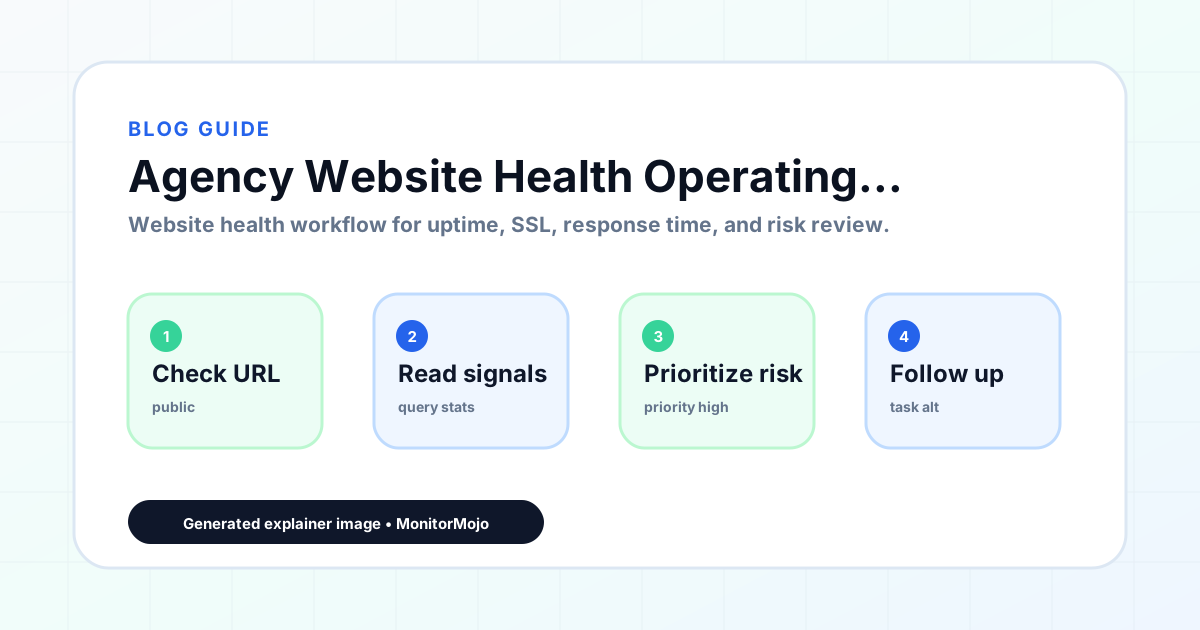
An agency website health operating system is the integrated set of processes, tools, and accountability structures that keeps every client website healthy — consistently, at scale, without depending on any individual's memory or heroics. It is the difference between an agency where monitoring happens when someone remembers and an agency where monitoring happens because the system makes it happen. This expanded guide explains the practical monitoring workflow behind the topic, who should use it, what to check, how to document findings, and how to turn website health signals into useful client, developer, API, CLI, or AI-agent workflows without overstating what monitoring can prove.
Why Agencies Need a Health Operating System
Most agencies start monitoring client websites reactively — checking in after a complaint, running a quick test before a handoff. As the client roster grows, reactive monitoring becomes inadequate. Issues fall through the cracks. Some clients get more attention than others. The service quality depends on who is working that day rather than on the system.
A health operating system makes proactive monitoring the default. Checks run because the schedule says they should, not because someone remembered. Reports go out because the workflow produces them, not because someone had time. Action items get followed up because the tracking system surfaces them, not because someone kept a mental note.
A well-built health operating system also scales. Adding a new client to the system means adding them to the check schedule, the reporting workflow, and the client record — a process that takes minutes, not hours. The operating system does not need to be rebuilt for each new client.
The Four Components of an Agency Health OS
Component 1: Health data. The monitoring tool that runs comprehensive health checks — uptime, SSL, response time, security headers, risk signals — for every client site on a consistent schedule. This is the sensor layer: it detects conditions that require attention.
Component 2: Review process. The workflow that transforms raw check data into actionable findings. Who reviews results, when, with what criteria for classifying findings, and what happens when a finding meets a critical threshold. This is the analysis layer: it turns data into decisions.
Component 3: Client communication. The templates and schedules for communicating health findings to clients — monthly reports, alert emails, quarterly reviews. This is the delivery layer: it turns findings into visible value for the client.
Component 4: Accountability structure. Who is responsible for what, what the escalation path is when something goes wrong, and how the operating system's performance is measured. This is the governance layer: it keeps the system running when people and circumstances change.
Building the Health OS: Where to Start
Start with the health data layer. Choose your monitoring tool and confirm it covers all five health categories for every client in scope. Set up check configurations and confirm historical data is being stored. Without reliable data, the rest of the system has nothing to work with.
Then document the review process. Define the check schedule: which clients get checked when, and by whom. Define the classification criteria: what makes a finding critical versus a warning. Define the escalation path: what happens when a critical finding is detected at 8pm on a Friday.
Then build the client communication layer. Create your report template. Set the delivery schedule. Build your alert communication procedure. For premium clients, schedule the quarterly review cadence. Test the communication with a few existing clients before rolling out to everyone.
Finally, define the accountability structure. Assign client ownership within your team. Set the performance metrics you will track (check schedule adherence, report delivery timeliness, alert response speed). Schedule a monthly internal review of the operating system's performance.
Maintaining and Improving the Health OS
A health operating system requires maintenance just like any other system. Review the process documentation quarterly. Update it when tools change, when team members change, or when the current process is demonstrably not working. Archive superseded versions.
Track performance metrics monthly. If check schedule adherence drops below target, investigate why: is the schedule too ambitious, is ownership unclear, or is a tool not working correctly? Fix the root cause, not just the symptom.
Solicit feedback from the team. The people running the operating system day to day are the best source of information about what is working and what is not. A monthly fifteen-minute team retrospective on the monitoring workflow surfaces improvements faster than a top-down process review.
How MonitorMojo Helps
MonitorMojo provides the health data layer of your agency health operating system. Comprehensive health checks across all five categories, consistent methodology for every client, historical data stored automatically, and an API that connects the data layer to your review and reporting workflows.
Credit-based pricing makes the health data layer's cost predictable and proportional to your client count. The operating system can grow from five clients to fifty without a pricing model that creates budget surprises. Each client added to the system has a known, predictable data layer cost.
The API enables integration between MonitorMojo and the rest of your health operating system — your CRM, your project management tool, your reporting templates, or your custom client portal. MonitorMojo is the data source; your operating system is the layer that turns that data into client value at scale.
What this workflow means
Agency Website Health Operating System is best understood as a repeatable website health workflow, not a promise that every outage or configuration issue will be avoided. Learn how to build an agency website health operating system that standardizes monitoring, reporting, and client communication across all client sites.
In practice, this workflow centers on agency reporting, client communication, portfolio review, and repeatable maintenance workflows. Each check is planning input: it can show that a client's site is reachable, that a certificate has a given expiry window, that response time has shifted, or that a header is missing. It cannot prove root cause by itself or replace a human response. The value is in making the review consistent enough that web agencies and client-services teams can spot issues before someone downstream has to ask about them.
Who should use this
This is most useful for web agencies and client-services teams. Agency founders building a scalable, sustainable monitoring service practice
Beyond that primary audience, the same checks are reusable by anyone with a public-facing URL that matters to revenue, leads, or reputation: a recurring review is cheap insurance compared to hearing about the problem from a client or customer first.
Step-by-step monitoring workflow
Start by listing the URLs that actually matter instead of just the homepage — for an agency reviewing a portfolio of client sites before a monthly report, that usually means the pages tied to revenue, signups, or trust, not every page on the site.
Next, define the check types for each URL: reachability, HTTP status, HTTPS/SSL certificate status and expiry window, response time, redirect behavior, and security header presence. For API, CLI, and AI-agent workflows, document which endpoint or command runs the check and where the result is stored.
Set a cadence that matches the risk — a low-traffic page may only need a monthly look, while a page tied to revenue or signups deserves a check after every deployment and before any campaign or launch.
Record what you find with a consistent format: URL, check type, status, issue, owner, detected date, and next review date. Then say what actually happened in plain language — a check can surface a symptom, but web agencies and client-services teams still need to confirm the cause.
- Choose the URLs that matter most to visitors, clients, revenue, and operations.
- Run uptime, SSL, response time, and security header checks on a consistent schedule.
- Triage failed or risky checks by likely owner: hosting, DNS, SSL, code, platform, or third party.
- Record notes in a repeatable format so future reviews do not start from scratch.
- Send a plain-language summary with the issue, impact, owner, and next review date.
- Run a confirmation check after remediation so there is an external result to reference.
Checklist or template
Use this template for recurring reviews: [URL], [Check Type], [Status], [Issue], [Priority], [Owner], [Detected Date], [Resolved Date], [Next Review Date]. Add a one-line summary at the top: what changed, what needs attention, and who owns the next step.
For web agencies and client-services teams, group findings into the four signals that matter most: reachability, SSL status, response time, and security headers. Where nothing needs action, say the check found no issue in that area rather than implying full coverage.
- [URL]: the exact page or endpoint checked.
- [Check Type]: uptime, SSL, response time, headers, API, CLI, or agent workflow.
- [Status]: pass, review, failed, blocked, or needs human investigation.
- [Issue]: the observable symptom, not an unsupported root-cause claim.
- [Owner]: agency, developer, host, DNS provider, client, or third-party vendor.
- [Next Review Date]: when the team should confirm status again.
Common mistakes
The most common mistake is monitoring only the homepage while a checkout, signup, or booking flow silently breaks. Another is assuming SSL auto-renewal always works — it can fail quietly, and an external check is the only way to catch that before a browser warning does.
For web agencies and client-services teams specifically, the recurring miss is treating one clean check as proof the whole site is fine, or fixing an issue without ever writing down what happened — which means the next person repeats the same investigation from zero.
- Tracking too many low-value URLs while missing the ones that matter.
- Skipping notes after an issue is resolved.
- Reporting a status without an owner or next step attached.
- Assuming automation can resolve an incident without human review.
- Treating one clean check as proof that every risk is covered.
Practical example
Consider an agency reviewing a portfolio of client sites before a monthly report. A scheduled check flags that a client's site is slower than its usual baseline and that a security header is missing. Instead of guessing, the team logs the observation with a timestamp, assigns an owner, and re-checks after the fix ships — turning a vague "something feels off" into a specific, closed-loop task.
How MonitorMojo helps
MonitorMojo runs website health checks that combine reachability, SSL certificate status, response time, and security header presence in one workspace, so this workflow doesn't require stitching together several separate tools.
The API and CLI make the same checks scriptable for web agencies and client-services teams who want them wired into an existing process, while credit-based checks keep it practical to run reviews exactly when they matter — before a client call, after a deploy, or when someone asks whether a client's site is healthy. Results still depend on hosting, DNS, and how quickly the responsible team acts on what the check finds.
Who this is for
- Agency founders building a scalable, sustainable monitoring service practice
- Agency operators who want monitoring quality to depend on the system, not on individuals
- Web professionals ready to transition from ad-hoc monitoring to a structured operating model
- Anyone building a monitoring service they can eventually delegate, scale, or sell
Frequently Asked Questions
How is a health operating system different from a health playbook?
A playbook documents the process. An operating system includes the process documentation plus the tools that run it, the people who are accountable for it, and the metrics that measure its performance. A playbook is a component of an operating system.
Can a solo freelancer have a health operating system?
Yes. The accountability structure is simpler (just you), but the check schedule, review process, and client communication components are equally valuable for solo freelancers. A solo freelancer with a documented health OS delivers more consistent monitoring than one without — and can scale more easily when ready to hire.
What is the most common reason agency health operating systems fail?
The most common reason is that the system is designed but never fully adopted. The check workflow is documented but team members still do checks ad hoc. The report template exists but reports are still written from scratch. Adoption requires training, accountability, and consistent enforcement — not just documentation.
Should client sites with no recent issues still be part of the health OS?
Absolutely. Sites with no recent issues are exactly the ones most at risk of having a problem that goes unnoticed — because "quiet" creates false confidence. The health OS ensures that every client site gets checked on schedule, regardless of how recently it generated a support call.
Can this prevent every issue with a client's site?
No. Monitoring helps web agencies and client-services teams detect website health signals and organize follow-up, but it does not prevent every outage, SSL issue, slow response, or third-party failure. The result still depends on hosting, DNS, infrastructure, and how quickly the responsible team investigates and responds.
What should a monitoring report include?
The URL, check type, current status, detected issue, priority, owner, detected date, resolved date if applicable, and the next review date. Keep the language tied to what the check actually observed, especially when the root cause still needs developer, host, or platform review.