MonitorMojo Blog
Best Tools to Monitor Client Websites
Agencies and freelancers managing client websites need monitoring tools that scale across multiple sites, provide multi-site dashboards, track SSL certificates across the portfolio, and produce results that can be communicated to clients. This guide compares the best tools for client website monitoring. This expanded guide explains the practical monitoring workflow behind the topic, who should use it, what to check, how to document findings, and how to turn website health signals into useful client, developer, API, CLI, or AI-agent workflows without overstating what monitoring can prove.
What client website monitoring requires
Monitoring client websites has specific requirements: multi-site dashboards, SSL certificate tracking across every client domain with expiry alerts, and check results communicable to clients in monthly reports.
Pricing that scales with the number of client sites is important. Credit-based pricing can be more cost-effective than per-site subscriptions.
The tool should cover all signals that create client-facing problems: reachability, SSL, response time, security headers, and domain risk.
MonitorMojo for client website monitoring
MonitorMojo is designed for the client monitoring workflow. Each health check covers reachability, SSL, response time, redirect behavior, security headers, and domain risk notes in one result.
Check results are designed to be communicable to clients. SSL expiry dates, response time snapshots, and security header status are clear and understandable.
The credit-based pricing means you pay for checks when you run them. The results depend on hosting, DNS, infrastructure, configuration, traffic, and response process.
Other client monitoring tools
StatusCake offers multi-site monitoring with SSL and domain tracking and status page functionality.
Oh Dear provides detailed technical monitoring with multi-site support and European hosting.
UptimeRobot provides basic uptime monitoring at low cost for agencies that need simple availability alerts.
Choosing the right client monitoring tool
For agencies that need combined health checks with results designed for client communication, MonitorMojo provides the most complete solution.
For agencies that need status page functionality, StatusCake or Better Stack provides this integration.
For large portfolios, credit-based pricing can be more cost-effective. Calculate your expected check volume before committing.
What this workflow means
Best Tools to Monitor Client Websites is best understood as a repeatable website health workflow, not a promise that every outage or configuration issue will be avoided. Compare the best tools for monitoring client websites. Find multi-site dashboards, SSL tracking, health checks, and client reporting workflows for agencies and freelancers.
In practice, this workflow centers on API, CLI, and AI-agent workflows that retrieve website health context with human review. Each check is planning input: it can show that the site is reachable, that a certificate has a given expiry window, that response time has shifted, or that a header is missing. It cannot prove root cause by itself or replace a human response. The value is in making the review consistent enough that site owners and small teams can spot issues before someone downstream has to ask about them.
Who should use this
This is most useful for site owners and small teams. Web agencies managing client site portfolios
Beyond that primary audience, the same checks are reusable by anyone with a public-facing URL that matters to revenue, leads, or reputation: a recurring review is cheap insurance compared to hearing about the problem from a client or customer first.
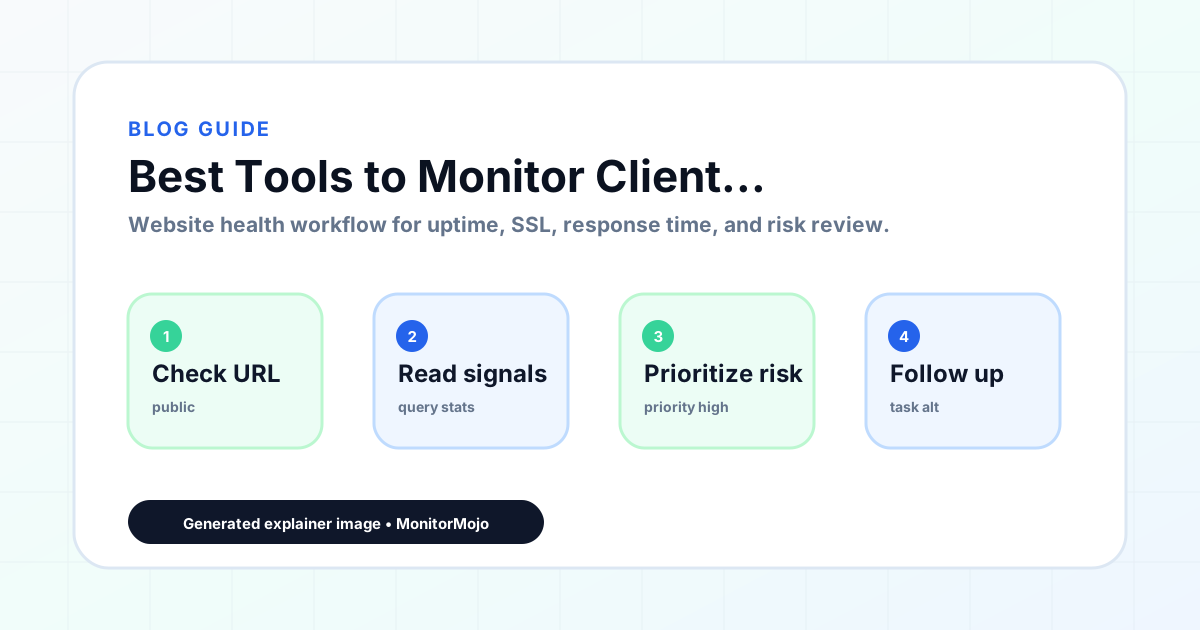
Step-by-step monitoring workflow
Start by listing the URLs that actually matter instead of just the homepage — for a small team doing a routine check before something breaks in front of a visitor, that usually means the pages tied to revenue, signups, or trust, not every page on the site.
Next, define the check types for each URL: reachability, HTTP status, HTTPS/SSL certificate status and expiry window, response time, redirect behavior, and security header presence. For API, CLI, and AI-agent workflows, document which endpoint or command runs the check and where the result is stored.
Set a cadence that matches the risk — a low-traffic page may only need a monthly look, while a page tied to revenue or signups deserves a check after every deployment and before any campaign or launch.
Record what you find with a consistent format: URL, check type, status, issue, owner, detected date, and next review date. Then say what actually happened in plain language — a check can surface a symptom, but site owners and small teams still need to confirm the cause.
- Choose the URLs that matter most to visitors, clients, revenue, and operations.
- Run uptime, SSL, response time, and security header checks on a consistent schedule.
- Triage failed or risky checks by likely owner: hosting, DNS, SSL, code, platform, or third party.
- Record notes in a repeatable format so future reviews do not start from scratch.
- Send a plain-language summary with the issue, impact, owner, and next review date.
- Run a confirmation check after remediation so there is an external result to reference.
Checklist or template
Use this template for recurring reviews: [URL], [Check Type], [Status], [Issue], [Priority], [Owner], [Detected Date], [Resolved Date], [Next Review Date]. Add a one-line summary at the top: what changed, what needs attention, and who owns the next step.
For site owners and small teams, group findings into the four signals that matter most: reachability, SSL status, response time, and security headers. Where nothing needs action, say the check found no issue in that area rather than implying full coverage.
- [URL]: the exact page or endpoint checked.
- [Check Type]: uptime, SSL, response time, headers, API, CLI, or agent workflow.
- [Status]: pass, review, failed, blocked, or needs human investigation.
- [Issue]: the observable symptom, not an unsupported root-cause claim.
- [Owner]: agency, developer, host, DNS provider, client, or third-party vendor.
- [Next Review Date]: when the team should confirm status again.
Common mistakes
The most common mistake is monitoring only the homepage while a checkout, signup, or booking flow silently breaks. Another is assuming SSL auto-renewal always works — it can fail quietly, and an external check is the only way to catch that before a browser warning does.
For site owners and small teams specifically, the recurring miss is treating one clean check as proof the whole site is fine, or fixing an issue without ever writing down what happened — which means the next person repeats the same investigation from zero.
- Tracking too many low-value URLs while missing the ones that matter.
- Skipping notes after an issue is resolved.
- Reporting a status without an owner or next step attached.
- Assuming automation can resolve an incident without human review.
- Treating one clean check as proof that every risk is covered.
Practical example
Consider a small team doing a routine check before something breaks in front of a visitor. A scheduled check flags that the site is slower than its usual baseline and that a security header is missing. Instead of guessing, the team logs the observation with a timestamp, assigns an owner, and re-checks after the fix ships — turning a vague "something feels off" into a specific, closed-loop task.
How MonitorMojo helps
MonitorMojo runs website health checks that combine reachability, SSL certificate status, response time, and security header presence in one workspace, so this workflow doesn't require stitching together several separate tools.
The API and CLI make the same checks scriptable for site owners and small teams who want them wired into an existing process, while credit-based checks keep it practical to run reviews exactly when they matter — before a client call, after a deploy, or when someone asks whether the site is healthy. Results still depend on hosting, DNS, and how quickly the responsible team acts on what the check finds.
Who this is for
- Web agencies managing client site portfolios
- Freelancers providing ongoing website maintenance to clients
- WordPress maintenance providers delivering monthly health services
- Digital agencies that include monitoring in client care plans
Frequently Asked Questions
What is the best tool for monitoring client websites?
MonitorMojo is designed for client monitoring with combined health checks, multi-site dashboards, and results designed for client communication.
How do I track SSL certificates across client sites?
Include SSL status in every health check. MonitorMojo's multi-site dashboard shows SSL expiry dates across all client domains.
Can I include monitoring results in client reports?
Yes. MonitorMojo's check results are designed to be communicable to clients and can be included directly in monthly reports.
How do I price client monitoring services?
Factor in your monitoring tool costs, time spent on checks and reporting, and the value of proactive issue detection.
Should I monitor every page on a client's site?
Focus on pages that matter most: homepage, lead generation pages, checkout or booking pages, and pages receiving paid traffic.
Can this prevent every issue with the site?
No. Monitoring helps site owners and small teams detect website health signals and organize follow-up, but it does not prevent every outage, SSL issue, slow response, or third-party failure. The result still depends on hosting, DNS, infrastructure, and how quickly the responsible team investigates and responds.