MonitorMojo Blog
Security Header Alerts for Website Health Monitoring
Security headers like Strict-Transport-Security and Content-Security-Policy are easy to set up once and just as easy to lose. A CDN change, a redeploy, or a new reverse proxy config can silently strip them, and unlike downtime, a missing header rarely breaks anything visible on the page. This guide covers which headers matter most, how they tend to disappear, and how to build a repeatable check routine instead of assuming a one-time setup will hold. This expanded guide explains the practical monitoring workflow behind the topic, who should use it, what to check, how to document findings, and how to turn website health signals into useful client, developer, API, CLI, or AI-agent workflows without overstating what monitoring can prove.
Which Security Headers Actually Matter
Not every header carries the same weight. Strict-Transport-Security (HSTS) tells browsers to only ever connect over HTTPS, closing off a common downgrade attack. Content-Security-Policy (CSP) restricts what scripts and resources a page is allowed to load, which matters most on sites that handle logins, payments, or user-submitted content.
X-Content-Type-Options set to nosniff stops browsers from guessing file types in ways that can be abused to run disguised scripts. X-Frame-Options, or a frame-ancestors directive inside CSP, stops your pages from being embedded in someone else's iframe for clickjacking. Referrer-Policy and Permissions-Policy are lower priority but still worth setting on any site that cares about privacy and limiting which browser features third-party scripts can access.
If you only have time to fix two, start with HSTS and CSP. They address the most common real-world attack patterns (protocol downgrade and injected scripts), and they are also the two most likely to get dropped by an infrastructure change rather than removed on purpose.
- Strict-Transport-Security (HSTS)
- Content-Security-Policy (CSP)
- X-Content-Type-Options: nosniff
- X-Frame-Options or frame-ancestors
- Referrer-Policy
- Permissions-Policy
Starting with a CSP That Won't Break Your Site
The most common reason teams abandon CSP entirely is that a strict policy, applied all at once, breaks a legitimate script the site actually needs, such as an analytics tag, a payment widget, or a font loaded from a CDN. This creates a support headache on day one and CSP gets quietly removed rather than tuned.
A more workable approach is to start narrow and additive: default-src set to 'self', then explicitly allow the specific third-party domains the site actually uses for scripts, styles, and fonts, rather than starting from a wide-open policy and trying to lock it down later. Run the policy in report-only mode for a week first, review what it would have blocked, adjust the allowlist, and only then switch it to enforcing.
Revisit the CSP allowlist whenever a new third-party script gets added, such as a new chat widget or a new analytics tool. This is the single most common cause of a CSP quietly breaking a page after launch, and it is easy to miss because the person adding the script is rarely the person who configured the original policy.
How Headers Quietly Disappear
A redeploy can reset a platform's default headers if your configuration lives outside the app's build pipeline. Moving to a new host, CDN, or reverse proxy is one of the most common causes; the old proxy carried your header rules, and the new one starts from a blank slate unless someone copies the config over.
Changes to a CDN or web application firewall (WAF) ruleset can quietly overwrite or strip origin headers, especially when a 'security' toggle in the CDN dashboard is assumed to replace headers set at the origin rather than add to them.
Framework and platform upgrades sometimes change default header behavior between versions. And staging-to-production drift runs both ways: a permissive staging CSP can leak into production, or a strict production header can get accidentally left off a new staging environment that later becomes the production one.
Building a Header-Check Routine (MonitorMojo Does Not Auto-Alert)
To be direct about what this tool does: MonitorMojo's check reads response headers as part of every website health check you run, but it does not push notifications on its own schedule. If you want ongoing coverage, wire the API or CLI into a cron job or CI step you control, run it on the cadence that fits your risk tolerance, and pipe failing results into your own Slack, email, or ticketing workflow.
A workable cadence does not need to be complicated. Check immediately after every production deploy, since that is when headers most often break. Check weekly for stable, low-change sites as a backstop. Check immediately after any CDN, WAF, DNS, or hosting change, since those are the highest-risk moments. And run a full check before and after any security review or client handoff so you have a clean before/after record.
- After every production deploy
- Weekly for low-change sites
- Immediately after CDN, WAF, DNS, or host changes
- Before and after security audits or client handoffs
Responding When a Header Goes Missing
Confirm the finding from more than one vantage point before treating it as real; a caching layer can occasionally serve a stale response to a single check. Once confirmed, check what changed since the last known-good result: deploys, infrastructure changes, and CDN rule edits are the first three places to look.
Fix the header at the layer where it actually belongs. If the CDN is stripping an origin header, the fix belongs in the CDN config, not the application code, and vice versa. Re-check immediately after the fix, and record the corrected header set as your new baseline so the next drift is obvious by comparison.
For agencies managing several client sites, keep a short reference note per client listing exactly which headers should be present and roughly what their values should look like. This turns the recheck step into a quick comparison against a known target rather than a judgment call about whether the current set of headers looks right.
Common Mistakes
Leaving CSP in report-only mode indefinitely is a common one; report-only never actually blocks anything, so a site can look protected on paper while the enforcing header was never turned on. Applying headers to the homepage but forgetting API subdomains, error pages, and redirect responses is another gap that shows up in audits.
Treating header hardening as a one-time launch task, rather than something to re-check after every infrastructure change, is how headers quietly disappear for months without anyone noticing. Not keeping a written record of the intended header baseline means there is nothing to compare today's result against, so drift looks normal instead of alarming.
How MonitorMojo Helps
Each on-demand check in MonitorMojo captures response headers alongside reachability, SSL signal, and response time in a single pass, so you are not running a separate tool just for headers. Results are saved to check history, which means you can pull up the last known-good header set and compare it against today's result instead of relying on memory.
Run checks from the dashboard for a one-off review, or use the API or CLI to script checks into your own deploy pipeline or cron schedule. Credit-based pricing means you pay per completed check rather than a recurring per-site fee, so it is practical to check every client site after every deploy without worrying about a subscription tier. Client-ready summaries make it straightforward to show a client their current header status without handing them raw HTTP response dumps.
What this workflow means
Security Header Alerts for Website Health Monitoring is best understood as a repeatable website health workflow, not a promise that every outage or configuration issue will be avoided. Which security headers matter most, how they silently disappear after deploys and CDN changes, and how to build a check routine that catches it since MonitorMojo does not send alerts on its own.
In practice, this workflow centers on security header presence, browser-level protections, ownership notes, and review follow-up. Each check is planning input: it can show that the site is reachable, that a certificate has a given expiry window, that response time has shifted, or that a header is missing. It cannot prove root cause by itself or replace a human response. The value is in making the review consistent enough that site owners and small teams can spot issues before someone downstream has to ask about them.
Who should use this
This is most useful for site owners and small teams. Developers who configure security headers and need to catch regressions after deploys
Beyond that primary audience, the same checks are reusable by anyone with a public-facing URL that matters to revenue, leads, or reputation: a recurring review is cheap insurance compared to hearing about the problem from a client or customer first.
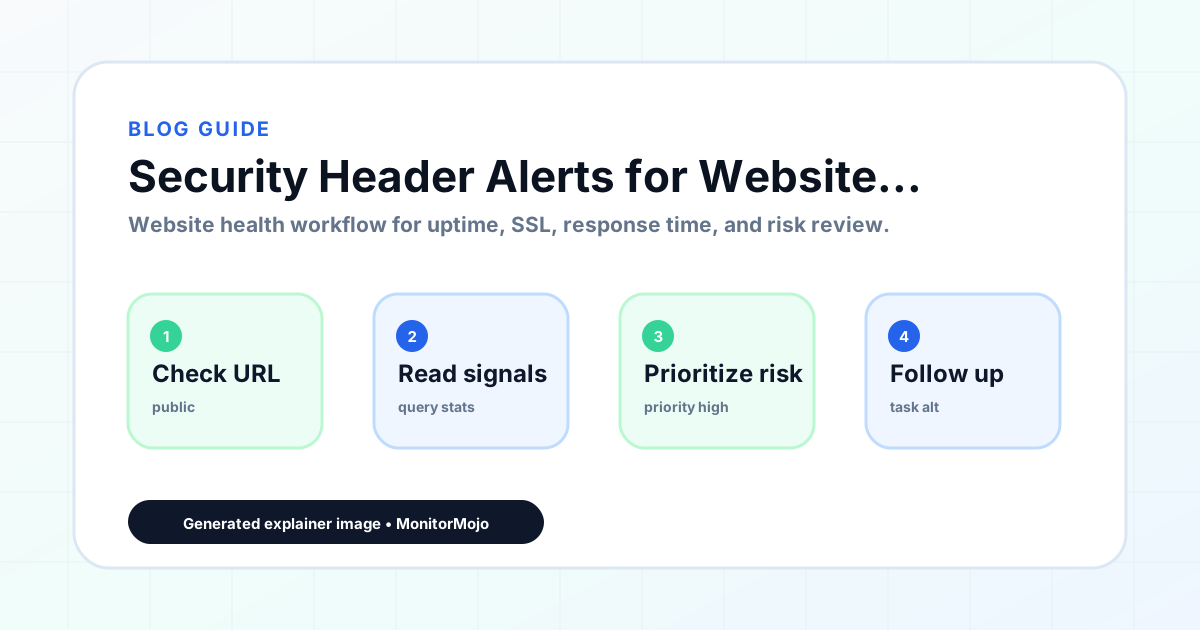
Step-by-step monitoring workflow
Start by listing the URLs that actually matter instead of just the homepage — for a small team doing a routine check before something breaks in front of a visitor, that usually means the pages tied to revenue, signups, or trust, not every page on the site.
Next, define the check types for each URL: reachability, HTTP status, HTTPS/SSL certificate status and expiry window, response time, redirect behavior, and security header presence. For API, CLI, and AI-agent workflows, document which endpoint or command runs the check and where the result is stored.
Set a cadence that matches the risk — a low-traffic page may only need a monthly look, while a page tied to revenue or signups deserves a check after every deployment and before any campaign or launch.
Record what you find with a consistent format: URL, check type, status, issue, owner, detected date, and next review date. Then say what actually happened in plain language — a check can surface a symptom, but site owners and small teams still need to confirm the cause.
- Choose the URLs that matter most to visitors, clients, revenue, and operations.
- Run uptime, SSL, response time, and security header checks on a consistent schedule.
- Triage failed or risky checks by likely owner: hosting, DNS, SSL, code, platform, or third party.
- Record notes in a repeatable format so future reviews do not start from scratch.
- Send a plain-language summary with the issue, impact, owner, and next review date.
- Run a confirmation check after remediation so there is an external result to reference.
Checklist or template
Use this template for recurring reviews: [URL], [Check Type], [Status], [Issue], [Priority], [Owner], [Detected Date], [Resolved Date], [Next Review Date]. Add a one-line summary at the top: what changed, what needs attention, and who owns the next step.
For site owners and small teams, group findings into the four signals that matter most: reachability, SSL status, response time, and security headers. Where nothing needs action, say the check found no issue in that area rather than implying full coverage.
- [URL]: the exact page or endpoint checked.
- [Check Type]: uptime, SSL, response time, headers, API, CLI, or agent workflow.
- [Status]: pass, review, failed, blocked, or needs human investigation.
- [Issue]: the observable symptom, not an unsupported root-cause claim.
- [Owner]: agency, developer, host, DNS provider, client, or third-party vendor.
- [Next Review Date]: when the team should confirm status again.
Common mistakes
The most common mistake is monitoring only the homepage while a checkout, signup, or booking flow silently breaks. Another is assuming SSL auto-renewal always works — it can fail quietly, and an external check is the only way to catch that before a browser warning does.
For site owners and small teams specifically, the recurring miss is treating one clean check as proof the whole site is fine, or fixing an issue without ever writing down what happened — which means the next person repeats the same investigation from zero.
- Tracking too many low-value URLs while missing the ones that matter.
- Skipping notes after an issue is resolved.
- Reporting a status without an owner or next step attached.
- Assuming automation can resolve an incident without human review.
- Treating one clean check as proof that every risk is covered.
Practical example
Consider a small team doing a routine check before something breaks in front of a visitor. A scheduled check flags that the site is slower than its usual baseline and that a security header is missing. Instead of guessing, the team logs the observation with a timestamp, assigns an owner, and re-checks after the fix ships — turning a vague "something feels off" into a specific, closed-loop task.
How MonitorMojo helps
MonitorMojo runs website health checks that combine reachability, SSL certificate status, response time, and security header presence in one workspace, so this workflow doesn't require stitching together several separate tools.
The API and CLI make the same checks scriptable for site owners and small teams who want them wired into an existing process, while credit-based checks keep it practical to run reviews exactly when they matter — before a client call, after a deploy, or when someone asks whether the site is healthy. Results still depend on hosting, DNS, and how quickly the responsible team acts on what the check finds.
Who this is for
- Developers who configure security headers and need to catch regressions after deploys
- Agencies auditing client sites after a hosting or CDN migration
- DevOps teams managing CDN and WAF configuration changes
- Security-conscious site owners doing periodic manual header reviews
Frequently Asked Questions
Will MonitorMojo notify me automatically if a security header disappears?
No. MonitorMojo runs checks on demand rather than on its own schedule. Run the API or CLI from your own cron job or CI pipeline, and forward failing results to whatever alerting tool you already use.
Which security header should I prioritize if I can only fix one or two?
Strict-Transport-Security and Content-Security-Policy cover the most common real-world attack patterns and are also the two most likely to get dropped during an infrastructure change.
Do security headers alone make a site secure?
No. Headers reduce specific attack surfaces like clickjacking, protocol downgrade, and script injection, but they do not guarantee protection against every attack, and MonitorMojo's header check does not scan for every vulnerability class.
How often should I check my headers?
After every production deploy, weekly as a backstop for stable sites, and immediately after any CDN, WAF, DNS, or hosting change.
Can a CDN override headers set at my origin server?
Yes. CDN and WAF rules can add, strip, or overwrite origin headers, which is why a header check right after a CDN configuration change is worth doing even if you did not touch the application code.
Is a report-only Content-Security-Policy the same as an enforced one?
No. A report-only CSP logs violations but does not block anything. If you never move it to enforcing mode, the site is not actually protected by it.