MonitorMojo Blog
Website Health Alerts for Agencies and Developers
Website health is not one signal, it is four: is the site reachable, is the SSL certificate valid, is it fast enough, and are the security headers intact. Watching these separately across a portfolio of client sites gets unwieldy fast. This guide shows how agencies and developers can turn those four signals into one repeatable health-check workflow, without assuming any tool will push the warning to you automatically. This expanded guide explains the practical monitoring workflow behind the topic, who should use it, what to check, how to document findings, and how to turn website health signals into useful client, developer, API, CLI, or AI-agent workflows without overstating what monitoring can prove.
The Four Signals That Make Up Website Health
Reachability is the baseline: does the site respond to a request at all, and does it return a normal status code rather than a timeout or a 5xx error. SSL signal covers whether the certificate is valid, correctly chained, and not close to expiring, since a broken certificate makes a reachable site look broken to every visitor's browser.
Response time tells you whether the site is usably fast, not just technically up; a site that answers in 9 seconds is 'up' by a strict definition but effectively unusable for most visitors. Security headers round out the picture by showing whether basic protections like HSTS and CSP are actually present on the live response, not just configured somewhere in a codebase.
Treating these four as one combined 'health' concept, rather than four separate tools with four separate logins, is what makes a workflow sustainable across more than a handful of sites.
None of the four signals is a perfect proxy for the others, which is exactly why checking all four matters. A site can be perfectly reachable and fast while still showing an expired certificate, and a site can have flawless headers while quietly getting slower every week. Skipping any one of the four leaves a real blind spot rather than a small gap.
Building a Combined Health-Check Workflow
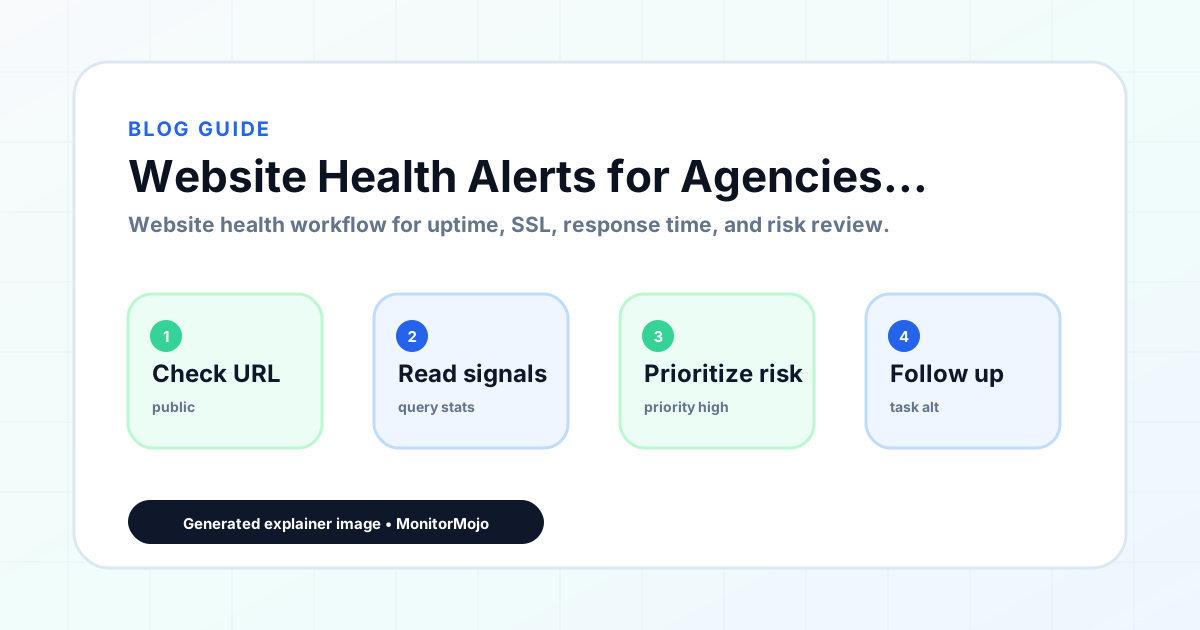
Start with an inventory: every domain and subdomain you are responsible for, in one list, not scattered across bookmarks and memory. For each one, a single health check should confirm reachability, SSL status, response time, and header status together, so one pass tells you the full story instead of four separate ones.
Because MonitorMojo runs checks on demand rather than continuously in the background, the workflow that works best is to run a batch of checks on a schedule you control: a script that calls the API or CLI across your whole site list, on a cadence that matches how often those sites change. Save the output, compare it to the previous run, and only dig into sites where something moved.
For anything you want pushed to you rather than pulled, build that layer yourself: a scheduled job that runs the checks and forwards failures to Slack, email, or a ticket, using whatever tool your team already relies on for that kind of notification.
What a Batch Result Actually Looks Like
A useful batch run does not need a fancy dashboard to be actionable. A simple table with one row per site, columns for reachability, SSL days-remaining, response time, and header status, and a single overall flag (healthy or needs attention) is enough to scan in a minute or two even across dozens of sites.
Sort by the flag column first, so the sites that need attention rise to the top instead of being buried alphabetically among dozens of healthy ones. For a growing portfolio, this small bit of structure is the difference between a five-minute weekly review and a task nobody wants to do.
A Practical Check Cadence
Not every site needs the same frequency. A high-traffic client site or anything ecommerce-adjacent deserves a daily pass. A portfolio of smaller brochure sites can reasonably be checked weekly. Anything you just deployed to, migrated, or reconfigured should get an immediate check regardless of its normal schedule.
- Daily: high-traffic or revenue-critical sites
- Weekly: stable low-change brochure or portfolio sites
- Immediately: after any deploy, migration, or DNS/CDN change
- Monthly: full portfolio review across all four signals together
Assigning Ownership Across a Portfolio
A combined health workflow only works if someone is actually responsible for acting on it. For a solo developer this is trivial, but for an agency with several accounts, a check that nobody owns is a check that eventually gets ignored when it flags something. Assign each site, or each client, to a specific person who is expected to review that site's results and follow up on anything that looks off.
For larger portfolios, splitting ownership by client rather than by signal tends to work better in practice. A person who owns 'all four signals for these ten client sites' can build real familiarity with what normal looks like for each one, whereas a person who owns 'just the SSL signal across two hundred sites' has no context for whether a given result is unusual.
Write the ownership assignment down somewhere durable, not just in someone's memory. When that person is on vacation or leaves the team, the assignment needs to transfer along with the actual list of sites and their known-normal baselines.
Common Mistakes
Checking each signal with a different tool is the most common mistake; it multiplies the number of dashboards you have to remember to look at, and the ones nobody remembers to check are the ones that eventually cause a surprise. Assuming 'the site loaded for me once' equals healthy is another; a single manual glance misses slow responses, near-expired certificates, and missing headers entirely.
Skipping the immediate post-deploy check is a frequent gap, since deploys are when most of these four signals actually break. And treating a clean check from three weeks ago as still valid is a quiet way for a portfolio to drift out of a healthy state without anyone noticing until a client complains.
Building an elaborate combined workflow for a portfolio of three sites is its own mistake in the other direction; a simple manual check twice a week may be entirely sufficient at small scale, and adding automation and scheduling overhead before it is needed just adds maintenance burden without a real payoff.
How MonitorMojo Helps
A single MonitorMojo check covers reachability, SSL/HTTPS signal, response time, and security headers in one pass, which is the combined view this workflow needs. Checks are on demand, run from the dashboard, the API, or the CLI, so you can script them into your own cron job or CI pipeline and control the cadence per site rather than paying for a fixed monitoring interval you do not need.
Every check result is saved to your check history, so a monthly portfolio review is a matter of pulling up past results rather than re-checking from scratch. Client-ready summaries turn a raw check result into something you can hand to a non-technical stakeholder, and credit-based pricing means checking forty sites once costs the same whether you do it in one batch or spread across a month.
What this workflow means
Website Health Alerts for Agencies and Developers is best understood as a repeatable website health workflow, not a promise that every outage or configuration issue will be avoided. How to combine reachability, SSL, response time, and security header checks into one health workflow for a portfolio of sites, with a practical check cadence for agencies and developers.
In practice, this workflow centers on uptime, SSL certificates, response time, security headers, website health summaries, and monthly review notes. Each check is planning input: it can show that a client's site is reachable, that a certificate has a given expiry window, that response time has shifted, or that a header is missing. It cannot prove root cause by itself or replace a human response. The value is in making the review consistent enough that web agencies and client-services teams can spot issues before someone downstream has to ask about them.
Who should use this
This is most useful for web agencies and client-services teams. Agencies managing health across a portfolio of client sites
Beyond that primary audience, the same checks are reusable by anyone with a public-facing URL that matters to revenue, leads, or reputation: a recurring review is cheap insurance compared to hearing about the problem from a client or customer first.
Step-by-step monitoring workflow
Start by listing the URLs that actually matter instead of just the homepage — for an agency reviewing a portfolio of client sites before a monthly report, that usually means the pages tied to revenue, signups, or trust, not every page on the site.
Next, define the check types for each URL: reachability, HTTP status, HTTPS/SSL certificate status and expiry window, response time, redirect behavior, and security header presence. For API, CLI, and AI-agent workflows, document which endpoint or command runs the check and where the result is stored.
Set a cadence that matches the risk — a low-traffic page may only need a monthly look, while a page tied to revenue or signups deserves a check after every deployment and before any campaign or launch.
Record what you find with a consistent format: URL, check type, status, issue, owner, detected date, and next review date. Then say what actually happened in plain language — a check can surface a symptom, but web agencies and client-services teams still need to confirm the cause.
- Choose the URLs that matter most to visitors, clients, revenue, and operations.
- Run uptime, SSL, response time, and security header checks on a consistent schedule.
- Triage failed or risky checks by likely owner: hosting, DNS, SSL, code, platform, or third party.
- Record notes in a repeatable format so future reviews do not start from scratch.
- Send a plain-language summary with the issue, impact, owner, and next review date.
- Run a confirmation check after remediation so there is an external result to reference.
Checklist or template
Use this template for recurring reviews: [URL], [Check Type], [Status], [Issue], [Priority], [Owner], [Detected Date], [Resolved Date], [Next Review Date]. Add a one-line summary at the top: what changed, what needs attention, and who owns the next step.
For web agencies and client-services teams, group findings into the four signals that matter most: reachability, SSL status, response time, and security headers. Where nothing needs action, say the check found no issue in that area rather than implying full coverage.
- [URL]: the exact page or endpoint checked.
- [Check Type]: uptime, SSL, response time, headers, API, CLI, or agent workflow.
- [Status]: pass, review, failed, blocked, or needs human investigation.
- [Issue]: the observable symptom, not an unsupported root-cause claim.
- [Owner]: agency, developer, host, DNS provider, client, or third-party vendor.
- [Next Review Date]: when the team should confirm status again.
Common mistakes
The most common mistake is monitoring only the homepage while a checkout, signup, or booking flow silently breaks. Another is assuming SSL auto-renewal always works — it can fail quietly, and an external check is the only way to catch that before a browser warning does.
For web agencies and client-services teams specifically, the recurring miss is treating one clean check as proof the whole site is fine, or fixing an issue without ever writing down what happened — which means the next person repeats the same investigation from zero.
- Tracking too many low-value URLs while missing the ones that matter.
- Skipping notes after an issue is resolved.
- Reporting a status without an owner or next step attached.
- Assuming automation can resolve an incident without human review.
- Treating one clean check as proof that every risk is covered.
Practical example
Consider an agency reviewing a portfolio of client sites before a monthly report. A scheduled check flags that a client's site is slower than its usual baseline and that a security header is missing. Instead of guessing, the team logs the observation with a timestamp, assigns an owner, and re-checks after the fix ships — turning a vague "something feels off" into a specific, closed-loop task.
How MonitorMojo helps
MonitorMojo runs website health checks that combine reachability, SSL certificate status, response time, and security header presence in one workspace, so this workflow doesn't require stitching together several separate tools.
The API and CLI make the same checks scriptable for web agencies and client-services teams who want them wired into an existing process, while credit-based checks keep it practical to run reviews exactly when they matter — before a client call, after a deploy, or when someone asks whether a client's site is healthy. Results still depend on hosting, DNS, and how quickly the responsible team acts on what the check finds.
Who this is for
- Agencies managing health across a portfolio of client sites
- Freelance developers who maintain multiple sites without a dedicated ops team
- Small teams consolidating uptime, SSL, speed, and header checks into one workflow
- Anyone tired of checking four separate tools to answer 'is the site okay'
Frequently Asked Questions
Does MonitorMojo continuously monitor my sites in the background?
No. Checks run on demand, from the dashboard, API, or CLI. For ongoing coverage, schedule checks yourself with a cron job or CI step at whatever interval fits each site.
What counts as a website 'health' issue beyond just downtime?
Four things: the site is unreachable, the SSL certificate is invalid or expiring, response time has degraded, or a security header has gone missing. Any one of these can hurt users or trust even while the site is technically online.
How do I get notified automatically when something breaks?
MonitorMojo does not send notifications itself. Run checks via the API or CLI on your own schedule and forward failing results into your own Slack, email, or ticketing tool.
Does a passing health check guarantee the site has no problems?
No. It confirms the four signals checked were fine at that moment. It does not guarantee uptime going forward, catch every possible bug, or replace functional testing of the site itself.
How often should each site in a portfolio be checked?
Daily for high-traffic or revenue-critical sites, weekly for stable low-change sites, and immediately after any deploy, migration, or infrastructure change.
Can this prevent every issue with a client's site?
No. Monitoring helps web agencies and client-services teams detect website health signals and organize follow-up, but it does not prevent every outage, SSL issue, slow response, or third-party failure. The result still depends on hosting, DNS, infrastructure, and how quickly the responsible team investigates and responds.