MonitorMojo Blog
Website Incident Response Plan for Uptime and SSL Issues
This is the master plan: the overall structure for handling any website incident, whether the root cause turns out to be a server outage, an expired certificate, a bad deploy, or something else entirely. It exists so that when something breaks, the first five minutes are spent following a plan instead of debating what to do. The uptime-specific and SSL-specific playbooks that follow this one plug into the roles and steps defined here. This expanded guide explains the practical monitoring workflow behind the topic, who should use it, what to check, how to document findings, and how to turn website health signals into useful client, developer, API, CLI, or AI-agent workflows without overstating what monitoring can prove.
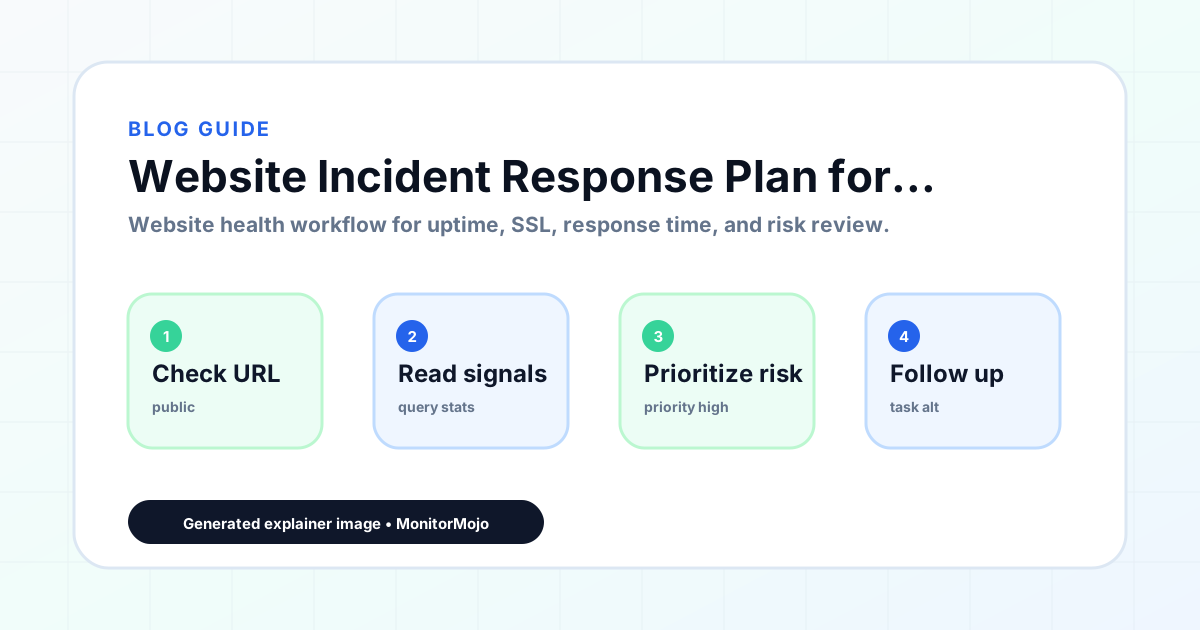
The Shape of an Incident Response Plan
A usable incident plan answers four questions before an incident happens, not during one: who gets notified, who decides what counts as an incident versus a blip, who is allowed to make changes to fix it, and who talks to the client or the public. Skipping this and figuring it out live is how a 10-minute outage turns into a 45-minute one.
The plan should be short enough that someone can follow it under stress. A five-page incident runbook that nobody reads during a real outage is worse than a one-page checklist that people actually use.
A good test of a plan's usability is whether a new team member, with no prior context, could follow it correctly during their first week. If the plan only makes sense to the person who wrote it, it will not hold up the first time that person is unavailable during a real incident.
Detection: How You Find Out Something Is Wrong
Detection can come from a scheduled check you run yourself, a client email, or a teammate noticing the site is slow. Whatever the source, the plan should specify a first move: run an on-demand check to confirm reachability, SSL status, response time, and headers together, rather than guessing which one is the problem.
Because MonitorMojo does not push its own alerts, detection for anything time-sensitive depends on you scheduling checks (via cron against the API or CLI) and routing failures into whatever channel your team actually watches, whether that is Slack, email, or a ticket queue.
Note in the plan how quickly you expect to detect an issue under normal circumstances, given your check schedule. If checks run hourly, the plan's own math should account for up to an hour of undetected downtime in the worst case, rather than assuming detection is instantaneous.
Triage: Classifying the Incident
Not every incident deserves the same response. A full outage of a client's storefront is a different severity than a slow-loading blog post. Classify quickly using severity tiers, and let the tier decide who gets paged and how fast.
- Critical: full outage or broken checkout/login on a revenue site
- High: expired SSL certificate or a major page unreachable
- Medium: significant slowdown or missing security header
- Low: minor slowdown or a non-critical page error
Roles: Who Does What During an Incident
Even a team of one benefits from writing down the roles explicitly, because it forces clarity about what needs to happen versus what can wait. In a larger team, three roles cover most of what is needed: an incident owner who coordinates the response and makes the final call on priority, a technical responder who actually investigates and fixes the issue, and a communication owner who updates the client or public status page.
These can be the same person on a small team, but naming them separately, even when one person holds two hats, prevents the common failure where the person fixing the problem is also expected to draft client updates in real time, which slows down both jobs at once.
Decide in advance who has the authority to make a risky call under pressure, such as rolling back a deploy or failing over to a backup, without waiting for a full team discussion. Incidents move fast, and a plan that requires consensus for every decision will be slower than the incident itself.
Response and Recovery
Once classified, assign an owner (even if it is a team of one) and start a running incident log: what was observed, what was tried, and what changed. This log is what turns a stressful hour into a reusable postmortem afterward instead of a story nobody can quite reconstruct.
Resolution is not the end of the incident. Re-run a full check to confirm the fix actually holds, not just that the immediate symptom disappeared, and keep the site on a tighter check cadence for the next day or two in case the underlying cause resurfaces.
Writing the Postmortem
A postmortem does not need to be long or formal to be useful. It needs three things: a timeline of what happened, a plain statement of the root cause (not just the symptom), and one or two concrete follow-up actions with an owner and a rough deadline. Skip the blame framing entirely; a postmortem that reads as an assignment of fault makes people less likely to report problems honestly next time.
Keep postmortems in one place, not scattered across chat history and memory. Over a year, a small archive of postmortems becomes one of the most useful documents an agency has: it shows recurring failure patterns across clients, which is exactly the kind of thing that justifies investing in a fix at the infrastructure level rather than patching the same symptom repeatedly.
Not every incident needs a full postmortem. A reasonable rule is to write one for anything classified Critical or High, and to skip it for Low-severity incidents unless a pattern of them starts to emerge.
Common Mistakes
Writing a plan and never rehearsing it is the biggest one; the first real incident is a bad time to discover the plan has a gap. Not assigning a communication owner separately from the technical fixer means updates to the client either never happen or interrupt the person actually solving the problem.
Treating every incident as equally urgent burns out a small team fast and trains people to under-react to real emergencies. And closing the incident without a short postmortem means the same failure mode is likely to repeat.
Writing the plan once at the start of a client relationship and never updating it is a slower-moving mistake; as a site grows more complex (new integrations, new payment flows, new subdomains), the severity tiers and response expectations that made sense at launch may no longer fit.
How MonitorMojo Helps
During detection and triage, a single MonitorMojo check confirms reachability, SSL status, response time, and security headers in one pass, so you are not chasing four separate signals during a stressful moment. The API and CLI let you script that check into your own monitoring cron job so incidents get detected on your schedule rather than requiring someone to remember to look.
Check history gives you the before-and-after record a postmortem needs: what the site looked like before the incident, during it, and after the fix. Client summaries make it straightforward to show a client what happened without sharing raw technical output.
What this workflow means
Website Incident Response Plan for Uptime and SSL Issues is best understood as a repeatable website health workflow, not a promise that every outage or configuration issue will be avoided. A master incident response structure covering detection, severity triage, response, and postmortem for any website failure, with role and communication guidance the specific uptime and SSL playbooks build on.
In practice, this workflow centers on SSL certificate status, expiry windows, renewal ownership, and post-renewal verification. Each check is planning input: it can show that the site is reachable, that a certificate has a given expiry window, that response time has shifted, or that a header is missing. It cannot prove root cause by itself or replace a human response. The value is in making the review consistent enough that site owners and small teams can spot issues before someone downstream has to ask about them.
Who should use this
This is most useful for site owners and small teams. Agencies that need one incident plan covering any kind of site failure
Beyond that primary audience, the same checks are reusable by anyone with a public-facing URL that matters to revenue, leads, or reputation: a recurring review is cheap insurance compared to hearing about the problem from a client or customer first.
Step-by-step monitoring workflow
Start by listing the URLs that actually matter instead of just the homepage — for a small team doing a routine check before something breaks in front of a visitor, that usually means the pages tied to revenue, signups, or trust, not every page on the site.
Next, define the check types for each URL: reachability, HTTP status, HTTPS/SSL certificate status and expiry window, response time, redirect behavior, and security header presence. For API, CLI, and AI-agent workflows, document which endpoint or command runs the check and where the result is stored.
Set a cadence that matches the risk — a low-traffic page may only need a monthly look, while a page tied to revenue or signups deserves a check after every deployment and before any campaign or launch.
Record what you find with a consistent format: URL, check type, status, issue, owner, detected date, and next review date. Then say what actually happened in plain language — a check can surface a symptom, but site owners and small teams still need to confirm the cause.
- Choose the URLs that matter most to visitors, clients, revenue, and operations.
- Run uptime, SSL, response time, and security header checks on a consistent schedule.
- Triage failed or risky checks by likely owner: hosting, DNS, SSL, code, platform, or third party.
- Record notes in a repeatable format so future reviews do not start from scratch.
- Send a plain-language summary with the issue, impact, owner, and next review date.
- Run a confirmation check after remediation so there is an external result to reference.
Checklist or template
Use this template for recurring reviews: [URL], [Check Type], [Status], [Issue], [Priority], [Owner], [Detected Date], [Resolved Date], [Next Review Date]. Add a one-line summary at the top: what changed, what needs attention, and who owns the next step.
For site owners and small teams, group findings into the four signals that matter most: reachability, SSL status, response time, and security headers. Where nothing needs action, say the check found no issue in that area rather than implying full coverage.
- [URL]: the exact page or endpoint checked.
- [Check Type]: uptime, SSL, response time, headers, API, CLI, or agent workflow.
- [Status]: pass, review, failed, blocked, or needs human investigation.
- [Issue]: the observable symptom, not an unsupported root-cause claim.
- [Owner]: agency, developer, host, DNS provider, client, or third-party vendor.
- [Next Review Date]: when the team should confirm status again.
Common mistakes
The most common mistake is monitoring only the homepage while a checkout, signup, or booking flow silently breaks. Another is assuming SSL auto-renewal always works — it can fail quietly, and an external check is the only way to catch that before a browser warning does.
For site owners and small teams specifically, the recurring miss is treating one clean check as proof the whole site is fine, or fixing an issue without ever writing down what happened — which means the next person repeats the same investigation from zero.
- Tracking too many low-value URLs while missing the ones that matter.
- Skipping notes after an issue is resolved.
- Reporting a status without an owner or next step attached.
- Assuming automation can resolve an incident without human review.
- Treating one clean check as proof that every risk is covered.
Practical example
Consider a small team doing a routine check before something breaks in front of a visitor. A scheduled check flags that the site is slower than its usual baseline and that a security header is missing. Instead of guessing, the team logs the observation with a timestamp, assigns an owner, and re-checks after the fix ships — turning a vague "something feels off" into a specific, closed-loop task.
How MonitorMojo helps
MonitorMojo runs website health checks that combine reachability, SSL certificate status, response time, and security header presence in one workspace, so this workflow doesn't require stitching together several separate tools.
The API and CLI make the same checks scriptable for site owners and small teams who want them wired into an existing process, while credit-based checks keep it practical to run reviews exactly when they matter — before a client call, after a deploy, or when someone asks whether the site is healthy. Results still depend on hosting, DNS, and how quickly the responsible team acts on what the check finds.
Who this is for
- Agencies that need one incident plan covering any kind of site failure
- Small teams without a dedicated on-call or SRE function
- Developers who want a rehearsed structure instead of improvising during outages
- Anyone writing an incident plan for the first time and unsure where to start
Frequently Asked Questions
How is this different from the uptime-specific and SSL-specific response plans?
This is the overall structure: roles, severity tiers, and the detection-to-postmortem flow. The uptime and SSL plans are more specific playbooks that use this same structure for their particular failure modes.
Does MonitorMojo detect incidents automatically?
No. It runs checks on demand. Schedule checks yourself via the API or CLI and route failures to your own notification tool if you want detection without manual checking.
Do we need a formal plan if we are a two-person team?
Yes, arguably more so. With no one to hand off to, a short written plan is what keeps the two of you from duplicating effort or missing a step during a stressful moment.
Does having an incident plan guarantee incidents won't happen?
No. A plan reduces confusion and response time once something breaks. It does not prevent outages, certificate expirations, or bugs from occurring in the first place.
What should be in the incident log during an active incident?
A timestamped record of what was observed, what was tried, who was contacted, and what changed. This becomes the raw material for the postmortem afterward.
Can this prevent every issue with the site?
No. Monitoring helps site owners and small teams detect website health signals and organize follow-up, but it does not prevent every outage, SSL issue, slow response, or third-party failure. The result still depends on hosting, DNS, infrastructure, and how quickly the responsible team investigates and responds.