MonitorMojo Blog
How to Notify Clients About Website Downtime
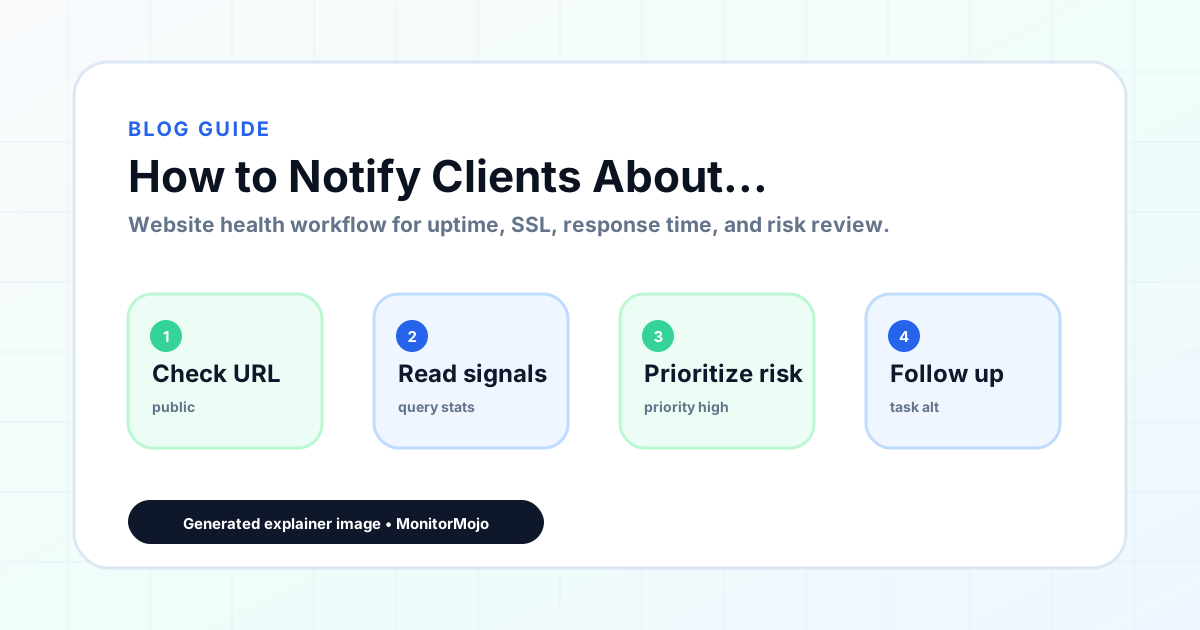
Notifying a client is the external step that comes after triage and any internal escalation — and it's the one that shapes how the client remembers the incident, regardless of how fast the technical fix was. This guide focuses on the judgment calls: when to notify, which channel to use, how much detail to include, and how to close the loop once it's resolved. For the actual wording to send, see the downtime email template. This expanded guide explains the practical monitoring workflow behind the topic, who should use it, what to check, how to document findings, and how to turn website health signals into useful client, developer, API, CLI, or AI-agent workflows without overstating what monitoring can prove.
Deciding When to Notify
Not every issue warrants a client email. A Low-severity item caught and fixed in minutes rarely needs a notification at all — sending one for every minor blip trains clients to worry over nothing. A confirmed Critical or High-severity issue (site down, checkout broken, SSL invalid) almost always does, even if you expect to fix it quickly.
The general rule: notify once you've confirmed the issue is real (not before — a retracted false alarm damages trust more than a delayed accurate one) and once you have at least a rough sense of what's affected, even if you don't yet have a fix.
For issues that resolve on their own within a few minutes — a brief blip that a re-check shows has already cleared — it's often better to mention it in the next regular update (weekly or monthly review) rather than sending a standalone email for something the client never experienced and that's already fixed.
For anything expected to take more than a short while to resolve, send an initial "we're aware, we're on it" message quickly rather than waiting for a full explanation. Clients tolerate downtime far better when they hear about it from you before they notice it themselves.
Consider the client relationship too, not just the technical severity. A client who checks their site daily and will notice a five-minute blip themselves deserves a heads-up even for something you'd otherwise treat as minor; a client who rarely looks at their site may not need to hear about something brief and already resolved.
Choosing a Channel
Email is the default for most agency-client relationships because it creates a written record and doesn't demand an immediate response. For clients you have a faster channel with — Slack, a shared chat, or another direct message — a brief heads-up there can precede the fuller email, especially for a Critical issue where minutes matter.
Avoid using a channel the client doesn't check regularly as your only notification path. If you're not sure how fast a client reads email, a short message on whatever channel they're most responsive on is worth sending alongside it.
For agencies managing many client relationships, it's worth keeping a simple note per client on their preferred channel and typical response speed — decided once during onboarding rather than guessed at during an actual incident when there's no time to figure it out.
Tone and What to Include
Lead with the plain-language impact, not the technical cause: "your website is currently not loading for visitors" lands better up front than a description of an HTTP status code. Save technical detail for later in the message or a follow-up, for clients who want it.
State what you know and don't guess at what you don't. If you haven't identified the root cause yet, say so plainly rather than speculating — an inaccurate early guess that turns out wrong is worse than an honest "we're still investigating."
Empathy matters more than most agencies give it credit for in these messages. A line acknowledging the disruption — "we understand this affects your visitors and we're treating it as a priority" — costs nothing and signals that you understand why the client cares, beyond just reporting a technical status.
Avoid absolute promises about timing or outcomes. "We expect this resolved shortly" is honest; "this will definitely be fixed within the hour" sets an expectation you may not control.
Match message length to severity. A brief blip that resolved on its own warrants two sentences; a multi-hour outage affecting checkout warrants a fuller explanation. Padding a minor issue with excessive detail can make it read as more serious than it was, while under-explaining a major one can come across as dismissive.
Closing the Loop
Every downtime notification needs a follow-up once the issue is resolved — a surprising number of agencies send the "we're aware" message and never send the "it's fixed" one, which leaves the client's last impression as unresolved trouble.
The resolution message should state what happened in plain terms, roughly how long it lasted, and what (if anything) changes going forward. If the fix included a process change on your end, briefly mentioning it reassures the client without over-explaining.
For an issue that turned out to be caused by something on the client's side — a plugin they installed, a change they made — the resolution message is also the place to note that gently and constructively, framed as information for next time rather than blame.
Common Mistakes
Notifying before confirming the issue is real is the most damaging mistake — a false alarm retracted an hour later costs more trust than a real issue reported promptly.
Going silent during a longer incident is nearly as bad. If a fix takes hours, an unexplained gap makes clients assume the worst; a brief update even without new information ("still working on it, next update by X") keeps confidence intact.
Over-explaining technical root cause to a non-technical client can read as an excuse rather than an explanation. Keep the first message short; offer more detail if they ask for it.
Forgetting the resolution message leaves clients uncertain whether the problem is actually fixed or just quiet for the moment.
How MonitorMojo Helps
Before sending any client notification, running a MonitorMojo check gives you a current, independent confirmation of the site's status rather than relying on a client's initial report, which is often vague or outdated by the time you read it.
MonitorMojo's client-ready summaries turn a check's results into a clean, non-technical format you can reference or attach when you need to show a client exactly what was checked and when — useful for both the initial notification and the resolution follow-up.
Check history lets you confirm the timeline of an incident (when it started, when it cleared) accurately, so your notification and resolution messages state facts you can back up rather than estimates.
What this workflow means
How to Notify Clients About Website Downtime is best understood as a repeatable website health workflow, not a promise that every outage or configuration issue will be avoided. How to decide when, how, and what to tell a client once a website issue is confirmed — timing rules, channel choice, tone, and the follow-up message after it's fixed.
In practice, this workflow centers on API, CLI, and AI-agent workflows that retrieve website health context with human review. Each check is planning input: it can show that the site is reachable, that a certificate has a given expiry window, that response time has shifted, or that a header is missing. It cannot prove root cause by itself or replace a human response. The value is in making the review consistent enough that site owners and small teams can spot issues before someone downstream has to ask about them.
Who should use this
This is most useful for site owners and small teams. Agencies who manage the client relationship around technical incidents
Beyond that primary audience, the same checks are reusable by anyone with a public-facing URL that matters to revenue, leads, or reputation: a recurring review is cheap insurance compared to hearing about the problem from a client or customer first.
Step-by-step monitoring workflow
Start by listing the URLs that actually matter instead of just the homepage — for a small team doing a routine check before something breaks in front of a visitor, that usually means the pages tied to revenue, signups, or trust, not every page on the site.
Next, define the check types for each URL: reachability, HTTP status, HTTPS/SSL certificate status and expiry window, response time, redirect behavior, and security header presence. For API, CLI, and AI-agent workflows, document which endpoint or command runs the check and where the result is stored.
Set a cadence that matches the risk — a low-traffic page may only need a monthly look, while a page tied to revenue or signups deserves a check after every deployment and before any campaign or launch.
Record what you find with a consistent format: URL, check type, status, issue, owner, detected date, and next review date. Then say what actually happened in plain language — a check can surface a symptom, but site owners and small teams still need to confirm the cause.
- Choose the URLs that matter most to visitors, clients, revenue, and operations.
- Run uptime, SSL, response time, and security header checks on a consistent schedule.
- Triage failed or risky checks by likely owner: hosting, DNS, SSL, code, platform, or third party.
- Record notes in a repeatable format so future reviews do not start from scratch.
- Send a plain-language summary with the issue, impact, owner, and next review date.
- Run a confirmation check after remediation so there is an external result to reference.
Checklist or template
Use this template for recurring reviews: [URL], [Check Type], [Status], [Issue], [Priority], [Owner], [Detected Date], [Resolved Date], [Next Review Date]. Add a one-line summary at the top: what changed, what needs attention, and who owns the next step.
For site owners and small teams, group findings into the four signals that matter most: reachability, SSL status, response time, and security headers. Where nothing needs action, say the check found no issue in that area rather than implying full coverage.
- [URL]: the exact page or endpoint checked.
- [Check Type]: uptime, SSL, response time, headers, API, CLI, or agent workflow.
- [Status]: pass, review, failed, blocked, or needs human investigation.
- [Issue]: the observable symptom, not an unsupported root-cause claim.
- [Owner]: agency, developer, host, DNS provider, client, or third-party vendor.
- [Next Review Date]: when the team should confirm status again.
Common mistakes
The most common mistake is monitoring only the homepage while a checkout, signup, or booking flow silently breaks. Another is assuming SSL auto-renewal always works — it can fail quietly, and an external check is the only way to catch that before a browser warning does.
For site owners and small teams specifically, the recurring miss is treating one clean check as proof the whole site is fine, or fixing an issue without ever writing down what happened — which means the next person repeats the same investigation from zero.
- Tracking too many low-value URLs while missing the ones that matter.
- Skipping notes after an issue is resolved.
- Reporting a status without an owner or next step attached.
- Assuming automation can resolve an incident without human review.
- Treating one clean check as proof that every risk is covered.
Practical example
Consider a small team doing a routine check before something breaks in front of a visitor. A scheduled check flags that the site is slower than its usual baseline and that a security header is missing. Instead of guessing, the team logs the observation with a timestamp, assigns an owner, and re-checks after the fix ships — turning a vague "something feels off" into a specific, closed-loop task.
How MonitorMojo helps
MonitorMojo runs website health checks that combine reachability, SSL certificate status, response time, and security header presence in one workspace, so this workflow doesn't require stitching together several separate tools.
The API and CLI make the same checks scriptable for site owners and small teams who want them wired into an existing process, while credit-based checks keep it practical to run reviews exactly when they matter — before a client call, after a deploy, or when someone asks whether the site is healthy. Results still depend on hosting, DNS, and how quickly the responsible team acts on what the check finds.
Who this is for
- Agencies who manage the client relationship around technical incidents
- Account managers who need judgment calls, not just a script, for client comms
- Freelancers who handle both the fix and the client conversation themselves
- Anyone who has under- or over-communicated during a past outage and wants a better default
Frequently Asked Questions
Should I notify the client before I know what caused the issue?
Yes, for anything Critical or High severity — an early "we're aware and investigating" message matters more than having the root cause figured out first. Just don't guess at a cause you're not sure of.
Is email the best channel for downtime notifications?
It's the reasonable default because it's asynchronous and creates a record, but pair it with a faster channel (Slack or another direct message) for Critical issues with clients who don't check email quickly.
Do I need to notify clients about every issue MonitorMojo checks turn up?
No. Low-severity, quickly-resolved issues usually don't need a client email. Reserve notifications for issues that were visible to the client's visitors or took real time to resolve.
Does MonitorMojo send the notification to my client for me?
No. MonitorMojo does not send emails, SMS, or any automated client communication — it runs the check and gives you the data and client-ready summaries. Sending the actual message is a step you or your team handle.
Does good client communication guarantee clients won't be upset about downtime?
No. Clear, timely communication reduces frustration and preserves trust, but it doesn't prevent downtime from happening or guarantee a client will be satisfied — especially for recurring issues on the same site.
Can this prevent every issue with the site?
No. Monitoring helps site owners and small teams detect website health signals and organize follow-up, but it does not prevent every outage, SSL issue, slow response, or third-party failure. The result still depends on hosting, DNS, infrastructure, and how quickly the responsible team investigates and responds.