MonitorMojo Blog
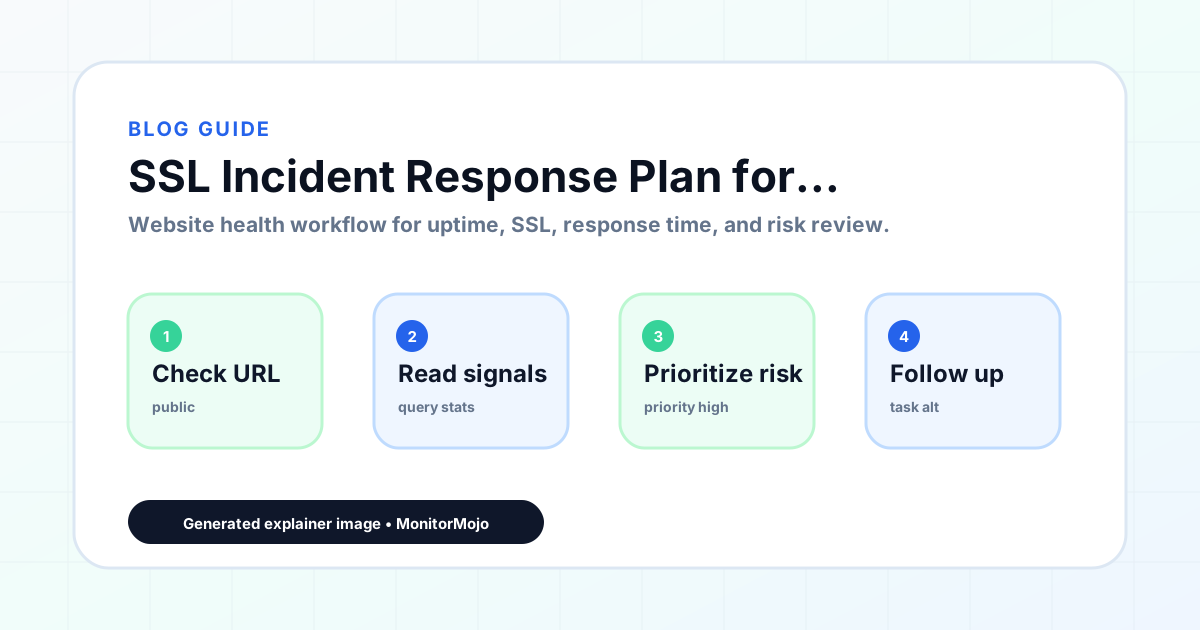
SSL Incident Response Plan for Expired or Broken Certificates
An expired or broken SSL certificate produces a very specific kind of incident: the server is running fine, but every visitor's browser refuses to trust it. That distinction matters, because the fix and the diagnostic path are completely different from a downtime incident. This playbook covers what to do in the first minutes after discovering a certificate problem, and how to prevent the same one from recurring. This expanded guide explains the practical monitoring workflow behind the topic, who should use it, what to check, how to document findings, and how to turn website health signals into useful client, developer, API, CLI, or AI-agent workflows without overstating what monitoring can prove.
Recognizing Which Kind of Certificate Problem You Have
An expired certificate produces a clear browser warning about an expired certificate, and the fix is straightforward: issue and install a new one. A broken chain (an incomplete or incorrectly ordered intermediate certificate) produces warnings on some browsers or devices but not others, which makes it look intermittent when it is actually consistent, just device-dependent. A hostname mismatch, where the certificate does not cover the exact domain or subdomain being accessed, is a third distinct case, common after adding a new subdomain without updating the certificate.
Run a check to see the certificate's exact expiration date, issuer, and the domain it covers. That single result usually tells you immediately which of the three situations you are dealing with, rather than guessing from user reports of 'the site shows a warning.'
A fourth, less common case is worth ruling out too: a self-signed or otherwise untrusted certificate accidentally left on a production environment after testing. This produces warnings on every browser and every device, unlike a broken chain, and the fix is simply replacing it with a properly issued certificate rather than debugging a chain or renewal issue.
Immediate Response Steps
For an expired certificate, the fix is renewal: reissue the certificate through your certificate authority or hosting provider and install it. If auto-renewal was supposed to handle this and did not, check why it failed before just renewing manually and moving on, since the same failure will likely repeat next cycle otherwise.
For a broken chain, reinstall the full certificate bundle including intermediates, in the order your host or CDN expects. For a hostname mismatch, confirm which domains and subdomains the certificate actually needs to cover and reissue with the correct set included.
How Long Does a Certificate Fix Actually Take
Set realistic expectations before diving in. A standard domain-validated certificate renewal, once you know why the old one failed, usually takes minutes to reissue but can take longer if domain validation depends on a DNS record propagating, which is not instantaneous. A broken chain fix is typically the fastest of the three, since it is a configuration correction rather than a new certificate request.
A hostname mismatch takes the longest in practice, since it usually requires reissuing a certificate with an updated list of covered domains, and depending on your certificate authority, that can involve a validation step for each new subdomain being added. Communicate a realistic timeframe rather than promising an immediate fix and then having to walk it back.
Preventing the Repeat Incident
Every SSL incident should end with the same question: why did this certificate reach expiration or breakage without being caught earlier? If auto-renewal failed, find out whether it was a payment method issue, a DNS validation failure, or a certificate authority outage, and fix that specific cause rather than only fixing the symptom.
Build a simple certificate inventory: domain, issuer, expiration date, and renewal method, reviewed on a monthly cadence. For agencies managing several client certificates, organizing this inventory by client makes it obvious at a glance which accounts have certificates coming due.
If the incident was caused by a forgotten subdomain that shares a wildcard certificate, use it as a prompt to audit every subdomain currently in use against the certificate's actual coverage, since a subdomain added six months ago without anyone updating the certificate inventory is a common way for this exact incident to repeat under a different hostname.
- Log the exact failure type (expired, broken chain, hostname mismatch)
- Identify why the existing renewal safeguard did not catch it
- Update the certificate inventory with the corrected renewal date
- Schedule a check 24 hours later to confirm the fix held
Talking to a Client About an SSL Warning
A certificate warning is one of the few technical issues a non-technical client can see with their own eyes, in their own browser, without you telling them about it first. That makes speed of communication unusually important here compared to a backend performance issue they would never notice on their own.
Keep the explanation short and free of jargon: the site's security certificate needed to be renewed, it has been fixed, and here is what changed to make sure it does not happen again. Avoid over-explaining certificate chains and validation errors to a client who does not need that detail to feel reassured; too much technical explanation can read as an attempt to bury a simple mistake in complexity.
Common Mistakes
Renewing manually without investigating why auto-renewal failed is the most common mistake; it fixes this cycle and guarantees a repeat next cycle. Assuming a certificate warning on one device means the whole certificate is broken, when it is actually a chain issue only affecting older browsers, leads to unnecessary full reissuance when a simpler chain fix would do.
Not telling affected clients what happened is a communication gap specific to SSL incidents: a security warning looks alarming to a non-technical visitor, and a client who sees it before you tell them about it loses more trust than one who hears from you first.
Fixing the certificate on the primary domain but forgetting a www subdomain, an API subdomain, or a staging environment that shares the same wildcard certificate is a common oversight that turns one incident into two, a day or two apart.
How MonitorMojo Helps
A MonitorMojo check reads the live certificate's expiration date, issuer, and validity as part of every check, giving you the exact detail needed to tell an expired certificate apart from a broken chain or hostname mismatch. Because checks are on demand, run one immediately when a warning is reported, and again 24 hours after any fix to confirm it held.
Check history keeps a record of past certificate states, which is useful for spotting a pattern, like a certificate that always renews a few days late every year. The API and CLI let you script a monthly certificate sweep across every domain you are responsible for, and credit-based pricing keeps that sweep affordable regardless of how many certificates you track.
What this workflow means
SSL Incident Response Plan for Expired or Broken Certificates is best understood as a repeatable website health workflow, not a promise that every outage or configuration issue will be avoided. How to tell an expired certificate apart from a broken chain or hostname mismatch, fix each correctly, and prevent the same SSL incident from recurring.
In practice, this workflow centers on SSL certificate status, expiry windows, renewal ownership, and post-renewal verification. Each check is planning input: it can show that the site is reachable, that a certificate has a given expiry window, that response time has shifted, or that a header is missing. It cannot prove root cause by itself or replace a human response. The value is in making the review consistent enough that site owners and small teams can spot issues before someone downstream has to ask about them.
Who should use this
This is most useful for site owners and small teams. Developers responding to an active certificate warning on a client or personal site
Beyond that primary audience, the same checks are reusable by anyone with a public-facing URL that matters to revenue, leads, or reputation: a recurring review is cheap insurance compared to hearing about the problem from a client or customer first.
Step-by-step monitoring workflow
Start by listing the URLs that actually matter instead of just the homepage — for a small team doing a routine check before something breaks in front of a visitor, that usually means the pages tied to revenue, signups, or trust, not every page on the site.
Next, define the check types for each URL: reachability, HTTP status, HTTPS/SSL certificate status and expiry window, response time, redirect behavior, and security header presence. For API, CLI, and AI-agent workflows, document which endpoint or command runs the check and where the result is stored.
Set a cadence that matches the risk — a low-traffic page may only need a monthly look, while a page tied to revenue or signups deserves a check after every deployment and before any campaign or launch.
Record what you find with a consistent format: URL, check type, status, issue, owner, detected date, and next review date. Then say what actually happened in plain language — a check can surface a symptom, but site owners and small teams still need to confirm the cause.
- Choose the URLs that matter most to visitors, clients, revenue, and operations.
- Run uptime, SSL, response time, and security header checks on a consistent schedule.
- Triage failed or risky checks by likely owner: hosting, DNS, SSL, code, platform, or third party.
- Record notes in a repeatable format so future reviews do not start from scratch.
- Send a plain-language summary with the issue, impact, owner, and next review date.
- Run a confirmation check after remediation so there is an external result to reference.
Checklist or template
Use this template for recurring reviews: [URL], [Check Type], [Status], [Issue], [Priority], [Owner], [Detected Date], [Resolved Date], [Next Review Date]. Add a one-line summary at the top: what changed, what needs attention, and who owns the next step.
For site owners and small teams, group findings into the four signals that matter most: reachability, SSL status, response time, and security headers. Where nothing needs action, say the check found no issue in that area rather than implying full coverage.
- [URL]: the exact page or endpoint checked.
- [Check Type]: uptime, SSL, response time, headers, API, CLI, or agent workflow.
- [Status]: pass, review, failed, blocked, or needs human investigation.
- [Issue]: the observable symptom, not an unsupported root-cause claim.
- [Owner]: agency, developer, host, DNS provider, client, or third-party vendor.
- [Next Review Date]: when the team should confirm status again.
Common mistakes
The most common mistake is monitoring only the homepage while a checkout, signup, or booking flow silently breaks. Another is assuming SSL auto-renewal always works — it can fail quietly, and an external check is the only way to catch that before a browser warning does.
For site owners and small teams specifically, the recurring miss is treating one clean check as proof the whole site is fine, or fixing an issue without ever writing down what happened — which means the next person repeats the same investigation from zero.
- Tracking too many low-value URLs while missing the ones that matter.
- Skipping notes after an issue is resolved.
- Reporting a status without an owner or next step attached.
- Assuming automation can resolve an incident without human review.
- Treating one clean check as proof that every risk is covered.
Practical example
Consider a small team doing a routine check before something breaks in front of a visitor. A scheduled check flags that the site is slower than its usual baseline and that a security header is missing. Instead of guessing, the team logs the observation with a timestamp, assigns an owner, and re-checks after the fix ships — turning a vague "something feels off" into a specific, closed-loop task.
How MonitorMojo helps
MonitorMojo runs website health checks that combine reachability, SSL certificate status, response time, and security header presence in one workspace, so this workflow doesn't require stitching together several separate tools.
The API and CLI make the same checks scriptable for site owners and small teams who want them wired into an existing process, while credit-based checks keep it practical to run reviews exactly when they matter — before a client call, after a deploy, or when someone asks whether the site is healthy. Results still depend on hosting, DNS, and how quickly the responsible team acts on what the check finds.
Who this is for
- Developers responding to an active certificate warning on a client or personal site
- Agencies managing certificates across many client domains
- Teams whose auto-renewal has failed silently before and want a better process
- Anyone who needs to tell an expired certificate apart from a broken chain quickly
Frequently Asked Questions
How do I know if it's an expired certificate versus a broken chain?
An expired certificate shows a clear expiration warning in every browser. A broken chain often shows warnings on some devices or browsers but not others. A direct certificate check will show the exact expiration date and chain status.
Does MonitorMojo renew or reissue certificates automatically?
No. MonitorMojo checks and reports certificate status; it does not manage certificate authorities or perform renewals. Renewal still happens through your host, CDN, or certificate authority.
Will MonitorMojo warn me before a certificate expires?
MonitorMojo reports certificate expiration data on each check you run, but it does not push automatic warnings. Schedule checks yourself via the API or CLI and route the expiration data into your own alerting workflow if you want advance warning.
Why did auto-renewal fail even though I had it set up?
Common causes include failed domain validation, an expired payment method on file with the certificate authority, or a temporary certificate authority outage. Check history to confirm the exact failure before just renewing manually and moving on.
Does fixing this incident guarantee it won't happen again?
No. Fixing the certificate resolves the immediate incident. Preventing a repeat requires finding out why the renewal safeguard failed and fixing that underlying cause.
Can this prevent every issue with the site?
No. Monitoring helps site owners and small teams detect website health signals and organize follow-up, but it does not prevent every outage, SSL issue, slow response, or third-party failure. The result still depends on hosting, DNS, infrastructure, and how quickly the responsible team investigates and responds.